








- 10 Ways to Protect Social Media Passwords From Hackers
- Don’t Use the Same User Names for All Accounts
- Definitely Don’t Use the Same Passwords
- Go Random With Passwords
- A Password Manager Could Be Useful
- If You Don’t Go Random, Use Special Characters
- Hackers Love Money
- Don’t Trust Anything Until You Know You Can
- Don’t Go to Unsavory Websites
- Make Two-Factor Authentication Your Friend
- Hope the Company Is Secure
10 Ways to Protect Social Media Passwords From Hackers
Security breaches are becoming all-too frequent, with hackers hitting all manner of victims. Here are some best practices to help keep your data safe.
Don’t Use the Same User Names for All Accounts
Hackers love when users employ the same user name across different services. After all, if users have the same handles on social networks, they might also use them on banking and other sites, making it easier to identify a person and obtain his or her password. Having different user names on various sites might be annoying, but it’s critical.
Definitely Don’t Use the Same Passwords
If using the same user name is a bad idea, using the same password is even worse. In the event an account is hacked and login credentials are obtained, it’s extremely easy for hackers to try out the password elsewhere. And the worst part is, they’ll get the access they want. So, be sure to use different passwords on every site; repurposing passwords is a bad idea.
Go Random With Passwords
Creating passwords that are entirely random and have nothing to do with your life is another smart move. Hackers often use clues harvested from social media sites and other places to take some guesses at what a person’s password might be. Create passwords that are in no way related to you.
A Password Manager Could Be Useful
In recent months, password managers such as 1Password have become useful tools for those who want to improve their security and privacy. A password manager app houses all your passwords in one place, enabling quick access to accounts from the app. Better yet, the password manager can create passwords for you, which makes it even more difficult for account credentials to be cracked via brute force or other similar attacks. Think seriously about a password manager.
If You Don’t Go Random, Use Special Characters
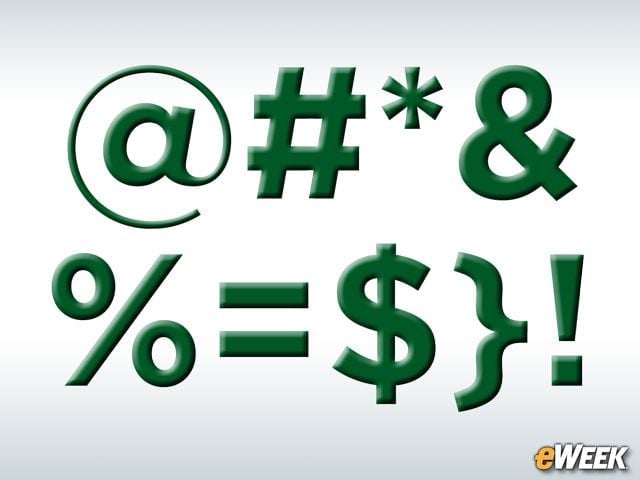
If creating a random password is too difficult, the next-best option is to make a not-so-random password extremely complex. Simply using letters and numbers will do nothing to stop hackers. Instead, users should use special characters, such as “&,” “@” and other symbols, to make passwords more difficult to guess. The days of using only numbers and letters are over.
Hackers Love Money
Although it’s sometimes unavoidable, stay away from as many financial-related sites, or even those that ask for credit card information. In many cases, hackers are targeting e-commerce sites, financial institutions and similar services. Staying safe might mean limiting which cards you use online or, perhaps, using only prepaid cards.
Don’t Trust Anything Until You Know You Can

It’s imperative users don’t fall for phishing scams—in the vast majority of cases, those scams will lead to a person’s credentials getting hacked. With that in mind, don’t trust any links, emails or anything else that seems out of place. Today’s security environment requires being extremely vigilant and only going to sites and clicking on links when a user knows for sure that it’s safe. Hackers have become extremely proficient at using phishing scams to steal login credentials, and they aren’t showing signs of slowing down.
Don’t Go to Unsavory Websites
At the same time, there are some Websites across the Internet that might be more prone to third-party hacks than others. While you might type the URL into the browser and actually reach that destination, it’s possible the site is crawling with malware, ransomware or any number of other issues. Not every popular site is free from trouble, but users are less likely to find issues there than if they head to unsavory sites or those they haven’t been to before.
Make Two-Factor Authentication Your Friend
Two-factor authentication is arguably one of the most important features to maintaining security. Two-factor authentication requires users to input a password, as well as a code that might be sent to a phone or email address. Logging in requires two points of contact with the user, which could prevent many hackers from gaining access to an account.
Hope the Company Is Secure

In the end, after you’ve put in place all of the security measures you can have, realize that security is only as good as the platform you are using. Even if you don’t get hacked, it’s entirely possible—and becoming increasingly frequent—that a company you’ve done business with will get hacked instead. Unfortunately, even the most cautious among us can get stung by hackers simply because a company doesn’t do enough to protect user credentials.