








How to Control Facebooks New Privacy Settings
by Brian Prince
One Control to Rule Them All
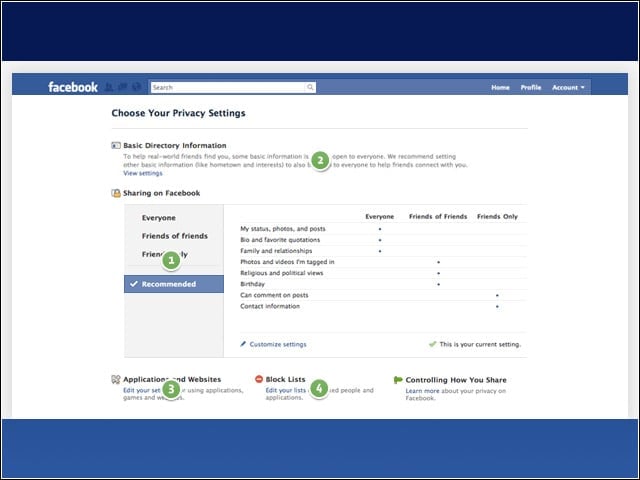
Facebook has created one control for content shared with either “friends,” “friends of friends” or “everyone.” Users can still customize their settings as well. These settings will appear on one page for ease of use.
Controlling How You Share with Facebook Apps
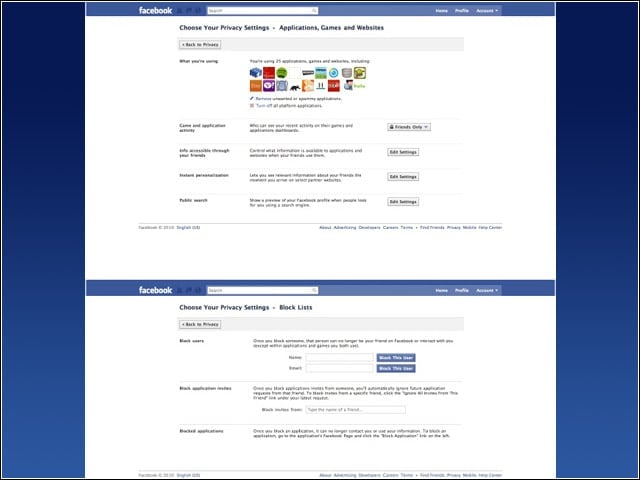
When Facebook made privacy changes in December 2009, one of the points of contention was that Facebook apps could grab information deemed public. Facebook has now made it easier for users to turn off sharing with Facebook Platform applications as well as control what information applications can access.
What App Developers Need to Know
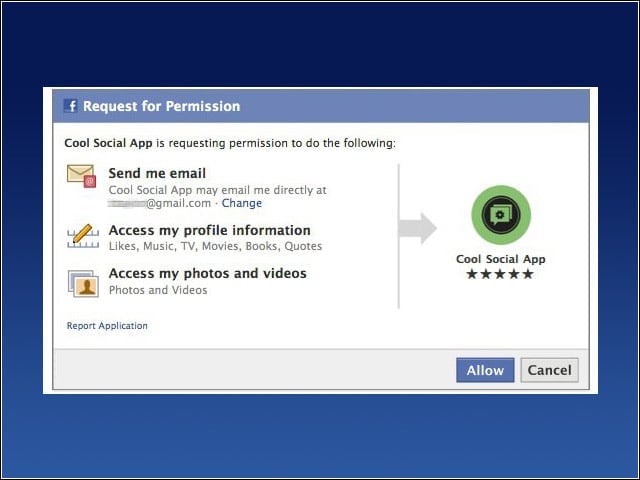
Starting June 30, your application will only be able to read the publicly available information of a user’s profile by default. To get access to other parts of the user’s profile, your application must explicitly request all of the data it needs to function. For example, if you want to incorporate a user’s photos into your application, you would request the user_photos extended permission.
Personal Info on the Menu
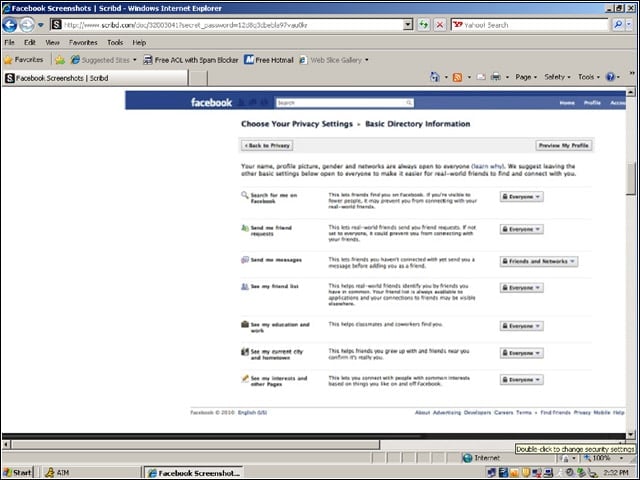
Facebook has reduced the amount of information considered public, meaning data about you that is always available for people searching for you. Your name, profile pic, gender and networks are still considered public information. Other information, like your hometown and favorite activities, is not—but it is still visible by default.
Opting Out of Instant Personalization
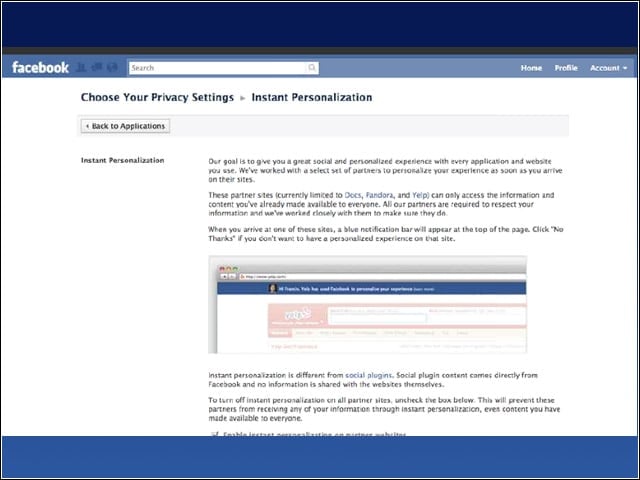
The site has sought to make it easier to opt out of the instant personalization feature it unveiled in April. The feature shared information with third-party sites using Facebook plug-ins, and set off weeks of debate about the sites attitude toward user privacy.
Privacy Center Reloaded
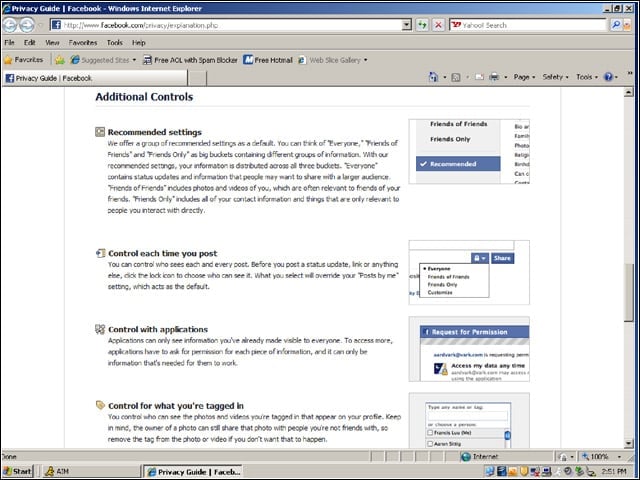
Facebook updated its privacy center to include new information about the changes.