







LABS GALLERY: Crossbeam X80 Security Switch Is Versatile, Scalable
by Matt Sarrel
Rack-Mounted Switch
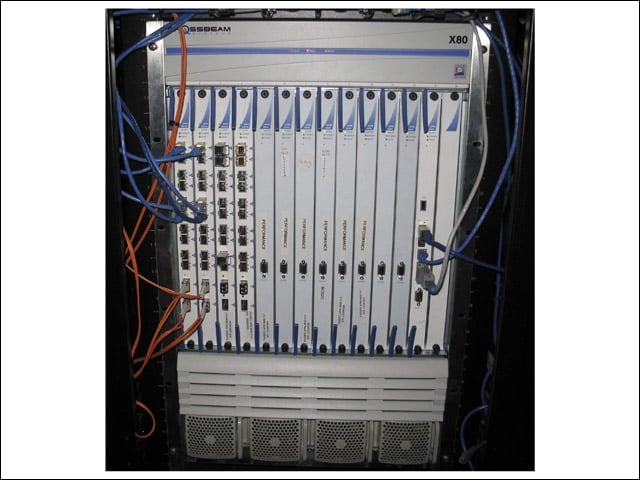
Shown here is a rack-mounted Crossbeam X80 security switch. This unit is populated with four NPMs (Network Processor Modules), eight APMs (Application Processor Modules) and one CPM (Control Processor Module).
APM
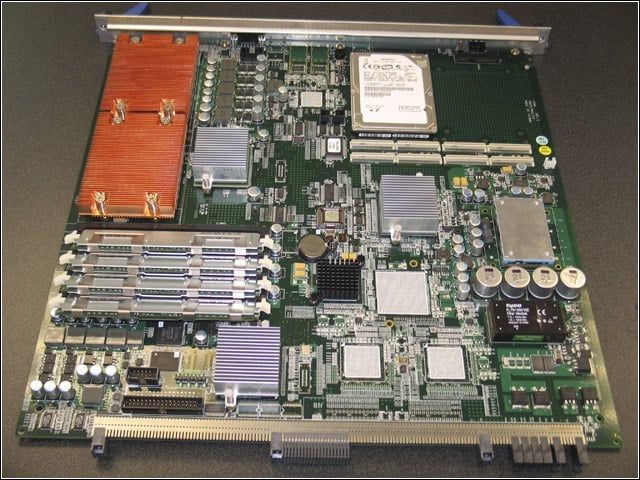
This is an APM. Across the bottom you can see the connection to the chassis backplane. At top left are heat sinks covering two quad-core CPUs, at bottom left is RAM and at top right is one hard drive with room for a second.
NPM
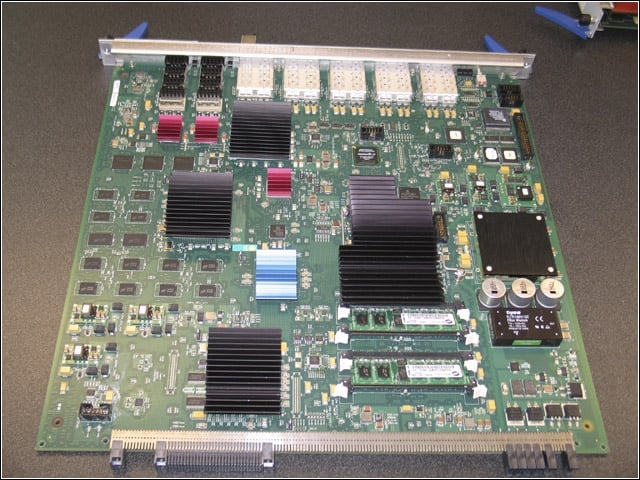
This NPM includes a 16-core MIPS64 security processor, high-speed NPU and a Crossbeam-designed switch fabric FPGA (field-programmable gate array). This NPM is equipped for 10G-bps fiber.
Late-Night Testing
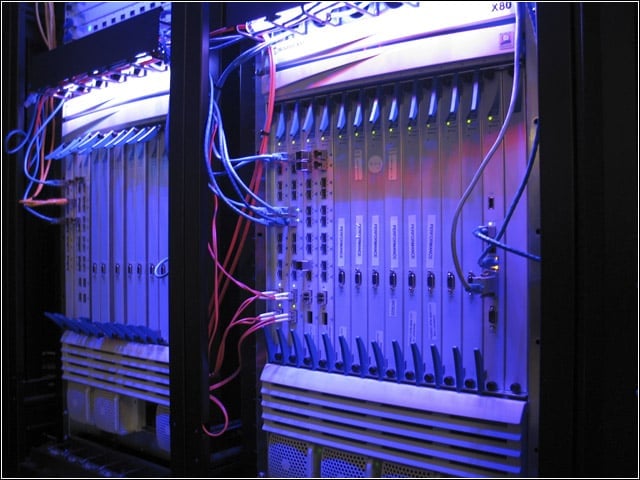
The Crossbeam X80 took on a psychedelic aura during late-night testing.
Easy App Deployment
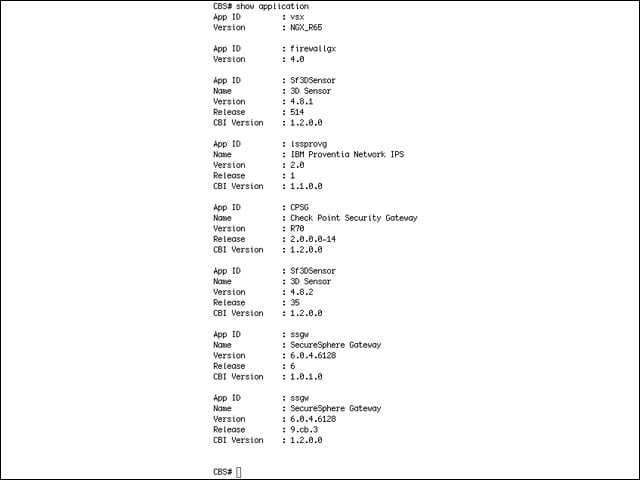
Any application that can be compiled under Red Hat Linux can be stored on the CPM and deployed to an APM quickly and easily via the GUI. The Show Application command lists apps and versions.
Single Virtual App
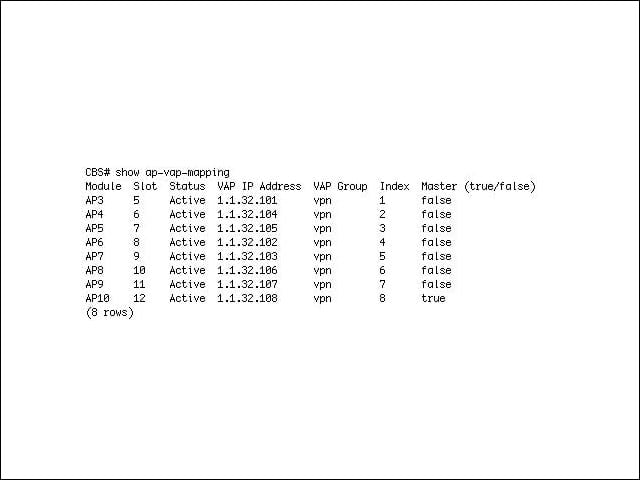
Within the CLI, the Show AP-VAP-Mapping command displays which APMs are assigned to which VAP group. This way, a physical module running an application becomes part of a pool treated as a single virtual application.
Show Chassis
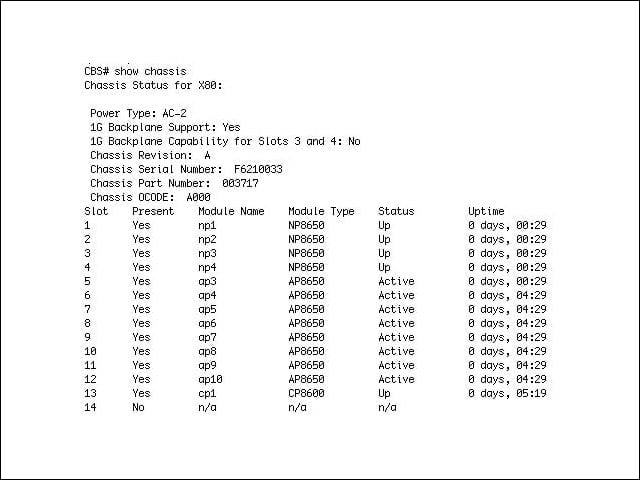
The Show Chassis command displays chassis and module status.
Detailed Traffic Stats
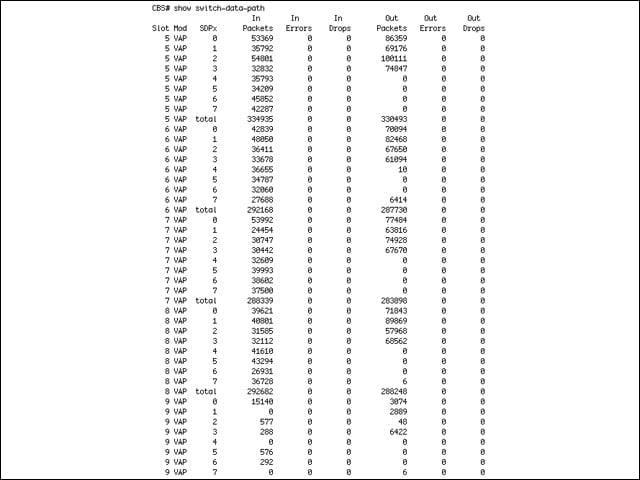
Again in the CLI, the Show Switch-Data-Path command displays detailed traffic statistics including packets in and out, errors in and out, and dropped packets in and out.
GUI
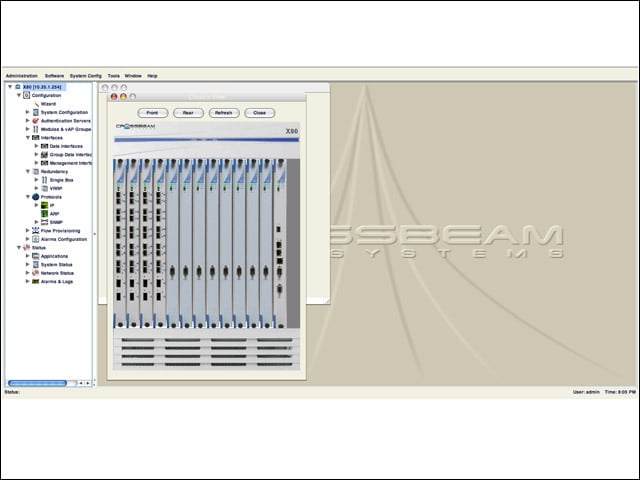
The current GUI is fairly plain. Here you can view the status and location of each module. This is essentially a graphical representation of the Show Chassis command from the CLI.
Moving on Up
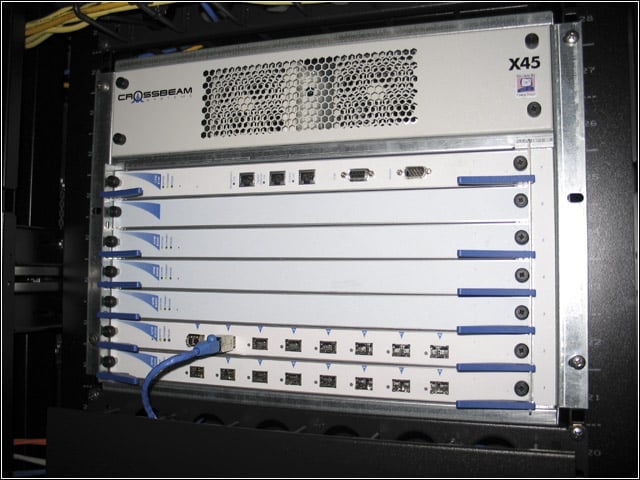
Small enterprises can start with an X45 chassis and migrate modules, applications and configurations to an X80 as traffic demands increase.
