







- LABS GALLERY: Sophos Endpoint Security and Data Protection 9 Is Easy to Configure, Manage
- Sophos Download
- Sophos Enterprise Console
- Sophos Dashboard
- Standard Interface
- Update Errors
- Computer Details
- Solid Reporting
- Data Control Rules
- App Warning
- App Control Popup
- Advanced Firewall Settings
- Device Control Policy
- Application Control Policy
- Simple or Advanced
LABS GALLERY: Sophos Endpoint Security and Data Protection 9 Is Easy to Configure, Manage
LABS GALLERY: Sophos Endpoint Security and Data Protection 9 Is Easy to Configure, ManageBy Matthew D. Sarrel
Sophos Download
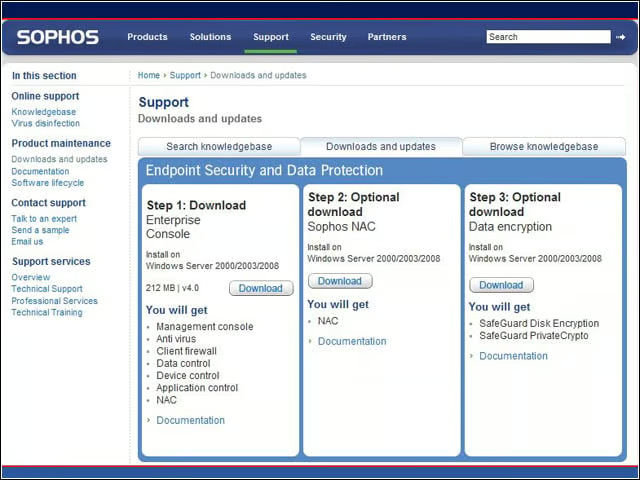
It all starts by downloading the appropriate installation package and instructions from sophos.com.
Sophos Enterprise Console
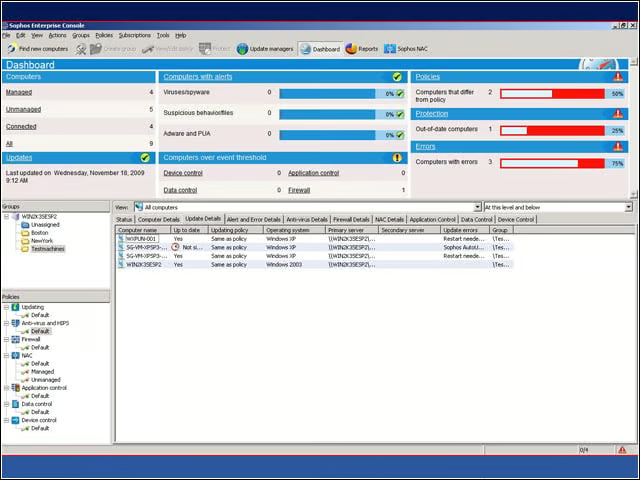
Sophos Enterprise Console provides all the information you need to quickly assess the security of your organization’s endpoints.
Sophos Dashboard
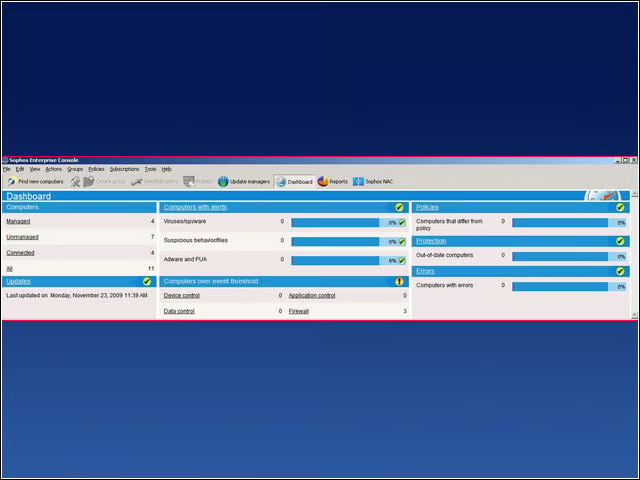
The dashboard shows alerts and errors at a glance. Clicking on any alert category brings up a list of computers with that alert condition.
Standard Interface
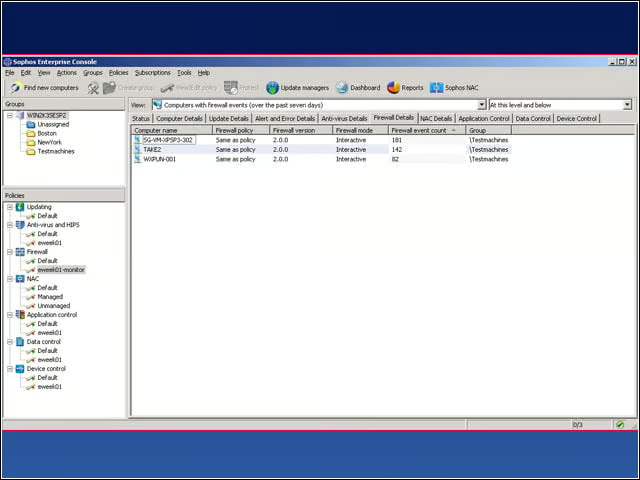
I thought it was better to close the dashboard and work directly within the standard interface.
Update Errors
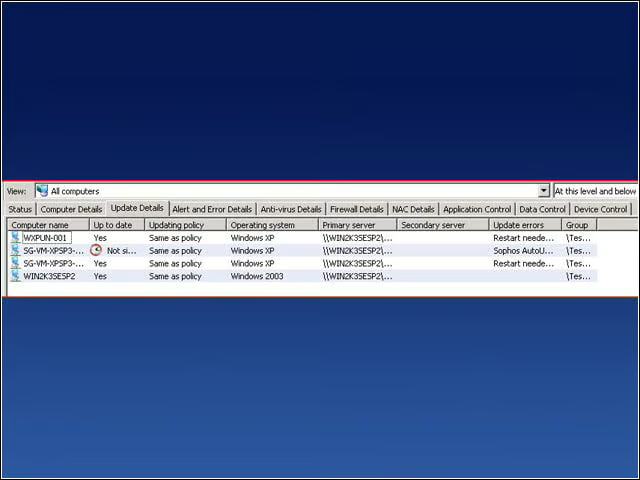
Drilling down into specific groups and sorting by specific errors allowed me to quickly assess and correct issues with the Sophos environment.
Computer Details
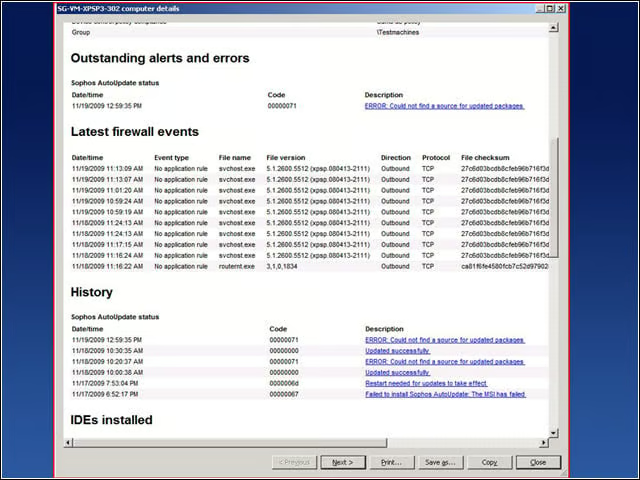
Double-clicking the computer entry from the previous screen opens up a detailed list of outstanding alerts and errors. It’s very easy to go back and forth between single machines and entire groups while tweaking settings and verifying that they work.
Solid Reporting
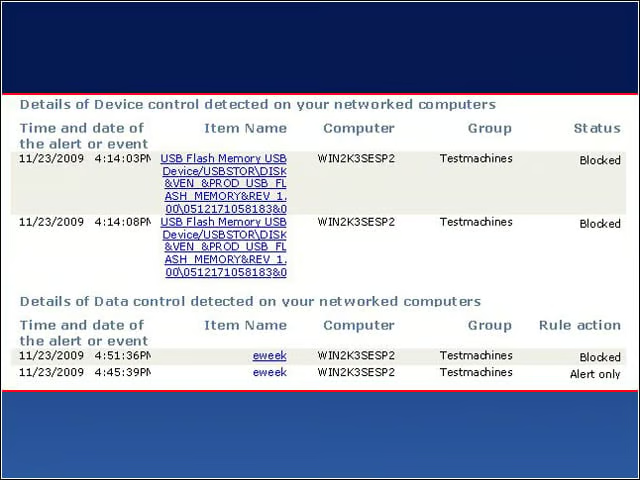
Solid reporting shows device control and data control events. Looking at this, I can tell who attempted to do what and when.
Data Control Rules
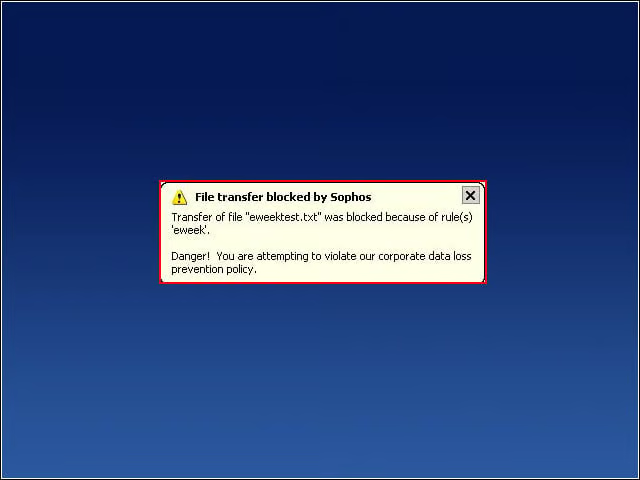
Data control rules worked in my testing. Here, a file containing the text string “eweek” was blocked from being uploaded to Hotmail.
App Warning
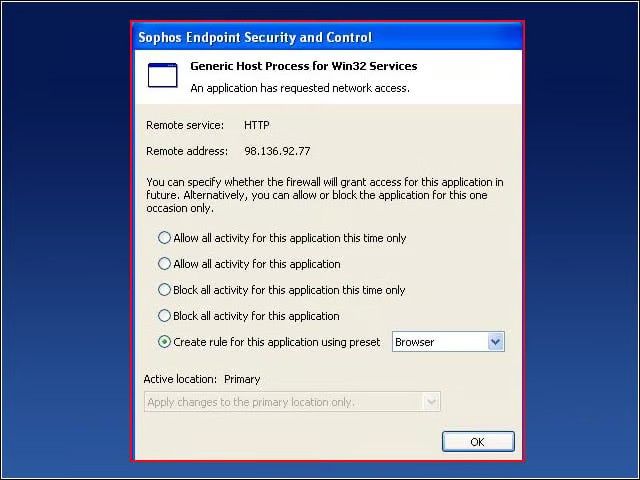
The age-old specter of an intrusive firewall rears its ugly head with Sophos. The average installation asks users far too many questions without providing enough education for them to answer.
App Control Popup
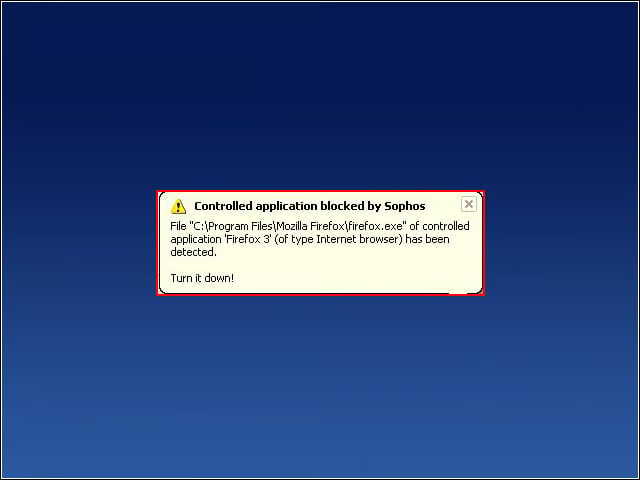
This is the type of message a user gets when an application is blocked by policy. The last sentence—shown here as “Turn it down!”—is customizable.
Advanced Firewall Settings
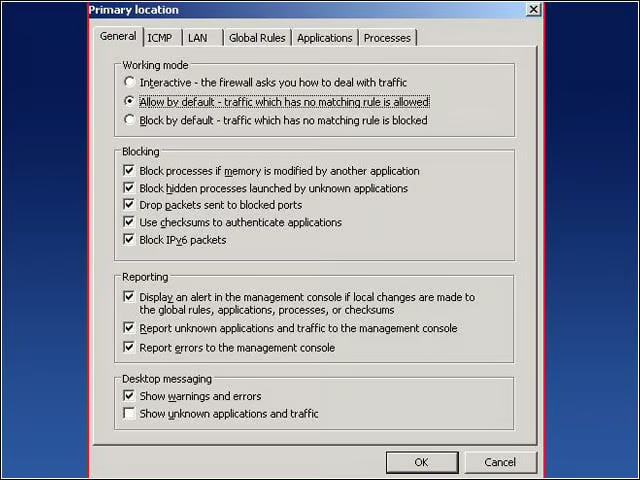
This is an example of advanced firewall settings. Clicking through the tabs across the top demonstrates the full functionality of the firewall solution.
Device Control Policy
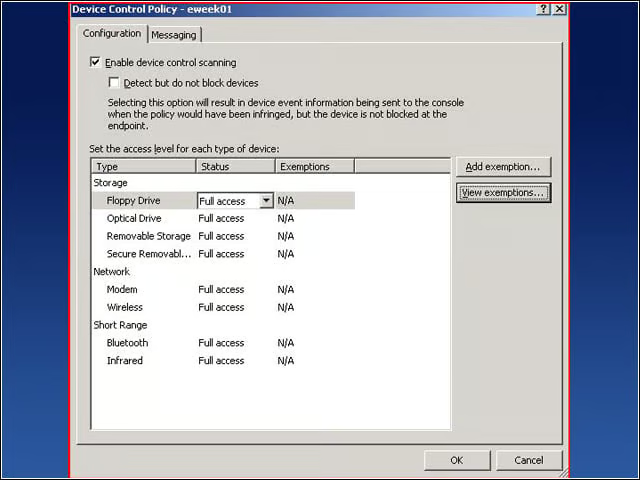
Device control allows administrators to provide full access, read-only or no access to removable devices such as USB memory sticks and optical drives.
Application Control Policy
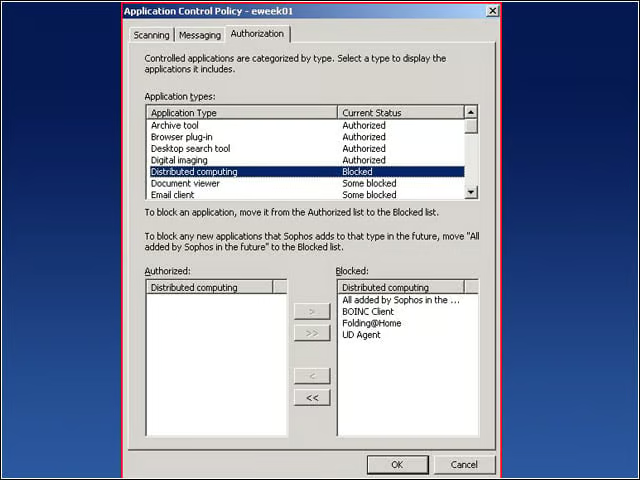
Application control allows administrators to quickly and easily prevent certain application types (such as Distributed Computing, shown here) from being run.
Simple or Advanced
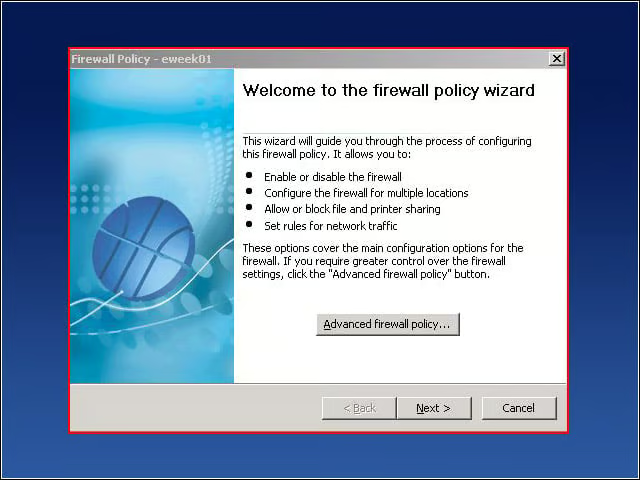
If only every question in life could come down to this: Would you like to configure simple or advanced policy? Simple is along the lines of “OK to use Windows file sharing” and advanced gets as granular as individual firewall rules.