









- Tips for Improving Enterprise, Personal Security Online
- Always Validate that a URL Matches the Site You Want to Visit
- Check to See That a Real Person Actually Sent You an Offer
- Beware of Scams
- Don’t Expose Credit Card Info
- Don’t Conduct Transactions Originating From Inbound Email
- Install Ad-Blocking Extensions
- Exclusively Use Credit Cards Online
- Think Twice When Creating Retail User Accounts Online
- Keep Your Browser and Operating System Up-to-Date
- Monitor Your Financial Account
Tips for Improving Enterprise, Personal Security Online
Nobody yet has been able to shut down intruders completely. We look at some basic, but sometimes overlooked, advice from five security experts.
Always Validate that a URL Matches the Site You Want to Visit
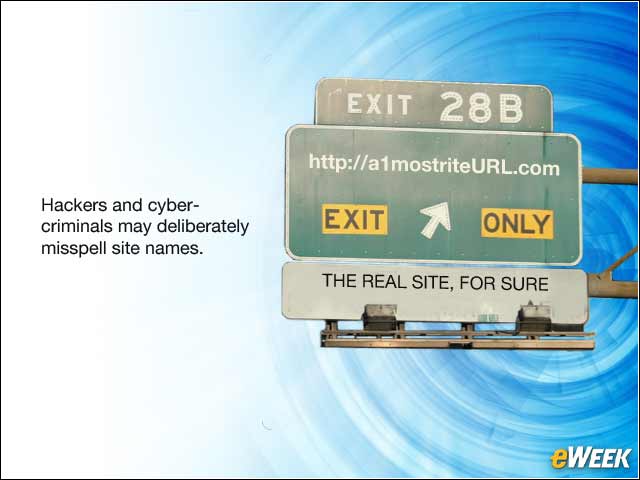
Often hackers and cyber-criminals will replace one character for a domain name or URL with something that looks similar, but the site isn’t the one you wanted to visit. Then, when you click on the “buy” link or any other interactive script, your computer will get owned. Always take the time to make sure that dollar.com isn’t do11ar.com; the 2 seconds you spend when visiting a site can be the difference between being hacked and having a merry Christmas. —Chase Cunningham, cyber-threat intelligence lead, Armor
Check to See That a Real Person Actually Sent You an Offer

For instance, many PCs are already hacked and have malware that is sending malicious content. Your neighbor might have you in his/her address book, and when the time of year comes around for Black Friday deals, for example, the malware will send malicious links to everyone in that address book. If you get that link and think, “Hey, it’s my neighbor; they are cool,” and click on it without validating they actually sent it, you might also get infected. —Chase Cunningham, cyber-threat intelligence lead, Armor
Beware of Scams

To mitigate phishing, ignore links in emails and go to the site directly. —Kurt Roemer, chief security strategist, Citrix
Don’t Expose Credit Card Info
This seems very basic, but many people inadvertently expose their credit card information at some point during the transaction—often when conducting business at a free WiFi location. Never buy anything when online at Starbucks or McDonalds. It’s always better to utilize one-time use transaction services, such as Apple Pay or PayPal. —Kurt Roemer, chief security strategist, Citrix
Don’t Conduct Transactions Originating From Inbound Email
Many email campaigns are legitimate, but sometimes cyber-criminals make their emails look very similar to those of a legitimate email campaign to lure people to click through to their trap. Once you click through, criminals may have a cloned version of a popular retailer Website that is confusingly similar, prompting you to log in to redeem your “coupon” or “special offer.” In this case, instead of a 50 percent-off Black Friday deal, you end up with a stolen username and password, credit card or identify theft. A better approach would be to see the coupon come in through email and then go to the retailer’s Website or store directly to make the actual purchase. —J.J. Thompson, founder and CEO of Rook Security
Install Ad-Blocking Extensions
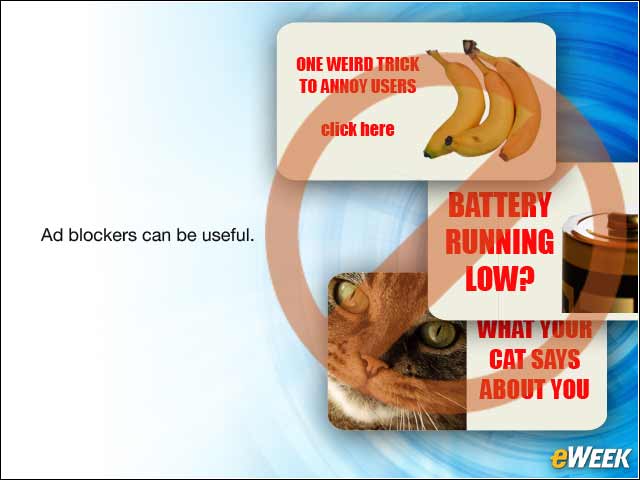
For the consumer, we recommend installing an ad blocker, which allows users to surf the Web without ads. There are different ad blocker extensions for different platforms, but they can be installed on popular browsers, including Android, Chrome, Firefox and Safari. This is beneficial if users are surfing multiple Websites, because they still have full access to the site and they will not have to navigate around banners, pop-ups and video ads. Hackers design their malware to resemble real advertisements, and often users cannot distinguish between a real ad and something that could compromise their system, if clicked. Installing an ad blocker automatically increases security and privacy, because there is not an opportunity to accidentally click something that could infect a computer. —Jeremiah Grossman, founder, WhiteHat Security
Exclusively Use Credit Cards Online
Many consumers do not know that credit and debits cards offer different levels of protection in the event that the card is stolen. If fraudulent charges are made on a credit card, payment brands (Visa, Mastercard, etc.) require merchants to return the funds to the cardholder. In the case of debit cards, there is no such consumer protection guarantee; technically, neither banks nor merchants are obligated to reimburse the funds. Therefore, consumers should exclusively use credit cards for online purchases. To further increase online security, consider using a one-time prepaid card. This limits the amount of damage in the event that the number is stolen because it does not compromise as much personal data as a user’s credit card. —Jeremiah Grossman, founder, WhiteHat Security
Think Twice When Creating Retail User Accounts Online
A growing usability trend is for e-commerce sites to require a login before you can view or even place items in the shopping cart. These typically require you to create a new username and password, or more popularly, log in via Facebook or Twitter. Even if you are not purchasing anything and are just browsing, you have shared your identity with the site for future email campaigns and possible malicious activities if those credentials are compromised through the third party. It is always recommended to use unique passwords per site and never use social media to log in, especially for sites that require it just to see their merchandise. —Morey Haber, vice president of technology, BeyondTrust
Keep Your Browser and Operating System Up-to-Date
The latest trends in surfing attacks leverage known security risks in your computers via browsers and plug-ins. It is highly recommended to perform online purchases with a supported operating system (Windows 7 and above, Windows XP is no longer supported) only and to make sure your browser (Chrome, Firefox, Internet Explorer or Safari) is the latest version, as well. Older versions have known vulnerabilities that could potentially be exploited by banner ads, iFrames or other malicious content. Whether you’re accessing a Website or email, using outdated computer software could lead to the execution of malware that could jeopardize your online shopping experience and compromise your identity. —Morey Haber, vice president of technology, BeyondTrust
Monitor Your Financial Account
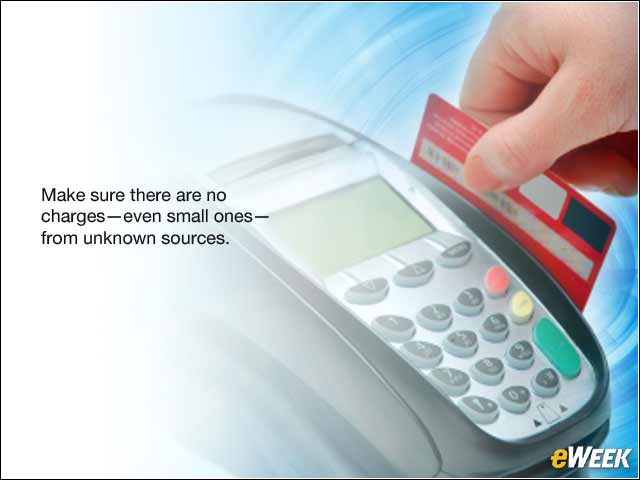
After a few days of online transactions, monitor your online credit or debit card accounts. Make sure all receipts line up and there are no extra charges from unknown sources—even if they are just for a few pennies. These small transactions are typically used to test whether an account is active without drawing too much attention to the thief. —Morey Haber, vice president of technology, BeyondTrust