







- LABS GALLERY: OpenSUSE 11.2 Effectively Integrates New Features, Installation Options Are Confusing
- Block-Level Encryption
- Home Directory Encryption
- Partition Guidance
- New Partitioning Tools
- Yastie
- Community Repositories
- More Community Repositories
- Webpin
- One-Click Install
- More One Click
- PackageKit
- Software Installer Confusion
- More Confusion
- No Title
LABS GALLERY: OpenSUSE 11.2 Effectively Integrates New Features, Installation Options Are Confusing
by Jason Brooks
Block-Level Encryption
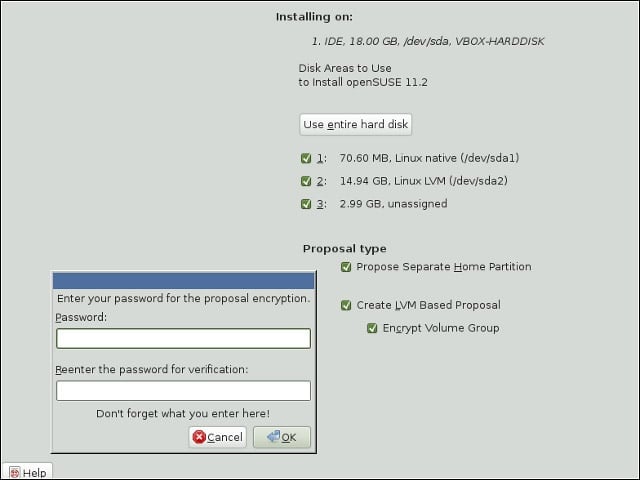
OpenSUSE now offers an option for full volume encryption (with the exception of the boot partition). This brings the distribution even with Fedora and Ubuntu, both of which have offered this sort of encryption in their past few releases.
Home Directory Encryption
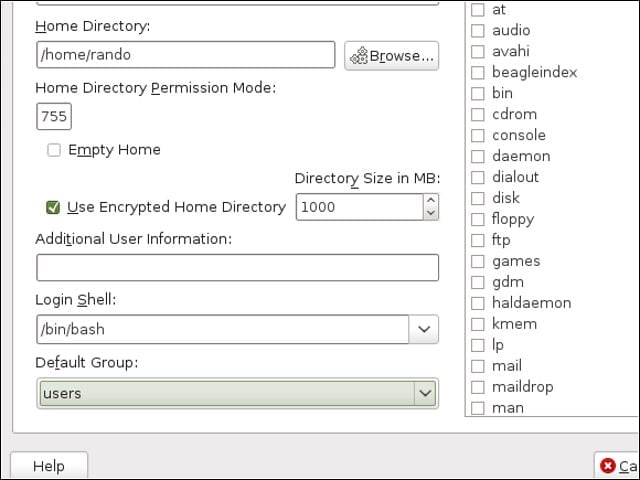
Like Ubuntu 9.10, OpenSUSE 11.2 offers an option for encrypting user home directories.
Partition Guidance
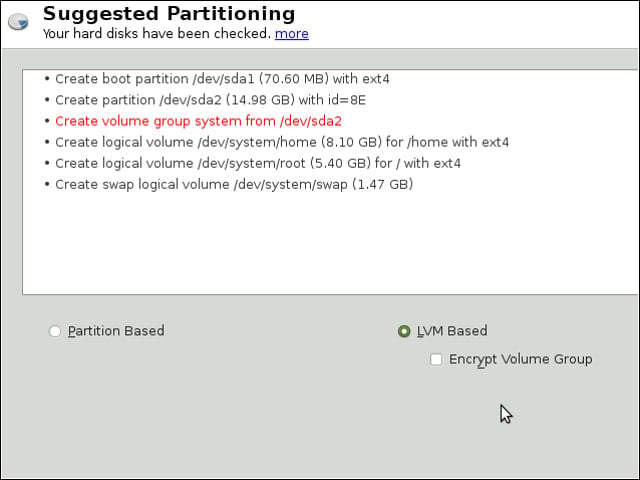
Unlike Ubuntu and Fedora, OpenSUSE offers users a check-box option of creating a separate home partition. This can be handy for preserving user data while switching among distributions or versions. I also noted that when I opted for a partitioning setup based on LVM (Logical Volume Management), the OpenSUSE installer suggested adequate root and home partition sizes, leaving the rest of the disk open for other uses.
New Partitioning Tools
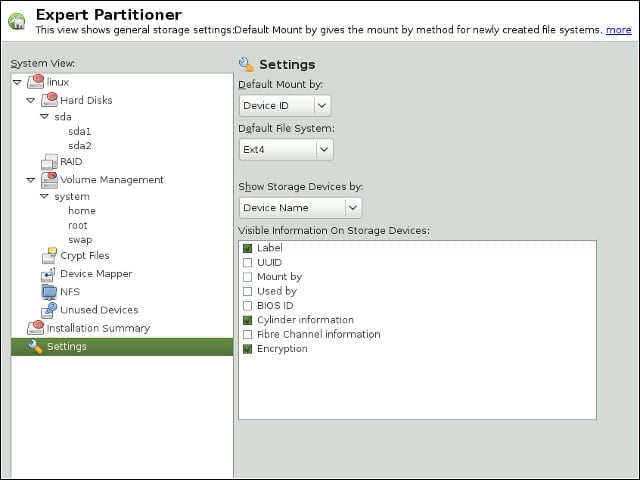
SUSE distributions have long set themselves apart from the rest of the Linux pack on the strength of their graphical administration tools. Version 11.2 continues in this tradition with a new partitioning tool that appears both in the system installer and in the Yast config toolset.
Yastie

Speaking of Yast, Version 11.2 of OpenSUSE marks the debut of a new mascot for the distribution’s venerable suite of system administration tools: Yastie. The new mascot is an anteater because Yast sticks its nose into every part of the distribution.
Community Repositories
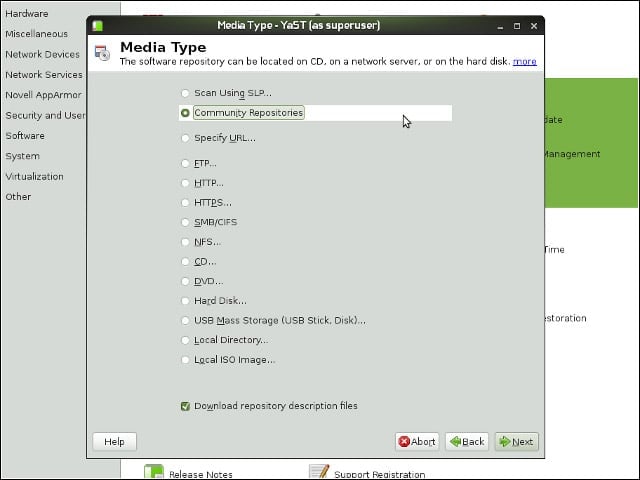
During the past few years, the OpenSUSE project has worked to encourage and enable volunteer software packaging efforts. Version 11.2 helps expose these efforts by offering an option to subscribe to community software repositories.
More Community Repositories
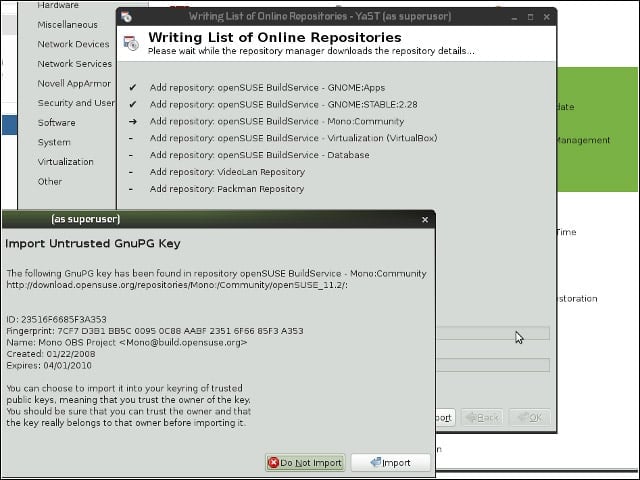
After selecting community repositories for subscription, OpenSUSE 11.2 prompted me to import (or reject) the keys with which packages from these repositories are signed. OpenSUSE does a much better job streamlining this process than does Ubuntu, with its own Personal Package Archive packages.
Webpin
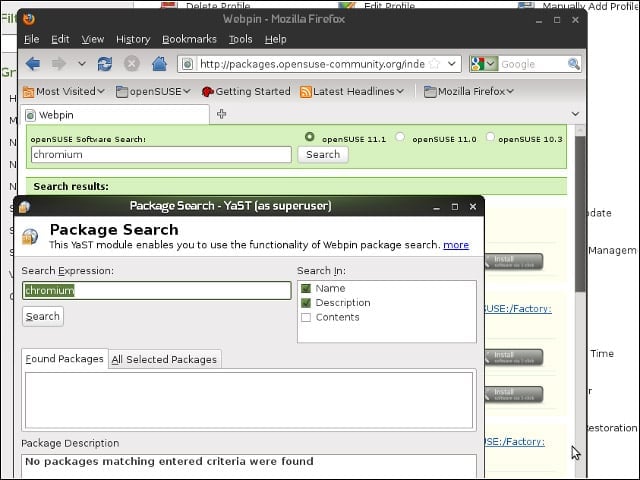
Also on the community software repository front, OpenSUSE 11.2 includes a tool for searching for packages hosted at the OpenSUSE Build Service that may not exist in your subscribed repositories. However, right up to a couple days before the OpenSUSE 11.2 launch, this feature was not working for 11.2, as the back-end Web service on which it relies (visible in the background of this image) hadn’t been updated to support the new version.
One-Click Install
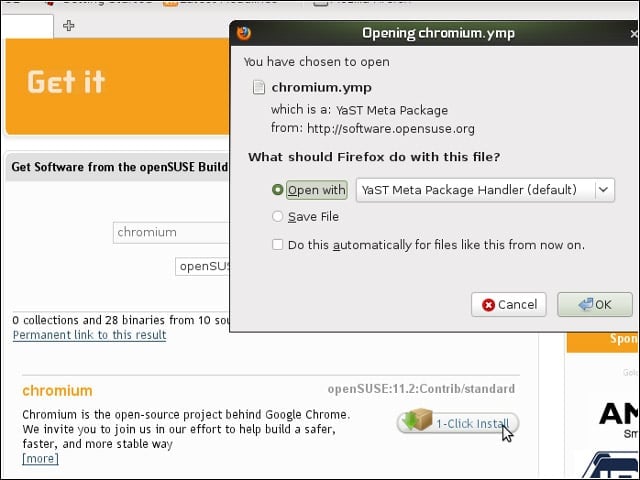
I could, however, find and install packages from the OpenSUSE Build Service by visiting the Web front end for the service, searching for my desired package—in this case, Google’s Chromium Web browser—and clicking the one-click install button.
More One Click
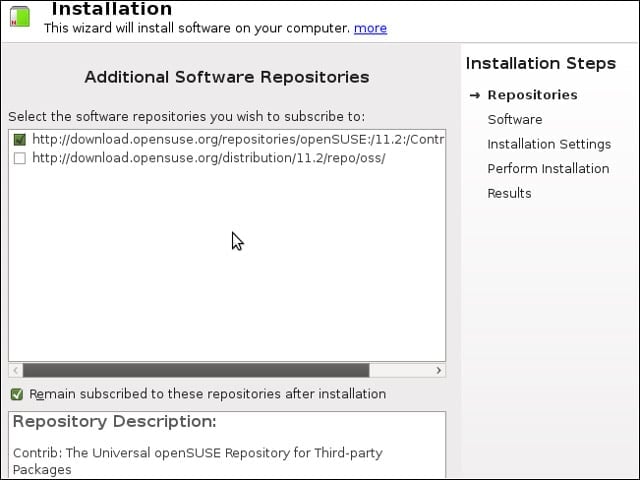
After clicking the one-click button next to my chosen package, my OpenSUSE test machine presented me with a dialog from which I could opt to subscribe to the package’s repository (to fetch later updates) or to not subscribe (to avoid pulling in any future packages from the repository).
PackageKit
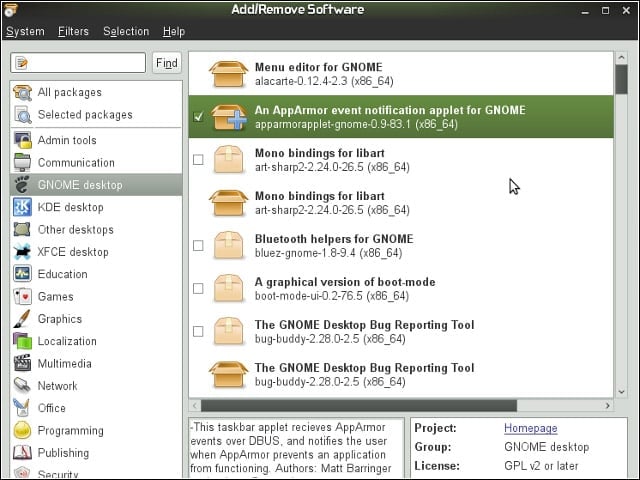
OpenSUSE 11.2 ships with the PackageKit framework for installing software. I like PackageKit because it runs without root privileges, requesting rights elevation only when necessary.
Software Installer Confusion
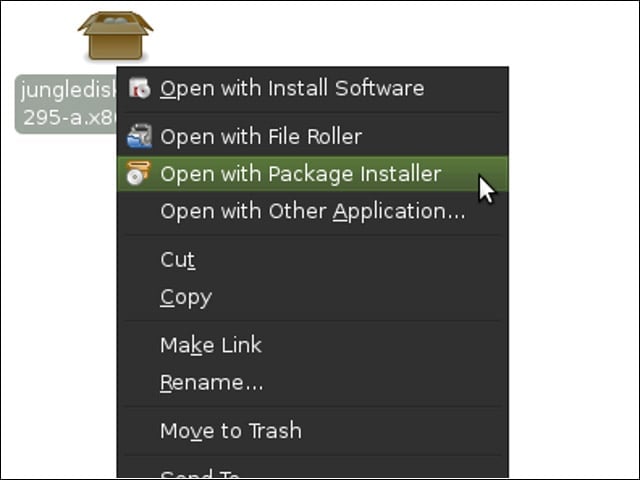
If all the different software installation options I’ve mentioned seem confusing to you, you’re not alone. The OpenSUSE team seems to have layered on new tools without removing the old ones, leading to odd spots in the product. For example, in this right-click menu, two different software install tools vie for your attention, alongside a good old archive extractor.
More Confusion
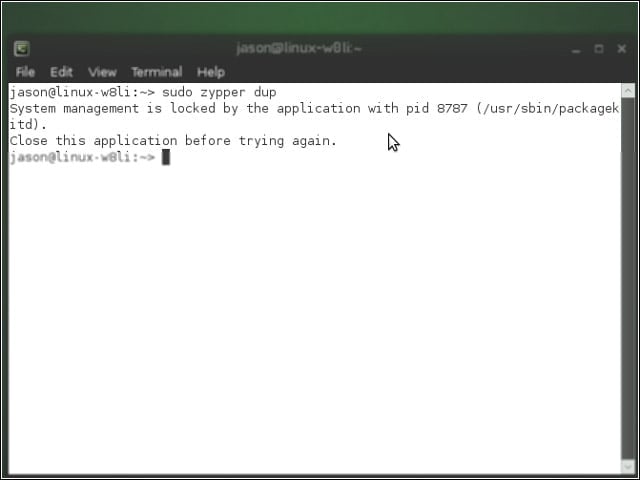
I prefer yet another software management option—the excellent command-line-based zypper—but found, more frequently than I expected, that mysoftware update and installation operations had to wait while the service backing PackageKit went about its business in the background. The service never took too long to do its work, but these blocks added to a sense that OpenSUSE’s right hand often seemed unaware of what its left hand was doing.
