







- OpenSUSE 11.1 Takes On Ubuntu, Fedora
- ThinkPad Tab
- Docking Applet
- Runaway Notifications
- Print Error
- Printer Debugging
- Missing Driver
- HP Driver Pack
- Zypper
- Moonlight
- Control Center
- YAST Control Center
- Display Settings
- Start Menu
- OpenOffice.org 3
- Build Service Search
- No Prism Here
- Naming Issues
- No My Projects for You
- Home at Last
- Package Wizard
- More Wizardry
- Another Error
- Add Repository
- Build Scheduled
OpenSUSE 11.1 Takes On Ubuntu, Fedora
by Jason Brooks
ThinkPad Tab
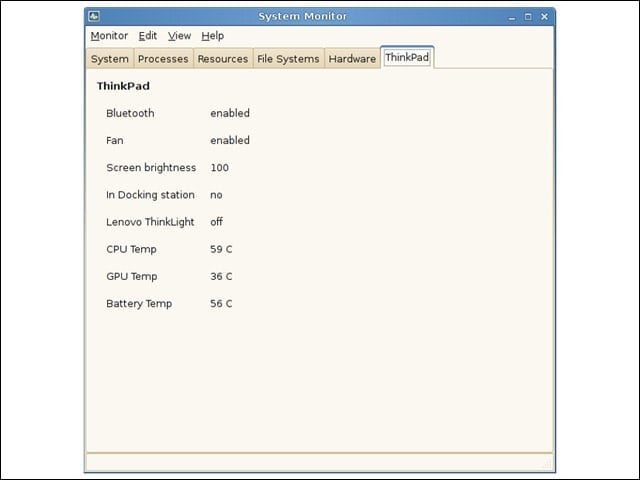
I was impressed by the “ThinkPad” tab in the system’s task manager application because I haven’t seen such a tab in the other distributions that also ship with this application. However, the tab was wrong about my system being undocked.
Docking Applet
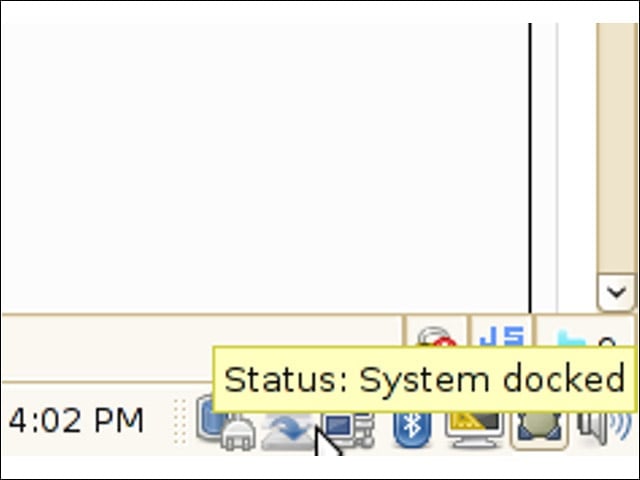
On the other hand, OpenSUSE’s taskbar-based dock/undock applet did correctly sense my ThinkPad’s docking station status.
Runaway Notifications
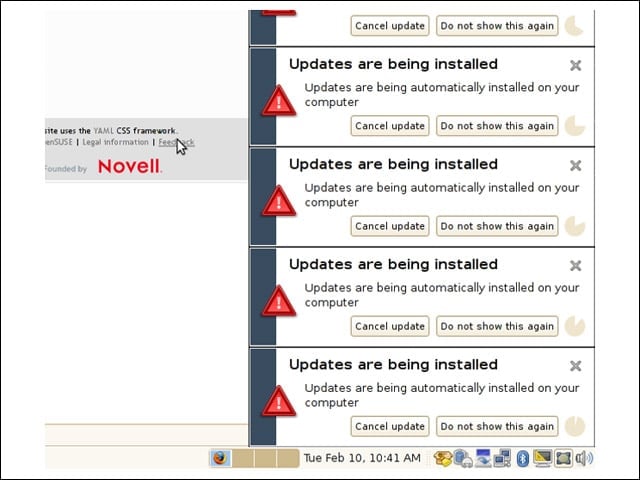
I appreciated the option of setting my OpenSUSE installation to fetch and apply updates automatically, but I was occasionally met by runaway system notifications that refused to obey my “Do not show this again” button presses.
Print Error
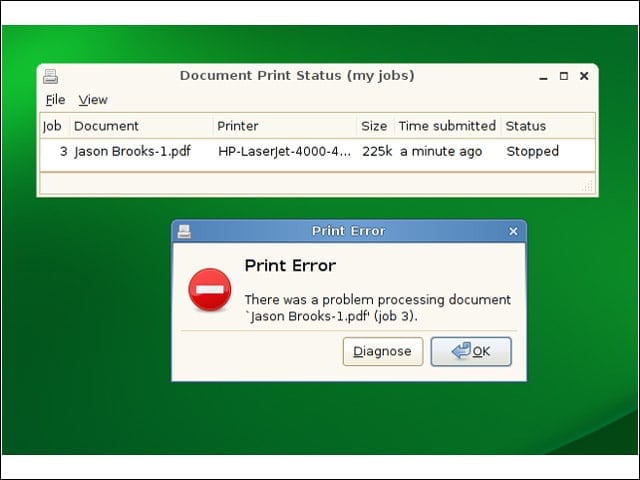
While I wasn’t pleased to see an error when I sought to print a document, I was intrigued by the “Diagnose” button on the error dialog.
Printer Debugging
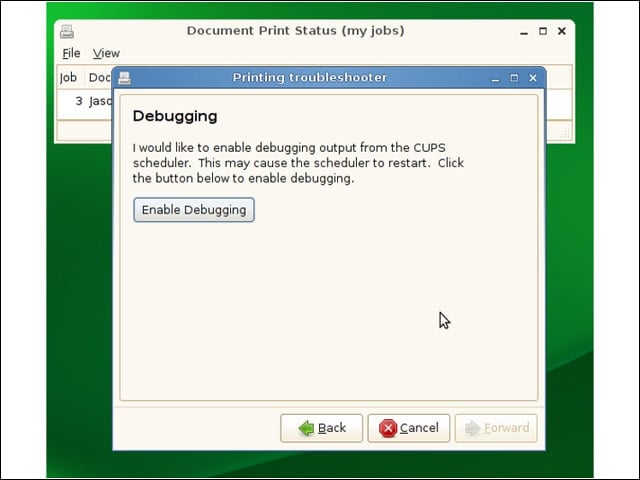
The printer diagnosis applet offered up a status message that wasn’t particularly helpful (nothing like “out of paper”), but the tool offered to dig further into the issue.
Missing Driver
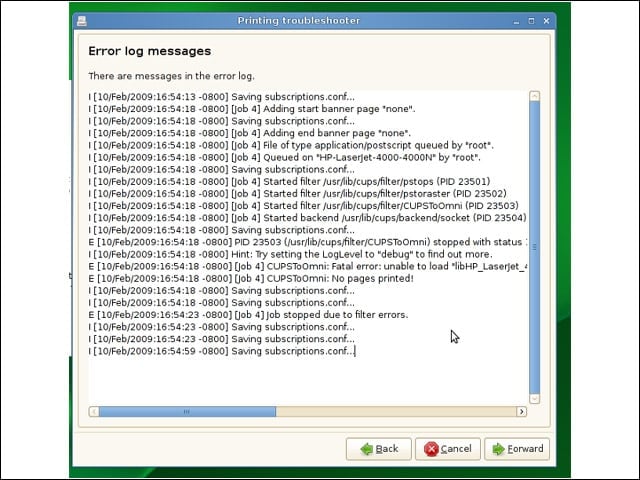
Apparently, the driver library for my printer was missing.
HP Driver Pack
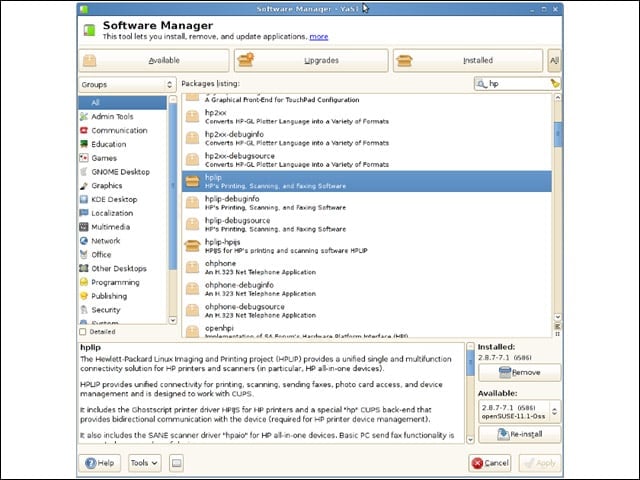
I headed over to OpenSUSE’s Software Manager application to search out more Hewlett-Packard printer drivers to install. The system’s graphical software tool is a bit more complicated than those for Ubuntu and Fedora, but the tool served my needs well.
Zypper
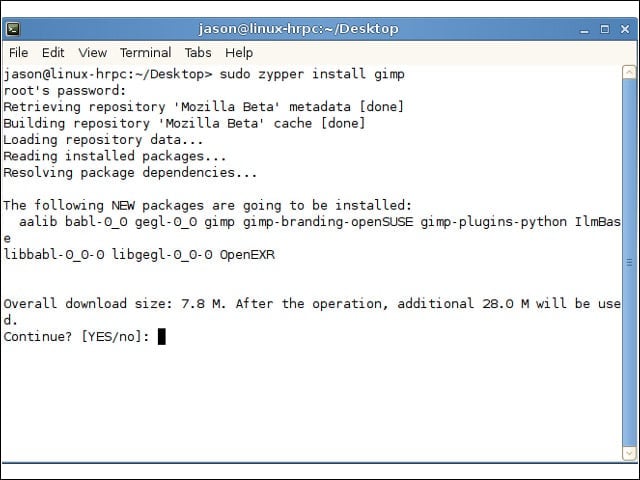
For a simpler installation interface, I turned to OpenSUSE’s command-line software install tool, Zypper, to fetch and install the image editing application that I use for screenshot editing.
Moonlight
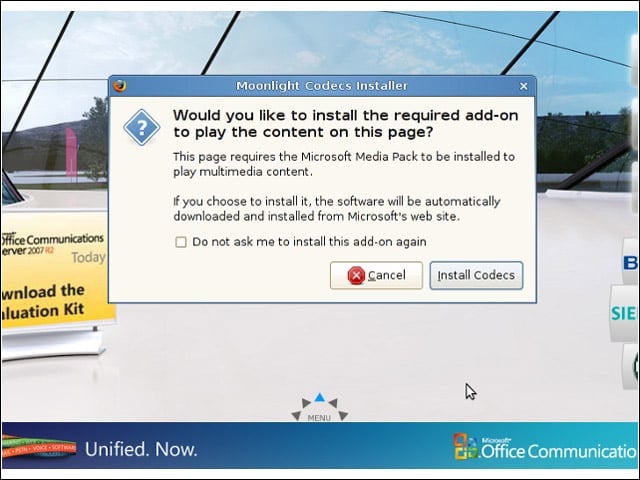
I was able to check out the Silverlight-based content on one of Microsoft’s product launch pages through Moonlight, a Linux-friendly version of the Silverlight plug-in based on Mono.
Control Center
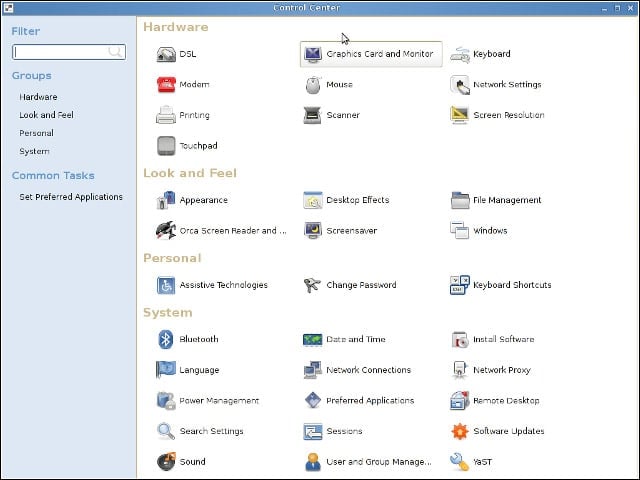
For my system administration needs, I could turn to OpenSUSE’s Control Center.
YAST Control Center
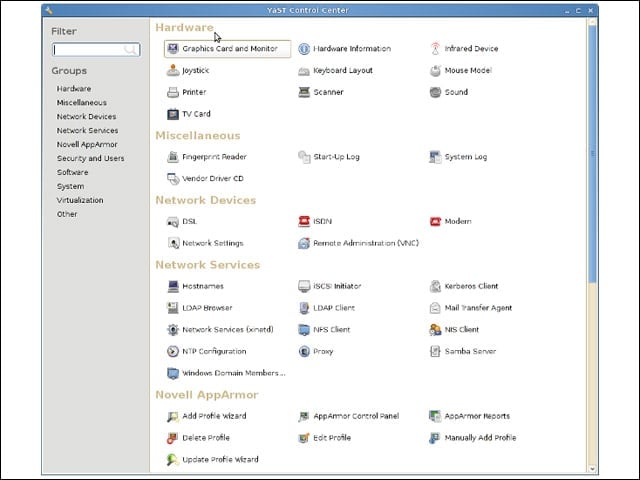
Somewhat confusingly, I could satisfy an overlapping set of system administration needs from OpenSUSE’s YAST Control Center.
Display Settings
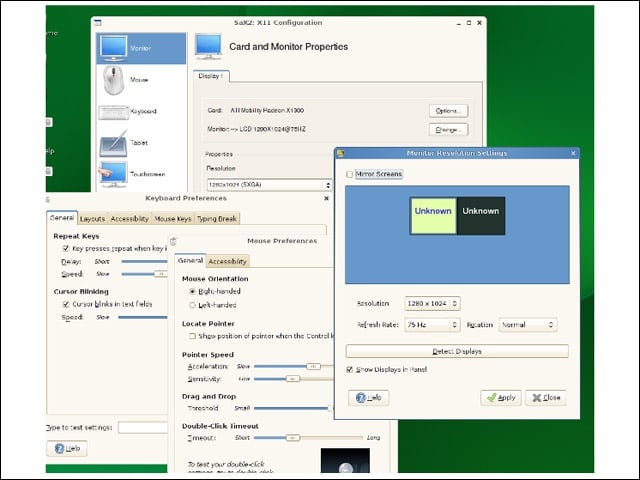
Also confusing were the overlapping tools for configuring my display, mouse and keyboard settings.
Start Menu
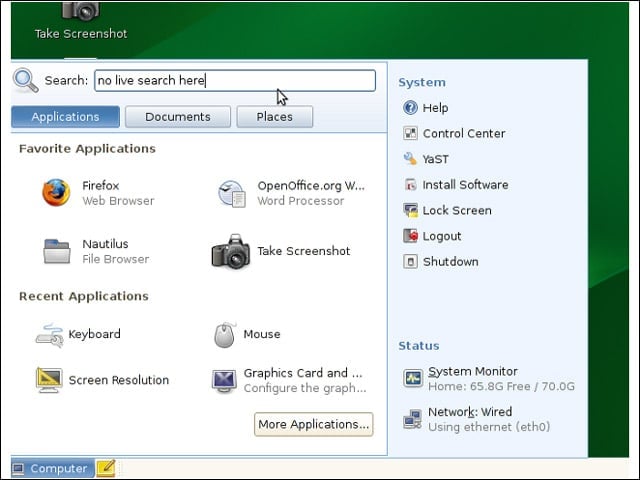
The OpenSUSE equivalent of Windows’ Start Menu is attractive-looking, but in practice it tends to add more clicks to your application-seeking operations. I’d prefer the search box to update as I typed.
OpenOffice.org 3
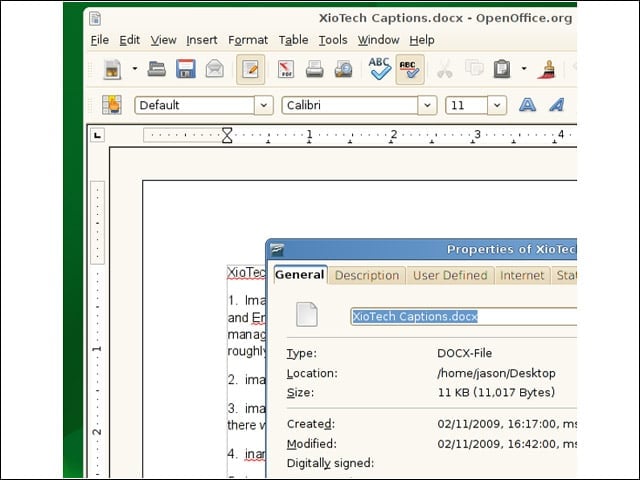
OpenSUSE ships with Novell’s version of OpenOffice.org 3.0, which rendered Office 2007 files well for me.
Build Service Search
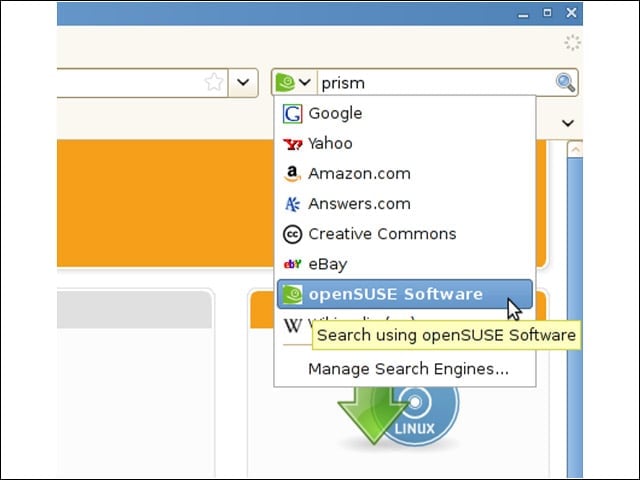
OpenSUSE’s Firefox installation comes conveniently preconfigured with a search provider for a vital back-end component of the project: the Build Service, with which users may build and host packages for OpenSUSE and other distributions.
No Prism Here
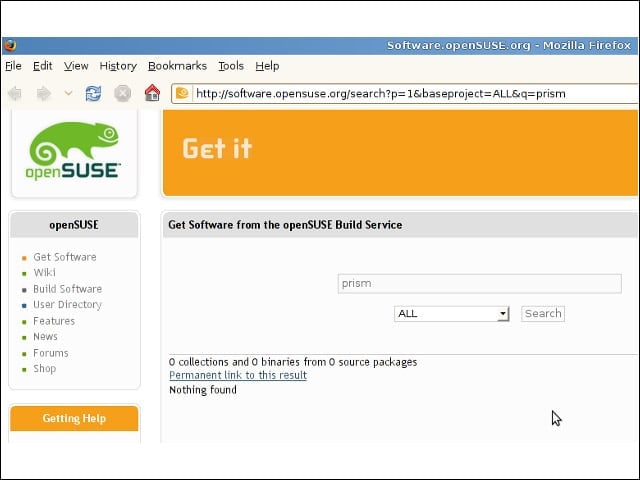
The package I sought, one for Mozilla’s Prism site-specific Web browser, wasn’t available in the Build Service, so I set out to build one.
Naming Issues
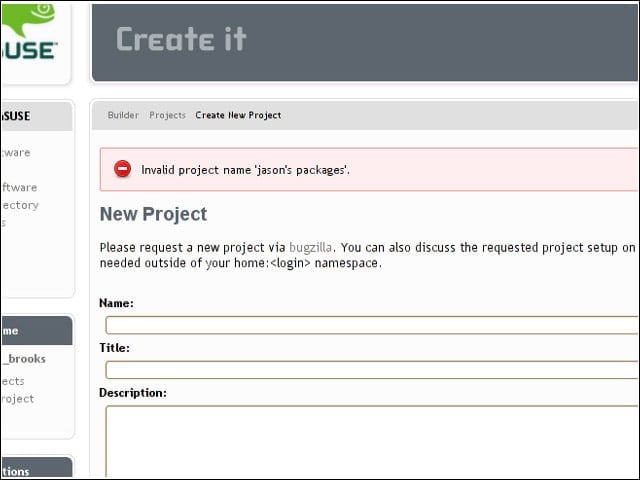
The project name I selected was invalid. The Web app offered no guidance on its desired syntax, but, as I would soon learn, I was in the wrong place, anyhow.
No My Projects for You
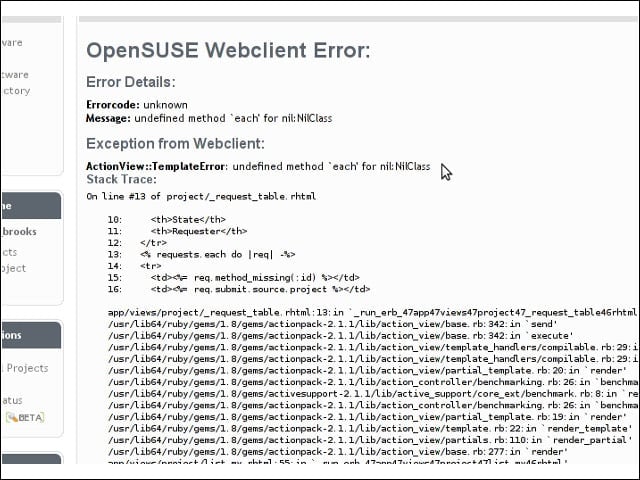
I next clicked on the My Projects link in the left-hand navigation bar but was met with another error. Apparently, the Build Service interface is built with Ruby.
Home at Last
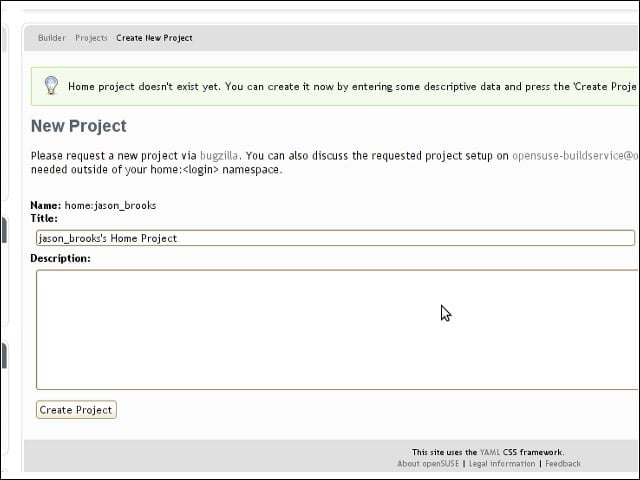
I next tried clicking on Home Project in the navigation menu, and I appeared to be on the right track at last.
Package Wizard
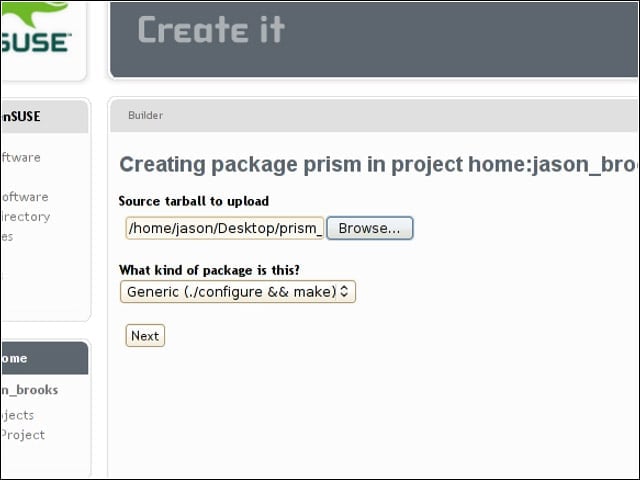
I crossed my fingers and started out with the Build Service’s experimental package wizard.
More Wizardry
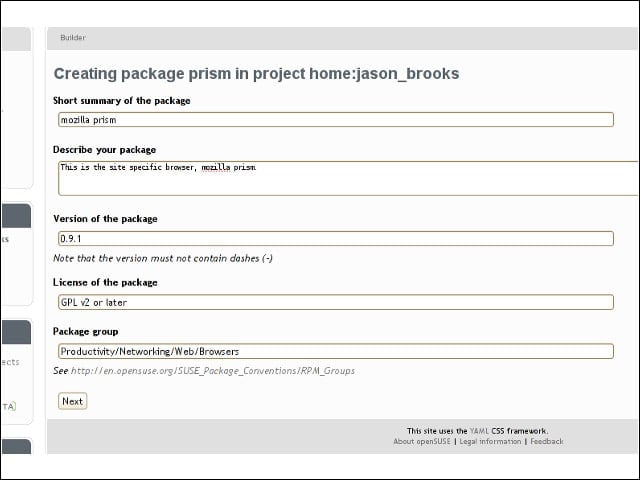
I filled out a short form detailing my maiden packaging effort.
Another Error
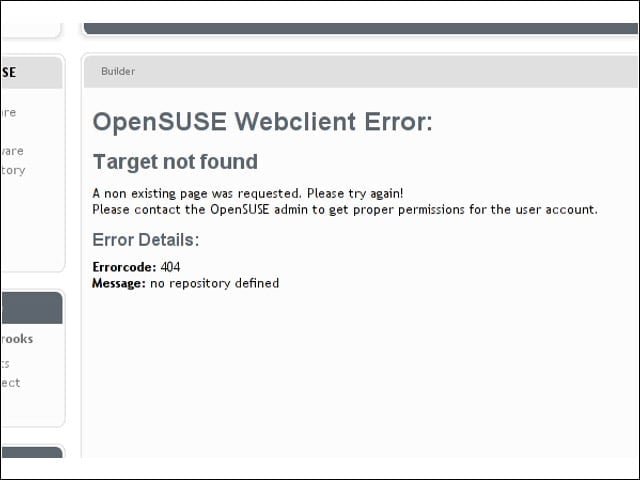
A subsequent page told me that my build status was unavailable. Clicking “trigger rebuild” turned up this error, suggesting that my project required more configuring.
Add Repository
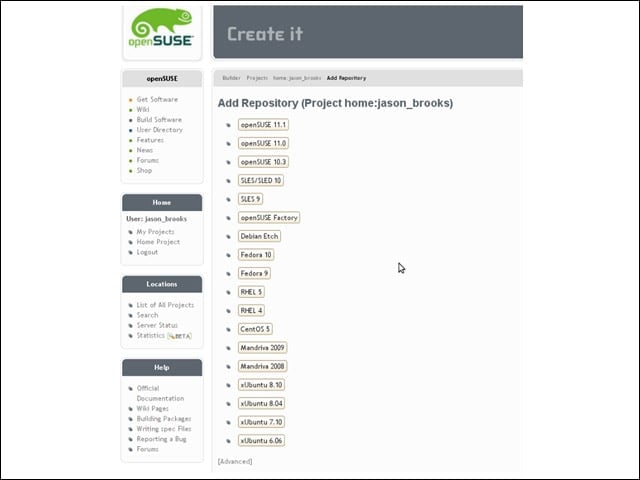
Before I could build my package, I had to configure a repository to hold it, which involved specifying which platforms to target. The service’s breadth of target platforms is rather impressive.
Build Scheduled
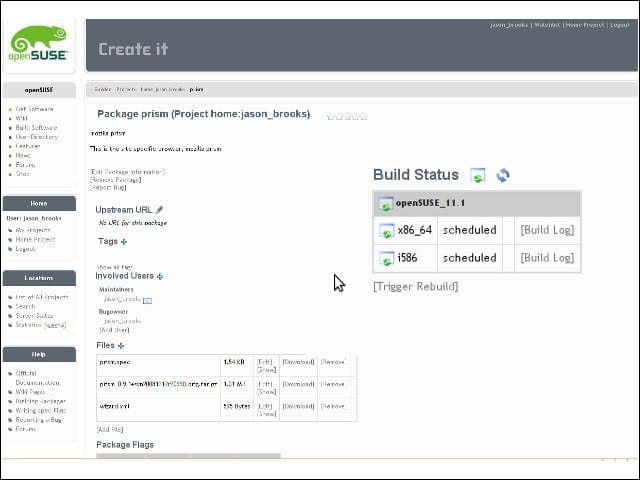
With my repository for OpenSUSE 11.1 configured, my Prism builds were duly scheduled.