Building a Virtualized Testbed on the Cheap - Part I: Hardware and Layout - Virtualization - News & Reviews - eWeek.com

Building a Virtualized Testbed on the Cheap – Part I: Hardware and Layout
Building a Virtualized Testbed on the Cheap – Part I: Hardware and Layout
Written By
Andrew Garcia
Andrew Garcia
Mar 9, 2009
2 minute read
eWeek content and product recommendations are editorially independent. We may make money when you click on links to our partners. Learn More


Building a Virtualized Testbed on the Cheap – Part I: Hardware and Layout

Building a Virtualized Testbed on the Cheap – Part I: Hardware and Layout

by Andrew Garcia


Hardware Used
2

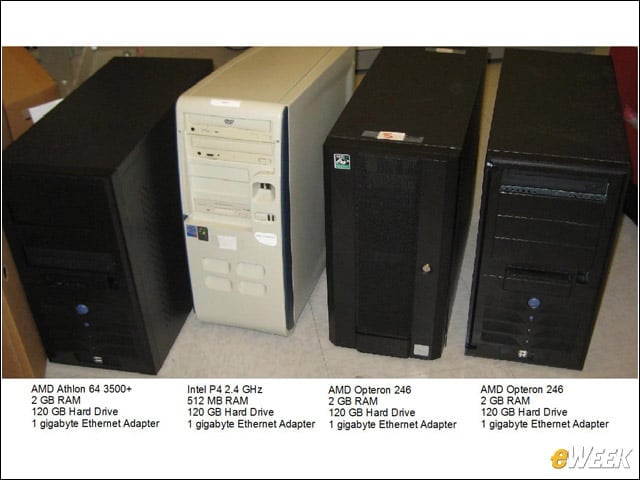
I only used hardware lying around the lab, none of which is particularly powerful or modern. There will be shortcomings in the ESXi testbed, particularly a lack of 64-bit client support as none of the processors supports virtualization extensions.


Endgame Topology
3

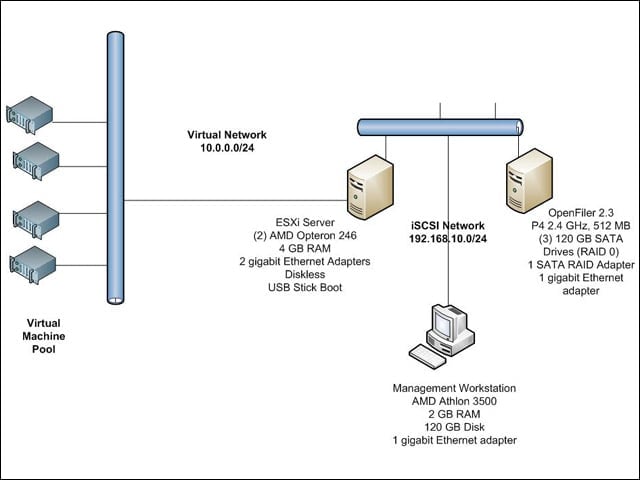
With this hardware plus a SATA RAID controller and some USB sticks, I built one virtual host, an iSCSI NAS appliance and a management workstation. It’s a flexible architecture that will allow me to easily share already built virtual machines with any additional ESXi servers I add to the network at a later time.


Software Used
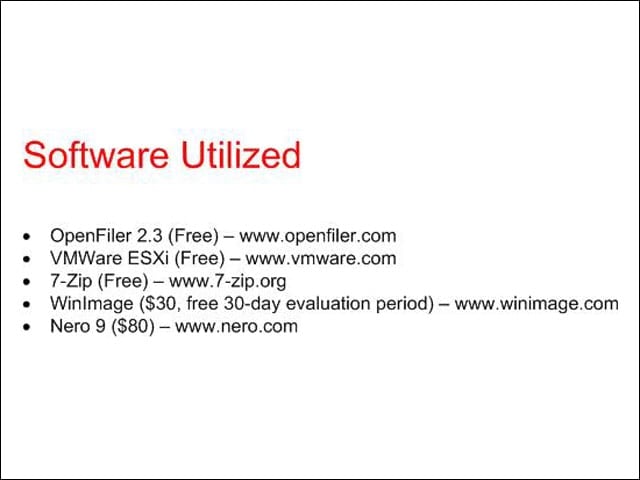
4

Most of the software used in this demonstration is either free or available as a shareware trial. Hopefully, most of you have already invested in some CD burning software.


Advertisement

Diskless

5

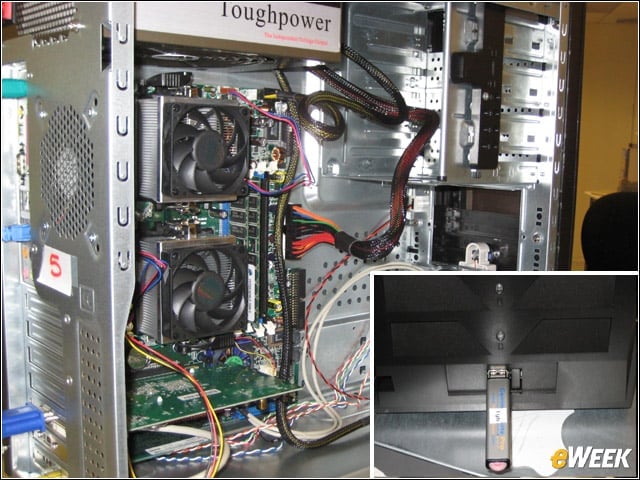
Thankfully, my motherboard supported dual processors, so I combined the AMD Opteron 246 processors and RAM from both Opteron machines into one chassis. Because the ESXi footprint is so small, we don’t need a hard drive in the ESXi server; we can instead boot and run the software from a 1GB USB stick.


Building a NAS
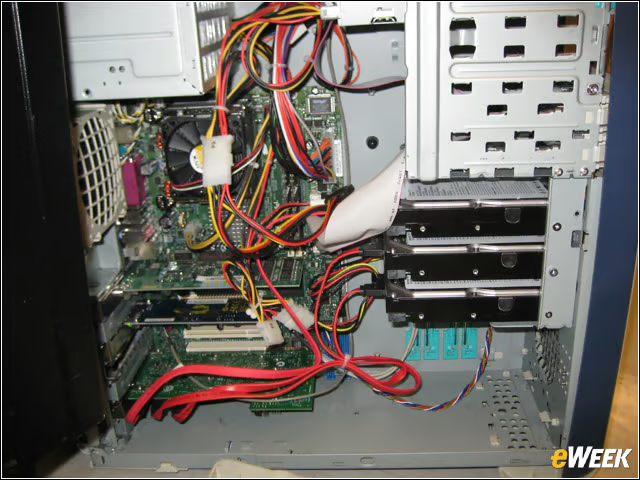
6

I added both the 120GB hard drives from the Opteron servers to the 120GB disk already in this machine. This gave me a 360GB RAID 0 array to use for my iSCSI server. OpenFiler works with the 512MB of RAM I have in this machine, although I would recommend bumping it up to 1GB.


No Title

eWeek Logo

eWeek has the latest technology news and analysis, buying guides, and product reviews for IT professionals and technology buyers. The site's focus is on innovative solutions and covering in-depth technical content. eWeek stays on the cutting edge of technology news and IT trends through interviews and expert analysis. Gain insight from top innovators and thought leaders in the fields of IT, business, enterprise software, startups, and more.

Property of TechnologyAdvice. © 2026 TechnologyAdvice. All Rights Reserved

Advertiser Disclosure: Some of the products that appear on this site are from companies from which TechnologyAdvice receives compensation. This compensation may impact how and where products appear on this site including, for example, the order in which they appear. TechnologyAdvice does not include all companies or all types of products available in the marketplace.