







Xangati Aimed at Easing VMware ESX Server Management Woes
by Frank Ohlhorst
Xangati Deployment
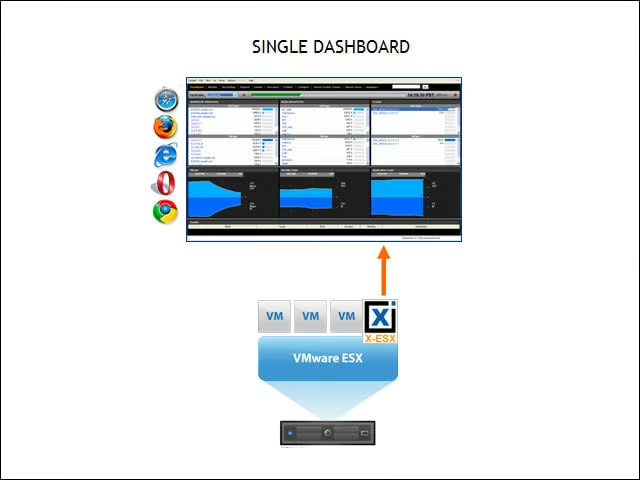
The Xangati for ESX deploys as a virtual appliance (.OVF format) on any ESX/ESXi server. It sees all communications across the vSwitches inside the ESX host.
To-the-Second Visibility into Behavior of Each VM
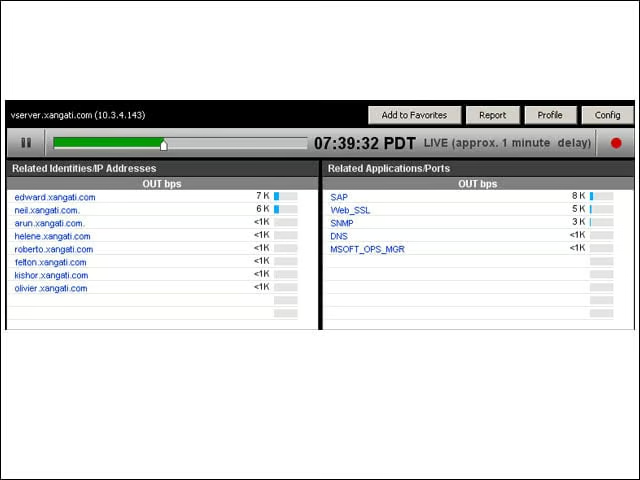
Xangati shows every communication from every VM and what load each one places on the network.
DVR Recording Capability
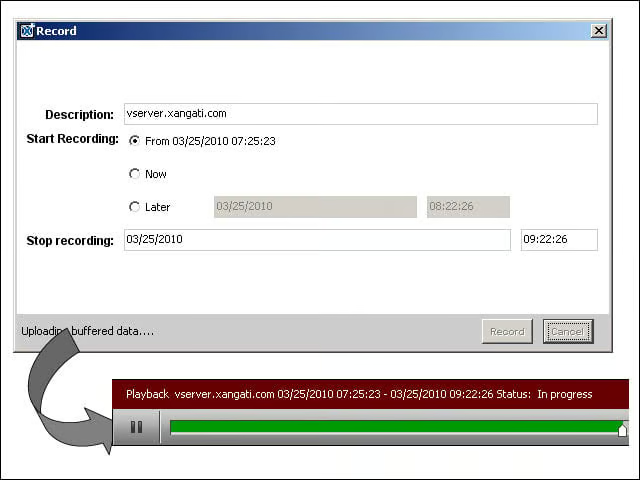
The Xangati user can record the activity of any communication including any virtual machine, ESX server, an application or a conversation. The recordings can be ad hoc or scheduled and can be replayed at any time.
Launches from vSphere/vCenter Client
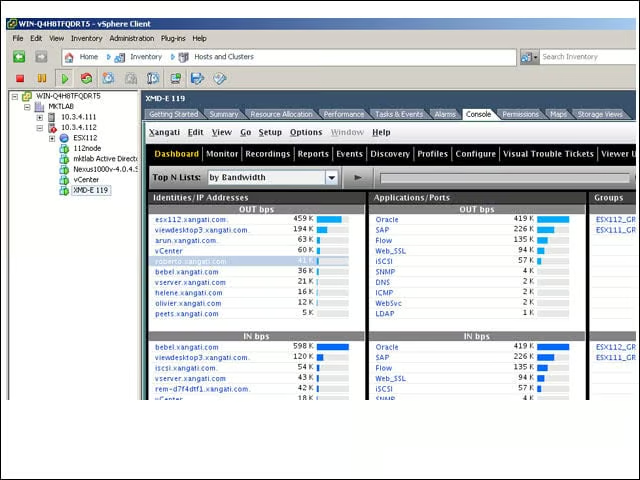
The Xangati solution is launched and used directly within vCenter.
Auto Grouping for ESX Server
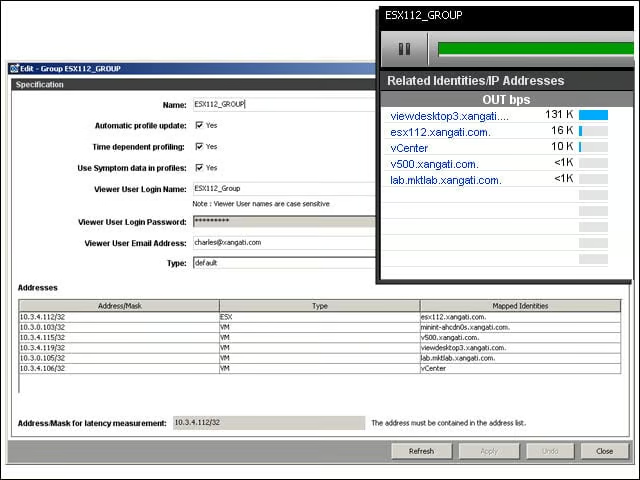
Xangati automatically groups all VMs and IP interfaces according to the host they reside on. This makes tracking top talkers per ESX instantaneous.
Custom and Persistent Views
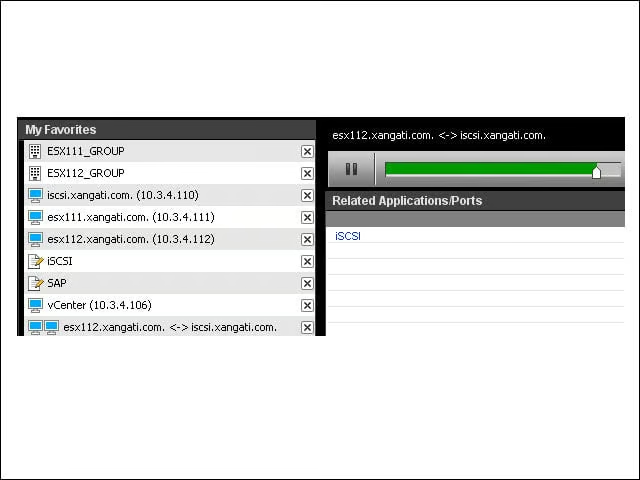
Xangati users can create up to 10 streaming windows looking at the most critical objects in their virtual ecosystem.
Event Recordings
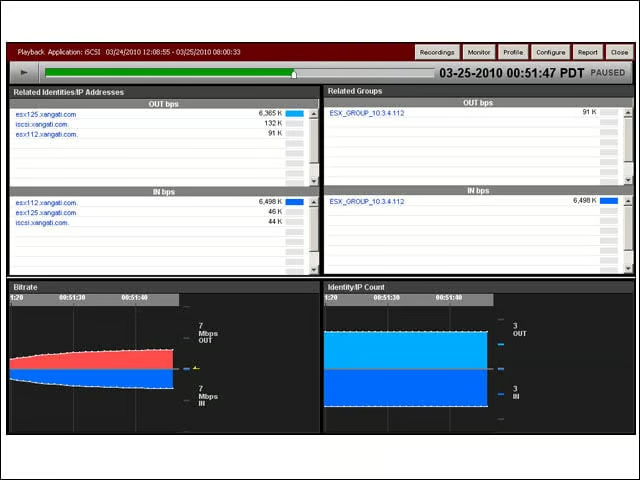
When the behavior of a VM or an application shifts significantly, the Xangati appliance triggers a recording for deep problem analysis. This is a feature of the Xangati Management Dashboard appliance.
Focused View for Server Owners
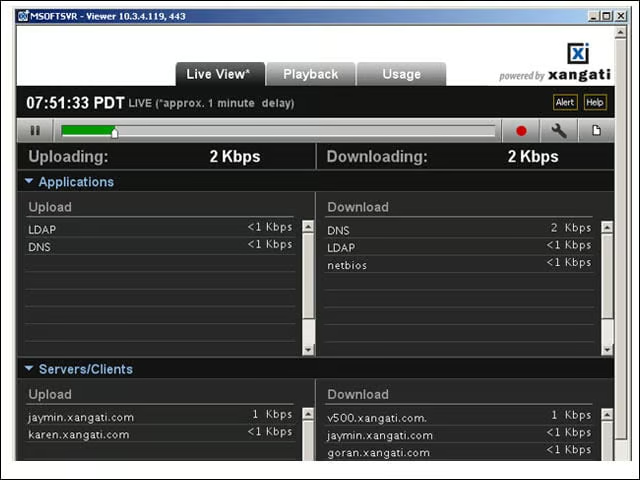
This remote object viewer allows a Xangati admin to provide a summary view to a VM or application owner. This is a feature of the Xangati Management Dashboard appliance.
No Title

Xangati Aimed at Easing VMware ESX Server Management Woes – 10