







- Inside Salesforce Ideas
- Inside Salesforce Ideas – The Basic Idea
- Inside Salesforce Ideas – Viewing Ideas
- Inside Salesforce Ideas – Submitting Ideas
- Inside Salesforce Ideas – Comments
- Inside Salesforce Ideas – Dashboards
- Inside Salesforce Ideas – My Inbox
- Inside Salesforce Ideas – Most Popular Ideas
- Inside Salesforce Ideas – Company Portal
- Inside Salesforce Ideas – Customization
Inside Salesforce Ideas
Inside Salesforce Ideas – The Basic Idea
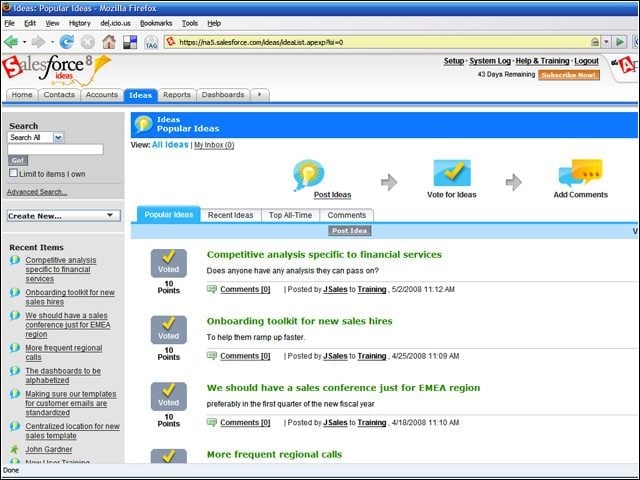
With Salesforce Ideas, ideas are posted in a public forum where they get voted on, moving the most popular ideas to the top of the stack.
Inside Salesforce Ideas – Viewing Ideas
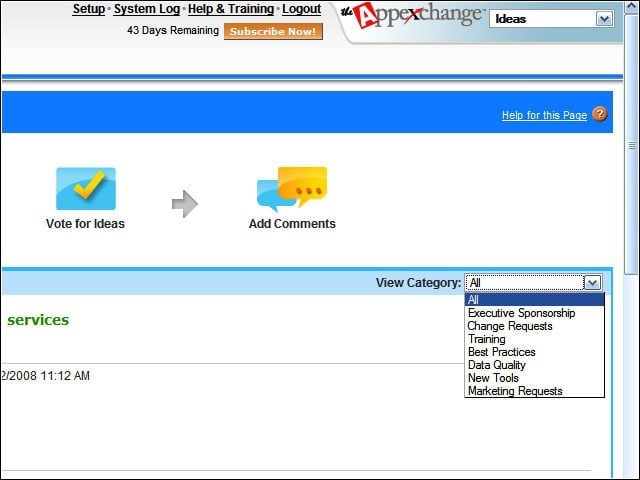
Ideas can be viewed by category.
Inside Salesforce Ideas – Submitting Ideas
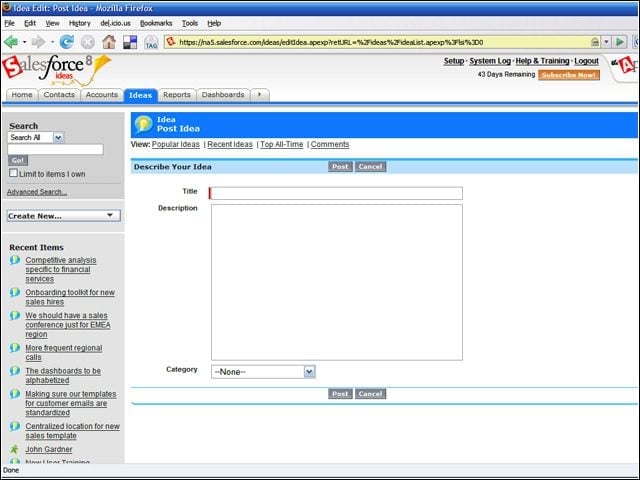
Here is the form for submitting an idea in Saleforce Ideas.
Inside Salesforce Ideas – Comments
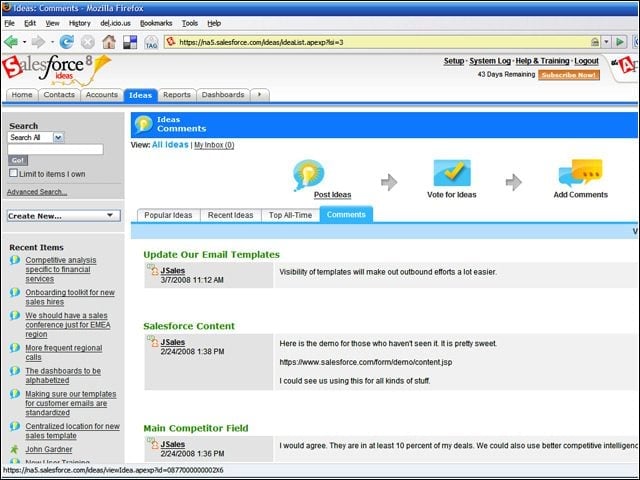
Comments on ideas can be viewed in a separate tab.
Inside Salesforce Ideas – Dashboards
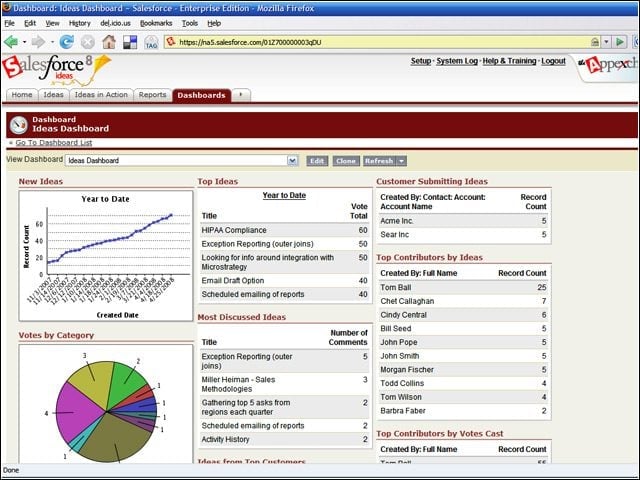
Dashboards give executives and managers an understanding of what’s being discussed in the organization and who the active contributors are.
Inside Salesforce Ideas – My Inbox
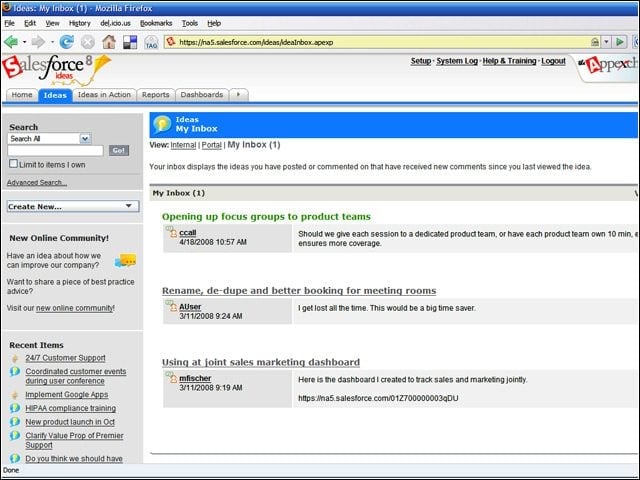
New comments on ideas and other comments appear as messages in the My Inbox panel. This gives users a central location for sharing with other users across the enterprise.
Inside Salesforce Ideas – Most Popular Ideas
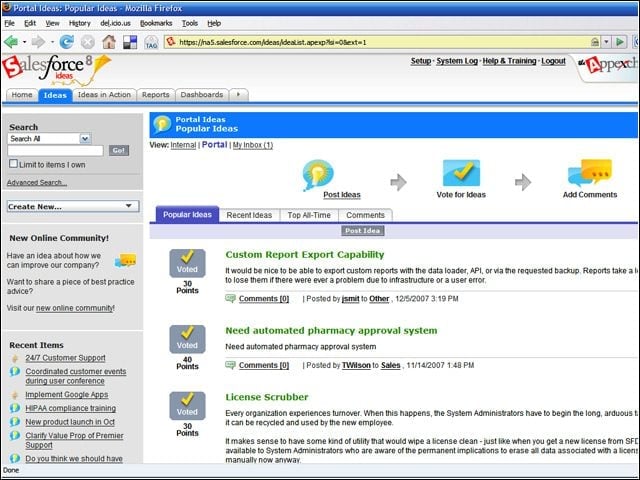
The most popular ideas can be seen in a single panel.
Inside Salesforce Ideas – Company Portal
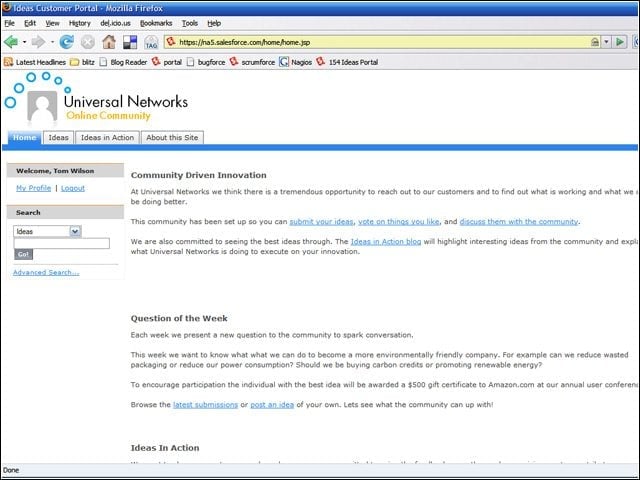
Ideas can be used by companies as a portal into their communities.
Inside Salesforce Ideas – Customization
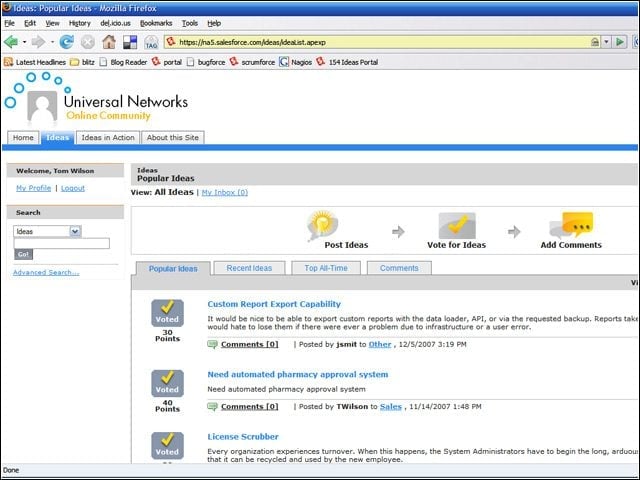
Companies can add their own logos and change the portal’s look and feel to reflect their corporate standards.