







- Microsoft Teams to Get Cortana Assistant as One-Year Anniversary Gift
- Teams Is Deployed in 200,000 Organizations and Growing
- Teams Is Microsoft’s Answer to Rival Slack
- Chat Is Teams Essential Feature
- Teams Handles Online Meetings
- Teams Replaces Existing Office PBX Systems
- Teams Is Integrated With Office 365
- Teams Comes With Strong Security Features
- Teams Now Compatible with Surface Hub
- Microsoft Building the Teams App Market
- What’s Coming Next?
Microsoft Teams to Get Cortana Assistant as One-Year Anniversary Gift
Microsoft marked the first anniversary of the release of its Teams collaboration platform on March 12 by announcing a number of new features. Chief among the additions is the ability to record team conversations and access the recordings from the cloud and use the Cortana assistant to join scheduled meetings. Microsoft noted that companies across than 180 international markets are now using Teams and that it expects more companies to continue to adopt the collaboration tool in additional markets. This slide show will cover the new features that Microsoft is adding to Teams and how the product has evolved over the past year.
Teams Is Deployed in 200,000 Organizations and Growing
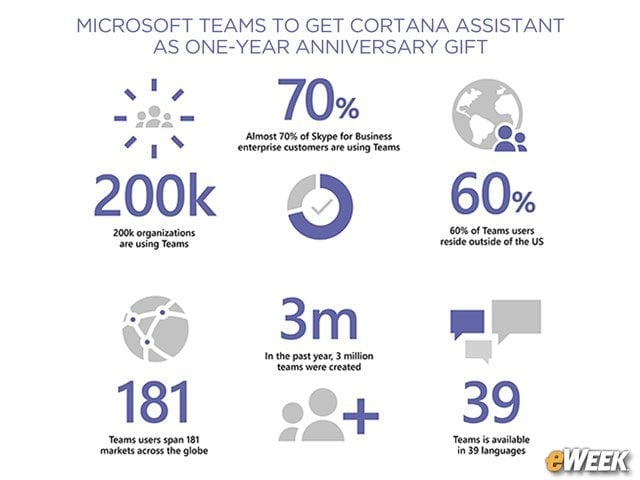
A year after releasing Teams a year ago, more than 3 million work groups within 200,000 organizations are now using the platform, according to Microsoft. Those organizations are operating in 181 markets around the world.
Teams Is Microsoft’s Answer to Rival Slack
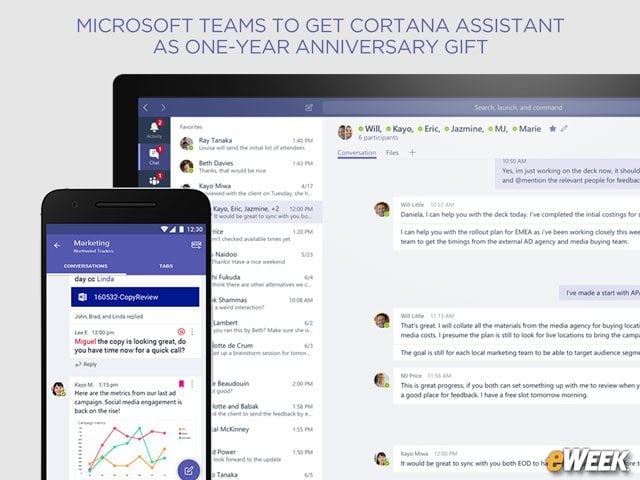
Teams is essentially Microsoft’s competitive answer to the rapidly growing Slack collaboration platform. It allows business work teams to chat on private and public channels available to all employees. The service provides cloud storage, so users can readily access files and folders containing data and content created by the work teams. Team was designed to improve productivity while reducing reliance upon email.
Chat Is Teams Essential Feature
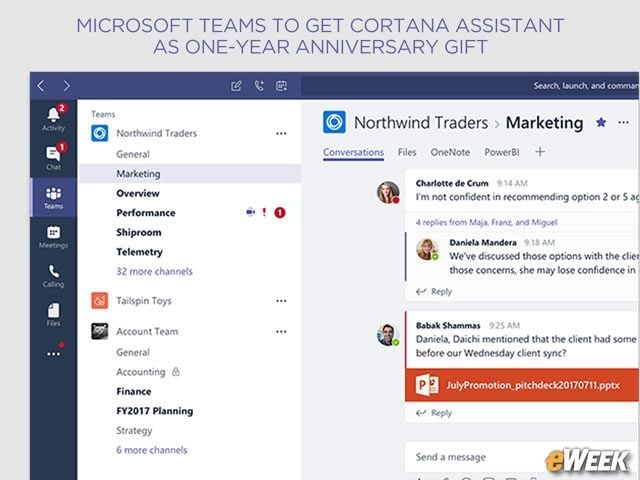
Chat is at the core of the Microsoft Teams experience. Companies can create “teams” or channels within Teams that enable workgroup collaborate and communicate through chats. Workgroups can set up private or group chats that support text, video or file sharing. All chats are threaded, so a public conversation between a few people won’t take up too much too much of display space. There’s even a co-author feature for times when multiple employees need to send information to the group.
Teams Handles Online Meetings
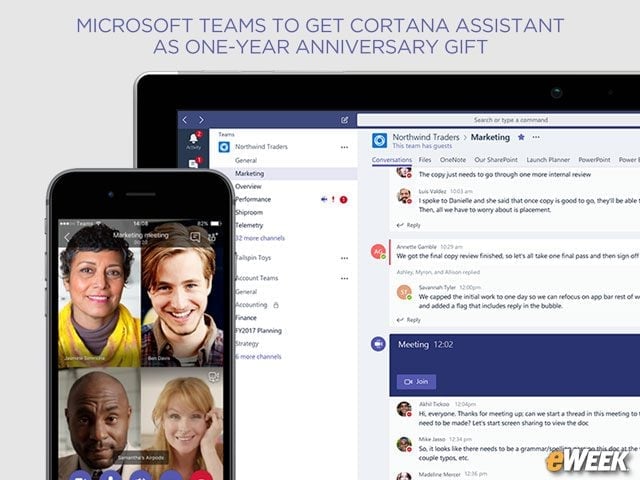
Microsoft Teams can become the central hub for all online meetings. From within the app, users can dial into a conference call or livestream a call between team members. Microsoft Teams works with Skype and video conferencing is available on desktop and on mobile devices. According to Microsoft, 70 percent of Skype for Business customers are using Teams.
Teams Replaces Existing Office PBX Systems
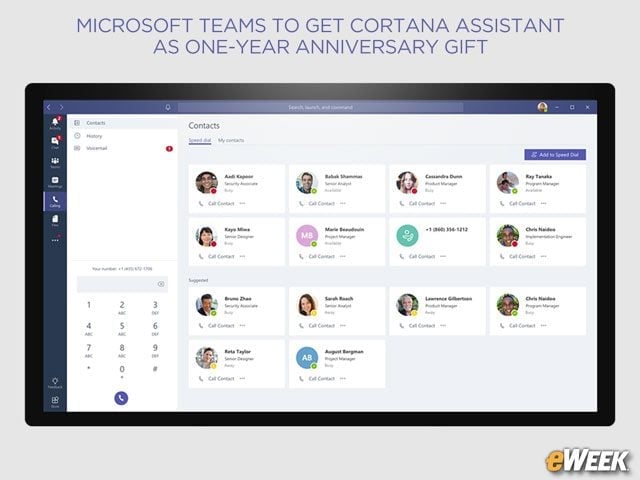
Microsoft is hoping that Teams can be used to replace what it calls “expensive proprietary telephony hardware.” The service is a full-fledged phone system that gives each employee phone extension and the ability to place individual calls from within the app. Microsoft Teams handles all voicemail services and replaces existing PBX systems. But to access that feature Teams customers need to pay an additional monthly charge for domestic and international calling plans.
Teams Is Integrated With Office 365
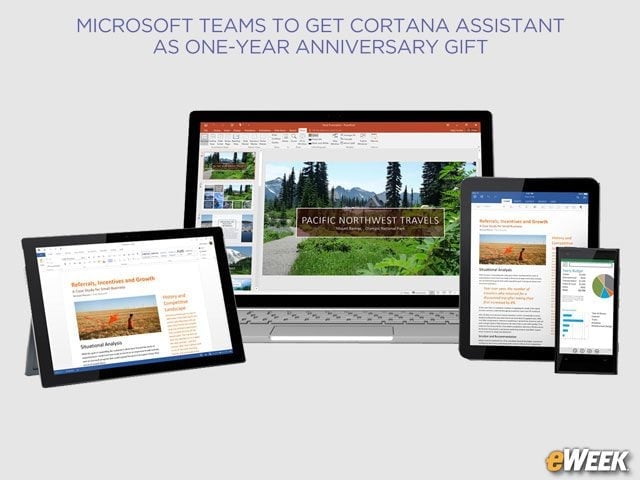
Office 365 users can take full advantage of Microsoft Teams. The service integrates on the collaboration side with SharePoint and supports OneNote. Other Office 365 apps, including Power BI and Planner are also compatible with Teams.
Teams Comes With Strong Security Features
Microsoft has baked a full slate of security features into Teams. The service comes with enterprise-grade, end-to-end encryption and gives the IT side full control over user interaction with the app. Companies can also create compliance policies to ensure data is stored an protecting according to company policies.
Teams Now Compatible with Surface Hub
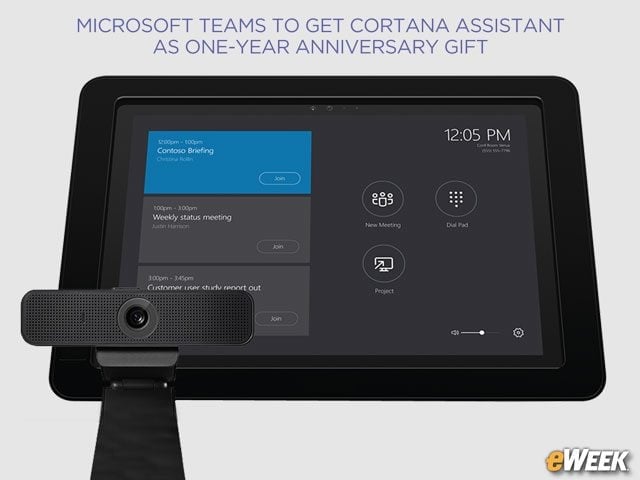
Microsoft Teams already works across Windows and macOS. The Teams app is also available on the Apple Store for iOS devices and Google Play for Android handsets. Microsoft also announced on March 12 that Teams is now compatible with Surface Hub, the company’s all-in-one large-screen device for presentations and group collaborate. Meeting room systems from Lenovo and HP, office phones from Polycom and YeaLink, among others, are also now compatible with Teams.
Microsoft Building the Teams App Market
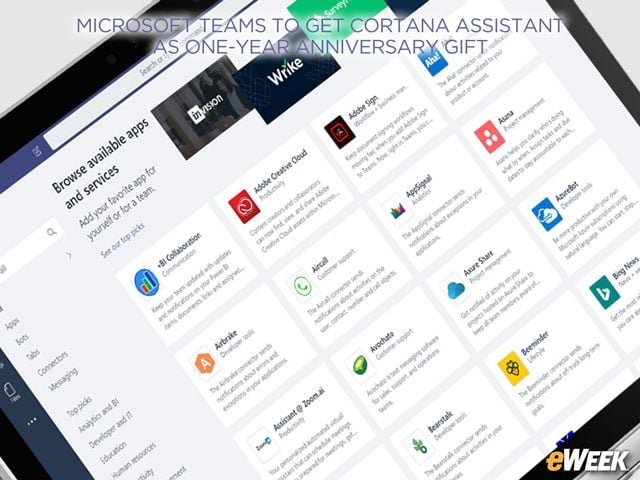
Microsoft says it’s building up the Teams apps marketplace. As of this writing, companies can integrate a variety of services in Teams, including ZenDesk, Asana, Trello, and Hootsuite, among others. Microsoft also touted Teams’s support for Adobe Creative Cloud and SurveyMonkey.
What’s Coming Next?
Microsoft says it will add a variety of services later this year, including proximity detection so users can quickly add a Skype Room System to any meeting. The service will include the ability to record meetings and store them in the cloud and fully engage in meetings from mobile devices. Cortana voice interaction is coming to Microsoft Teams, so users can bark out voice commands to connect to a call or join a meeting.