







- Sony Xperia Z a Sleek Android Phone That Withstands Hard Knocks
- Yes It Does Have a Pretty Face
- Change the Order of Application Icons
- Xperia Sports a 13-Megapixel Camera
- My Flaps Are Sealed
- Grand Opening of Xperia Cover Flaps
- Pop Top Conceals Headset Connector
- No Watery Grave for This Phone
- There’s a Phone in the Bucket
Sony Xperia Z a Sleek Android Phone That Withstands Hard Knocks
by Wayne Rash
Yes It Does Have a Pretty Face
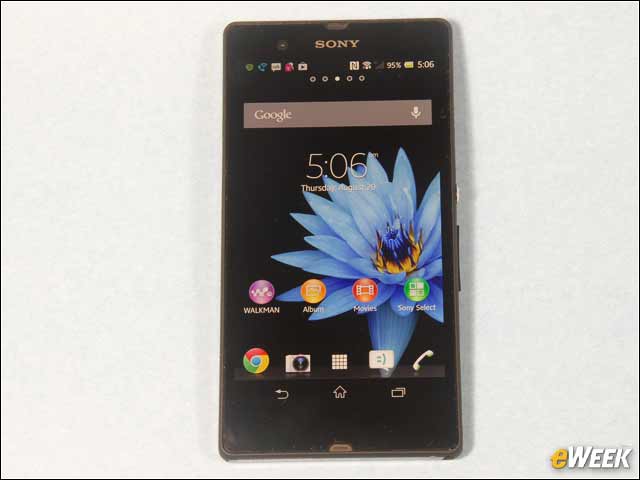
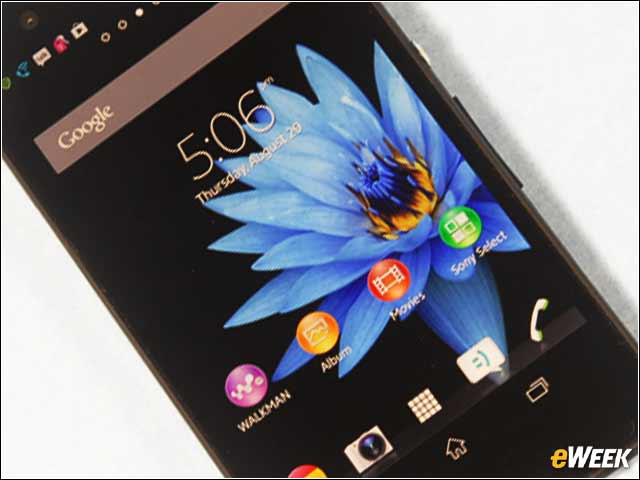
The Sony Xperia Z has a typical Android opening screen that displays the primary icons along with the search bar and notifications. Instead of a generic camera icon, the Xperia uses an icon showing a Sony point-and-shoot camera. The 2-megapixel front camera is above the screen, just to the left of the Sony logo.
Change the Order of Application Icons
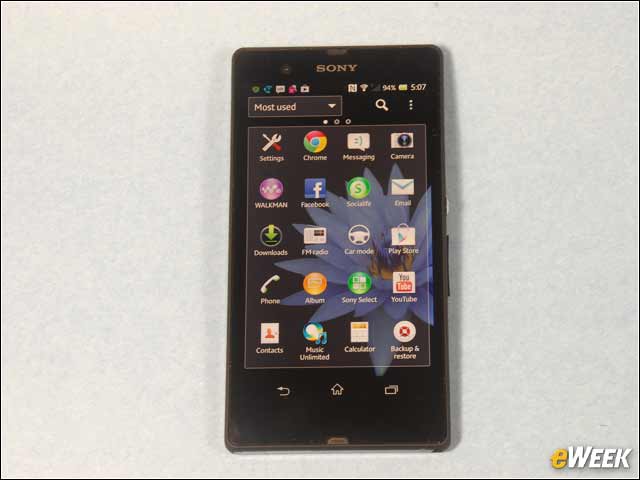
You can tell the phone how you want the apps to appear by selecting that they be displayed in the order of most used, alphabetical order, an order you choose or in order of the most recently installed. I found this to be a drastic improvement over the seemingly random icon arrangement on many other smartphones.
Xperia Sports a 13-Megapixel Camera
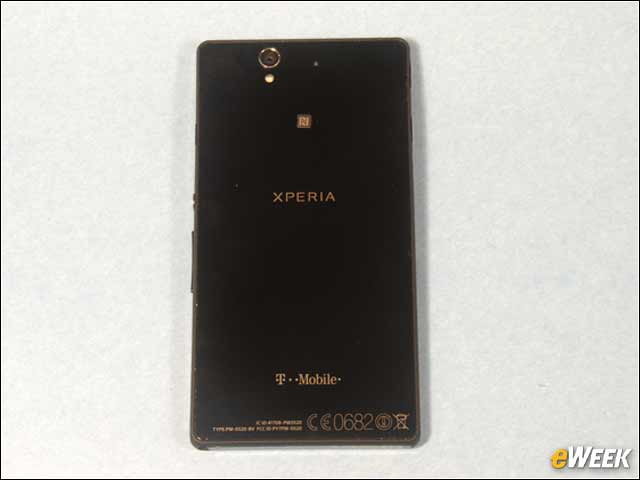
The back of the Xperia features the 13-megapixel camera and an LED flash. The camera is higher resolution that you typically find on a phone these days. There’s also an NFC logo so you know where to find the NFC (near-field communications) antenna, such as when you want to use it at Starbucks to buy your double-shot latte. The tiny circle above the NFC antenna is a second microphone for noise-canceling.
My Flaps Are Sealed
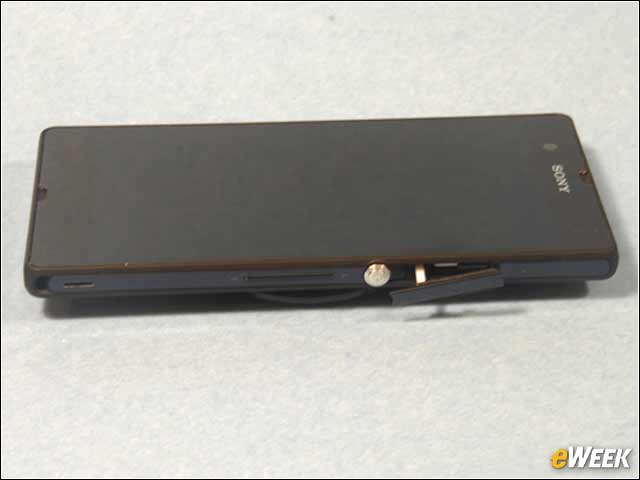
On the right side of the phone is a slot—shown on the far left of the photo—for the wrist strap. Next to that is the speaker port. In the middle of the right side of the phone is the volume-zoom bar, and next to that is the silver-colored power-sleep button. I popped open the cover flap for the micro SIM slot. That cover flap helps keep water out of the phone.
Grand Opening of Xperia Cover Flaps
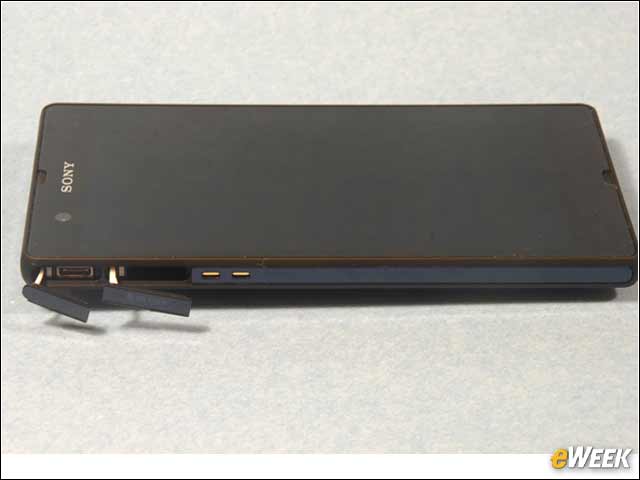
Here I’ve opened the cover flaps for the micro USB port (on the far left of the photo) and the microSD port, which is next to it. The two copper contacts are for the optional charging dock.
Pop Top Conceals Headset Connector
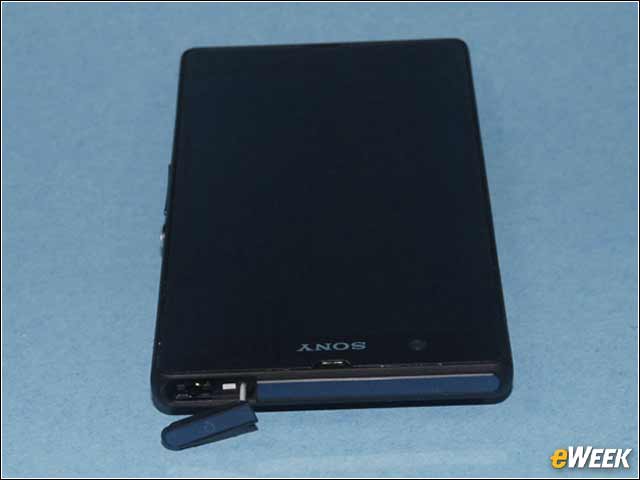
The cover flap on the top edge of the Xperia conceals the 3.5mm headset connector. These flap covers look flimsy, but in use they were actually quite sturdy. They also seal out water effectively.
No Watery Grave for This Phone
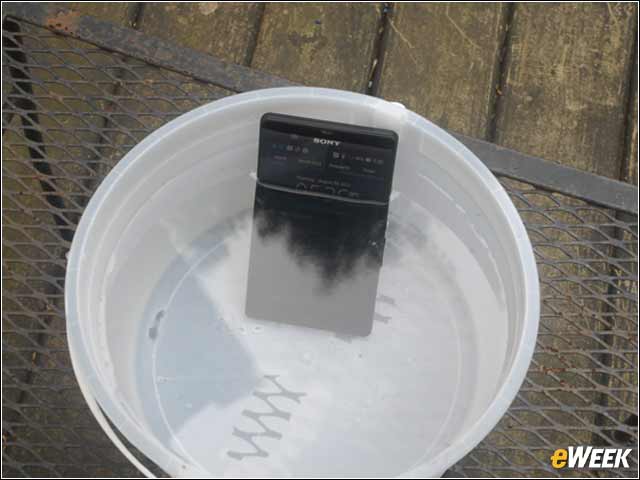
Yes, that really is a photo of the phone in a bucket of water. And yes, the phone did survive the experience. The phone is water resistant up to 1 meter, and it can remain submerged for up to 30 minutes. So if you want to make phone calls from the shower, you can.
There’s a Phone in the Bucket
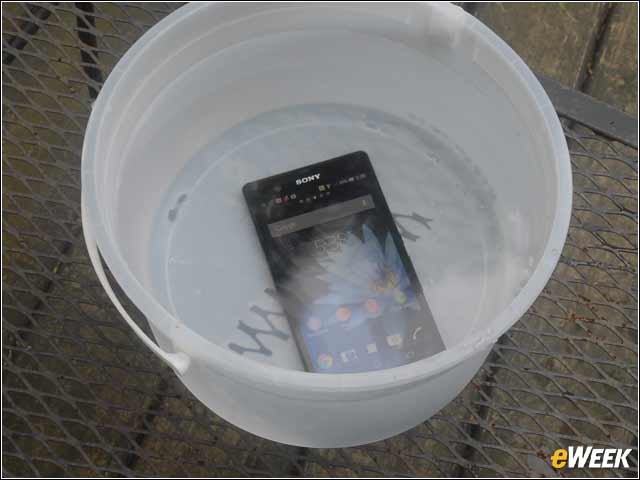
Just to show you that this phone really does work underwater, here’s the Xperia with the home screen showing on the bottom of a bucket of water. This is handy when you spill something on the phone. You can just hold it under the faucet and wash it off. If you look closely, you can see that the WiFi is still working underwater, too.