







AI tools have transformed routine household tasks into quick and creative opportunities. Whether you’re designing party invitations, visualizing your dream kitchen renovation, or creating custom pet portraits, generative AI can produce professional-quality results in minutes. Many AI tools offer free versions or trials, making it easy to explore AI-generated art without any upfront cost.
Here are five practical techniques for using free AI art generators at home, plus copy-paste prompts to get you started immediately.
Create personalized home decor on a budget with Microsoft Designer
Microsoft Designer is an AI-powered graphic design and image editing app that allows you to create eye-catching images from basic prompts. If you’re looking for an AI art generator that’s best for remodeling your mood board, decorating mockups for your home renovations, or just adding an image for your Instagram post, you can try this free app.
What I love about this AI app is that it combines its text-to-image feature and layout tool, allowing you to mock up room designs or renovation ideas and then drop them into ready-made designs. Plus, the overall design is user-friendly, accessible, and focused on sparking creativity from the first click.
Sample prompt to copy: Minimal birthday invite background: confetti in soft pastels, clean paper texture, generous white space for text, 4:5 portrait, no words, no logos
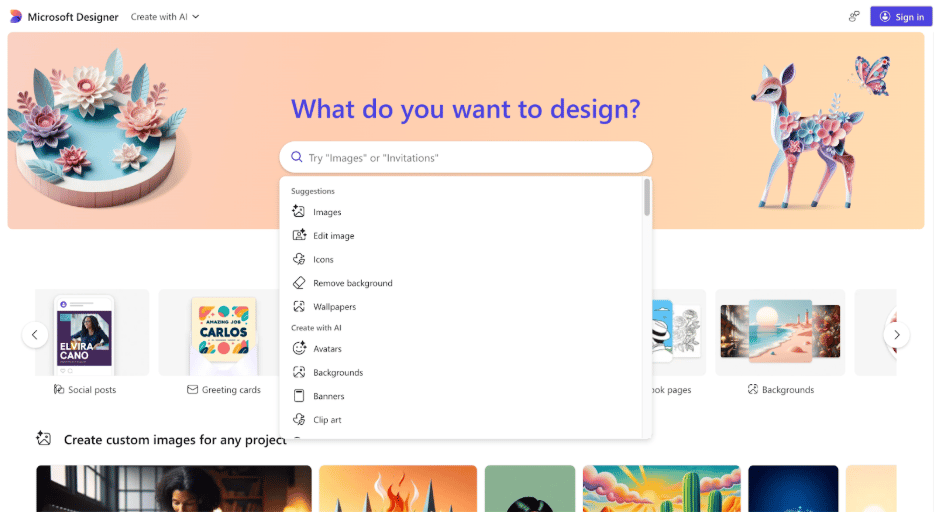
Microsoft Designer allows you to create and edit high-quality images for home decor, social posts, greeting cards, and more through a simple user prompt.
Turn pets and characters into art using Leonardo AI
If you love your pet (which we all do) and want to display their photos on calendars, shirts, mugs, and stickers, Leonardo AI might be the best tool to try. You can simply select the image option and add your prompt for pet description and character specification. Leonardo’s free tier stands out for its style-driven images and consistency in the character generated, so you don’t waste your free credits on images you can’t use.
Here’s a pro tip when using this AI art generator: save your favorite model and preset combo so your character can stay on-brand every time.
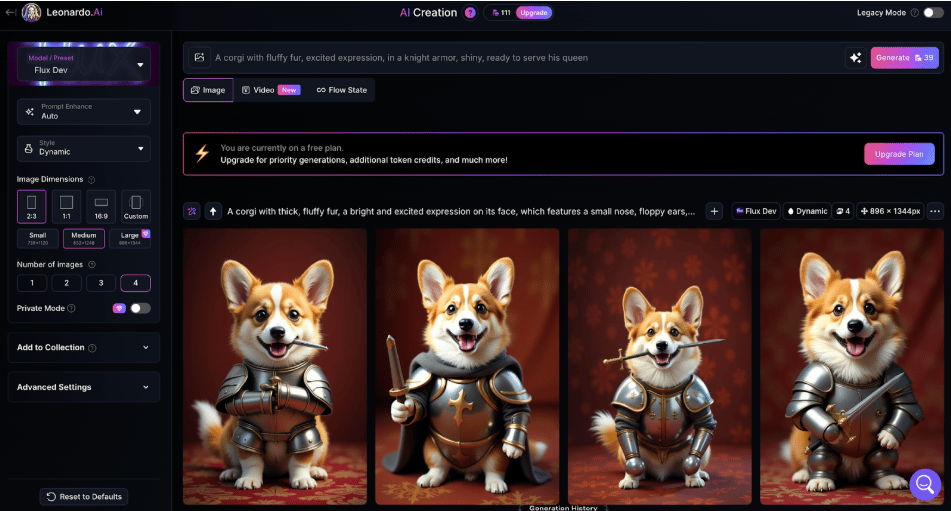
Leonardo AI is a powerful AI art generator that allows you to create characters and customize them using multiple AI models.
Spark stories with visual writing prompts via Playground AI
If you’re planning to make a storybook for kids or just learn how to make visuals for stories, you can explore Playground AI. This browser-based AI art generator is built for fast experimentation, allowing you to try the same idea in different styles, like watercolor, comic, photorealistic, and more.
The platform’s user interface makes customization and seed-locking easy, so you can keep the same scene while you experiment with different styles that fit the story you’re creating. It also has a slick and simple user interface, making it an ideal AI art generator for beginners or casual users.
Sample prompt to copy: Bedtime scene: a child and orange tabby reading under a blanket fort, warm lamplight, soft watercolor, storybook style, 4:3, cozy, no text
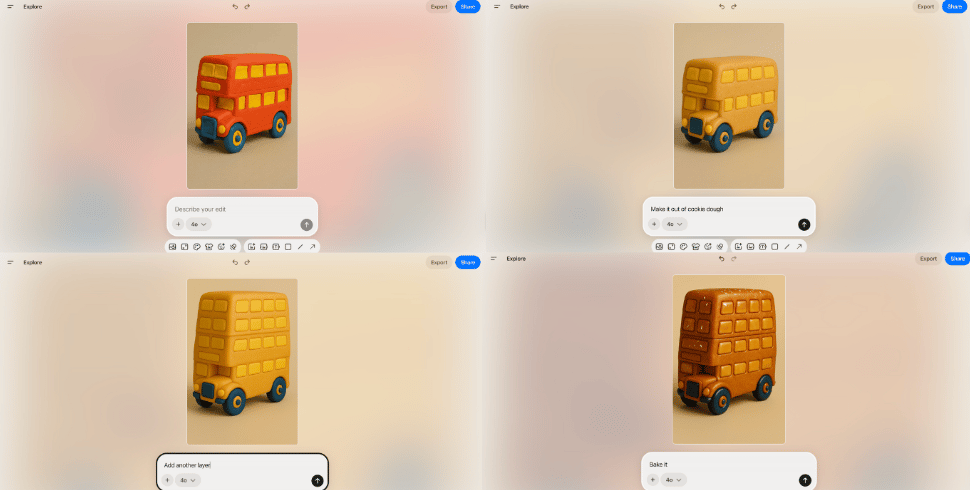
Playground AI has a step-by-step editing approach and a real-time preview feature that makes it easy to create and experiment with visual prompts.
Build a digital scrapbook with Canva
Canva is one of the best free AI apps when you want an all-in-one platform for exploring AI art creation. Its drag-and-drop tool is ideal for creating digital and printable scrapbooks, invites, and posters in one place. You can also easily generate video, graphics, and audio, making it an excellent tool for adding to your scrapbook. With a free subscription, you can generate up to 50 images and choose from thousands of free template designs.
Sample prompt to copy: Family scrapbook background: pastel collage paper, faint grid, subtle floral corners, soft film grain, high resolution, no words or letters
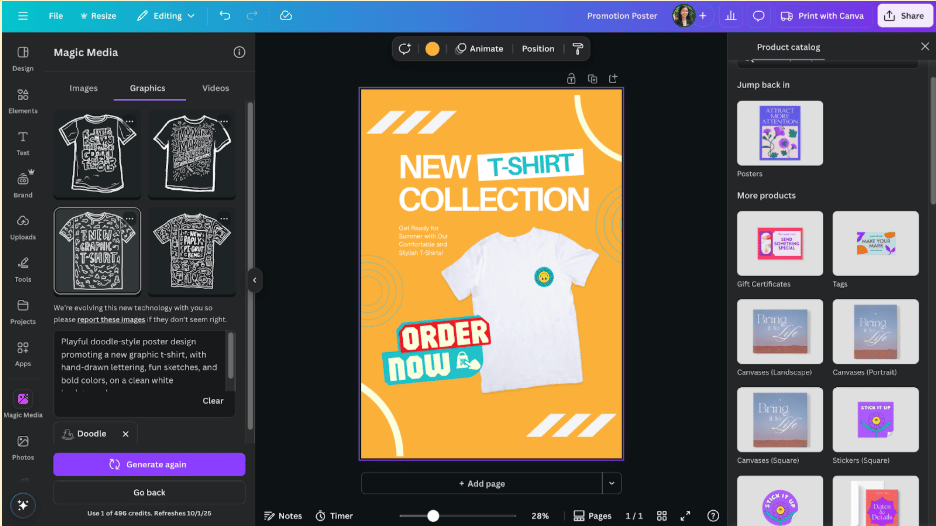
Canva features an intuitive drag-and-drop editor with extensive media libraries for images, graphics, videos, and more.
Create kid-friendly art through Craiyon
Previously known as DALL-E mini, Crayon is the new cool kid in tech and one of the best AI art generators for creating kid-friendly visuals. If your kids need assistance with homework visuals, flashcards for studying, or quick idea sketches, you can rely on Craiyon to do the job.
Just type a description, hit draw, and get a grid of images you can download. While paid subscribers get more features and customization options, the free plan is enough for everyday projects.
Sample prompt to copy: Grid of simple, high-contrast Grade-3 science icons: water cycle, plant cell, magnet, volcano, thermometer, cloud types, moon phases, recycling symbol; bold shapes, thick outlines, white background
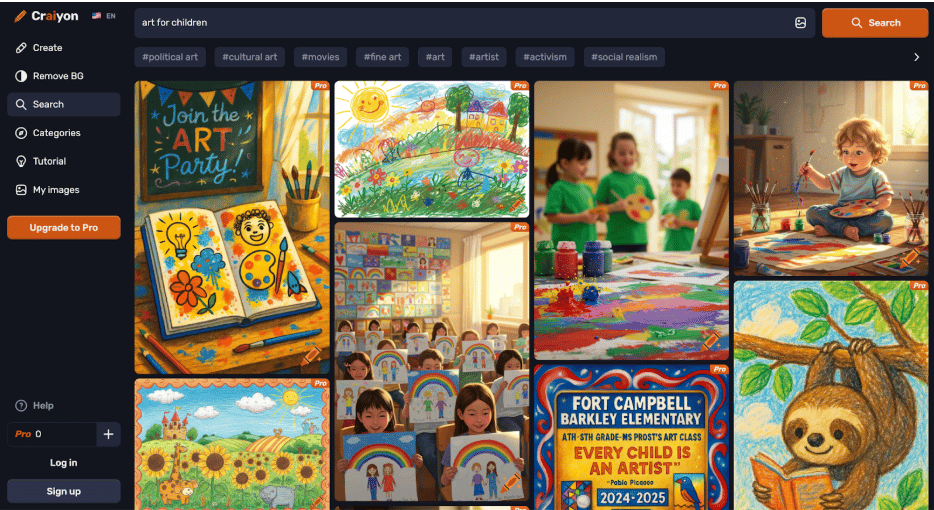
Craiyon is an accessible AI art generator that focuses on child-friendly imagery, making it an ideal tool for educational and creative purposes.
Bottom line: Get more creative with AI
Free AI art generators can make your home projects faster, more accessible, and more affordable. Whether you’re creating home decor, pet portraits, party invitations, digital family scrapbooks, or other creative projects, these tools help you accomplish more with less time and fewer resources. Even those with no prior design experience can get started easily using intuitive text prompts and drag-and-drop interfaces. Simply identify your home project needs, choose an AI tool to explore, and start creating.