







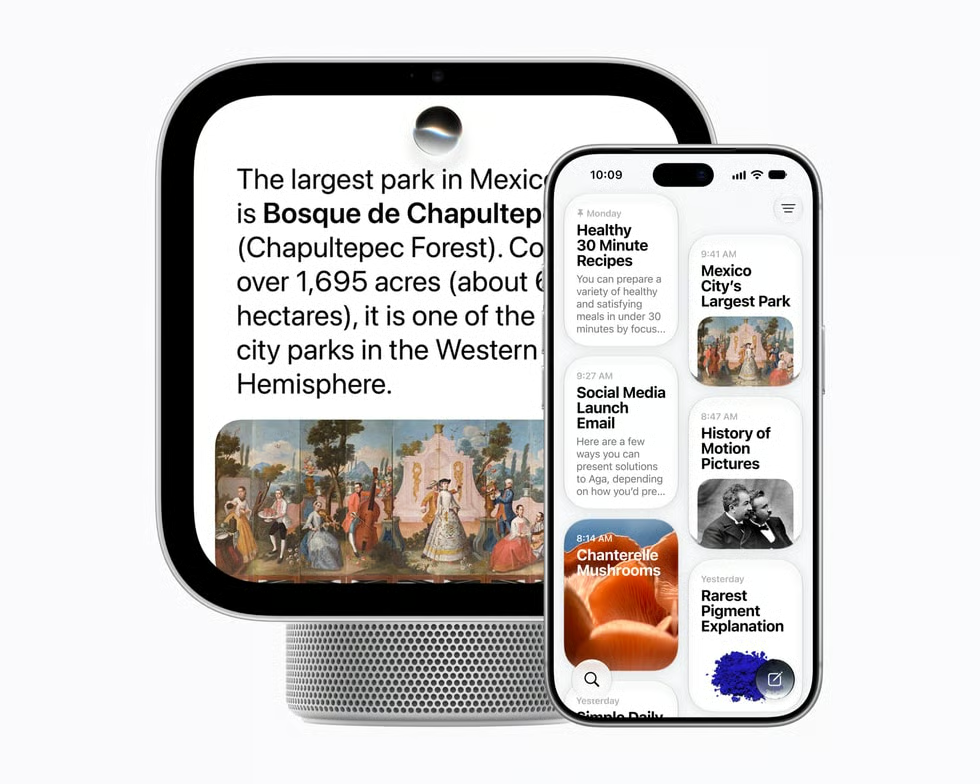
Apple's new smart display has its own AI chip, but some of its most personal features still depend on another device. Unveiled October 13, the $299 HomeView runs Apple's A18 processor and supports Apple Intelligence. Yet personalized Siri requests involving Messages, Calendar, and other apps require a paired Apple Intelligence-enabled iPhone or iPad.
General Siri AI conversations work without an AI-enabled companion, but personalized assistance depends on additional hardware and authentication. HomeView launches November 13, 2026, in eight markets, including the US, Singapore, and Australia. It will not initially be sold in the European Union because Siri AI is unavailable there.
Which HomeView AI features need another device?
Apple's HomeView announcement confirms that conversational Siri AI, general-knowledge answers, and improved music discovery work without an AI-enabled companion. Initial setup and multiuser support still require a compatible iPhone or iPad running current software.
Personalized requests have stricter requirements. Accessing Messages, Calendar information, and personal Apple Music playlists requires a paired Apple Intelligence-enabled device with current software and Siri AI configured in a supported language. Cross-app actions using personal context have the same requirement.
Similar compatibility restrictions accompanied the iOS 27 public beta rollout in July, when Apple's expanded Siri capabilities became available on eligible hardware.
HomeView's Siri AI launches in beta with software version 27.2. Certain server-dependent features carry daily usage limits, with expanded paid access planned.
Voice customization has narrower requirements: iPhone Duo, iPhone 18 Pro models, iPhone Air, iPhone 17 Pro models, or an iPad with an M4 chip or later and at least 12GB of unified memory. The feature supports English only.
AI video summaries and natural-language searches of HomeKit Secure Video recordings require an AI-enabled iPhone or iPad for setup and an eligible iCloud+ subscription. Supported camera counts vary by plan, as also detailed in MacRumors' October 13 reporting.
How HomeView protects personal information
HomeView recognizes up to six household members. Apple says private Messages and Calendar information appears only when an enrolled user is recognized and their paired device is present and recently unlocked.
Access may continue after the device disconnects from Wi-Fi if additional conditions involving location, cellular connectivity, and recent authentication are satisfied.
Apple says its A18 chip uses Secure Exclaves to isolate sensitive camera and microphone processing. The architecture also appears in newer Apple Watches, although the devices handle different information and functions.
Siri requests may run locally or through Private Cloud Compute, where Apple says information is neither retained nor accessible to the company. Independent verification of these protections on HomeView was not available in the sources reviewed before launch.
What eWeek Found: Local AI processing does not remove device dependencies
Apple's technical disclosures establish separate requirements for AI processing, personal-data access, and authentication. HomeView's A18 chip supports general Siri interactions, but personalized requests still depend on eligible external hardware.
Apple's watchOS 27 Siri AI beta provides a useful precedent: certain assistant functions also rely on a compatible iPhone despite the watch's onboard processor. The products differ, but both show how local computing hardware can coexist with companion-device requirements.
For enterprise architects designing shared AI interfaces, the documented requirements illustrate why processing capabilities must be evaluated separately from identity, authorization, and connected-device dependencies. HomeView itself is not presented as an enterprise product.
Apple has not disclosed how every personal-context request is distributed among HomeView, paired devices, and cloud infrastructure. Until those processing boundaries are documented and independently assessed, the confirmed hardware and authentication requirements remain the most reliable basis for evaluating its personalized AI capabilities.
Want to learn more AI tips, tricks, and prompting techniques? Let us teach you How to Talk to AI for free! Try our six-minute course at The Neuron Academy, our practical learning platform designed to help professionals use AI more confidently at work.
Learn a few simple ways to write better prompts and get more useful results from AI, or browse our other AI course for free for seven days. eWeek readers get free 7-day access. Check out all the lessons here →