








Your house reflects your personality. A cluttered, poorly designed space feels unwelcoming, while an organized and well-arranged space creates calm and warmth. You don’t need a major renovation to improve your home — quick weekend projects can make a big difference. Thankfully, AI tools for DIY projects can help you plan room layouts, design spaces virtually, and even take better care of your garden.
Here are the top AI apps that bring speed and clarity to DIY household projects.
Magicplan: Best for fast scans and accurate floor plans
If your idea of a floor plan is a rough sketch and a misplaced tape measure, Magicplan turns that guesswork into precision. This tool uses AI and augmented reality (AR) to map rooms with your smartphone or tablet’s camera. Snap a room, and the app detects walls, doors, and windows, then generates 2D or 3D layouts you can annotate with notes, photos, and cost estimates.
For small remodels and handyman tasks such as new shelving, a closet refresh, or new flooring, Magicplan validates dimensions by capturing accurate measurements through your mobile camera. Among AI tools for DIY projects, Magicplan stands out for accuracy and simplicity, making it ideal for both hobbyists and experienced renovators.
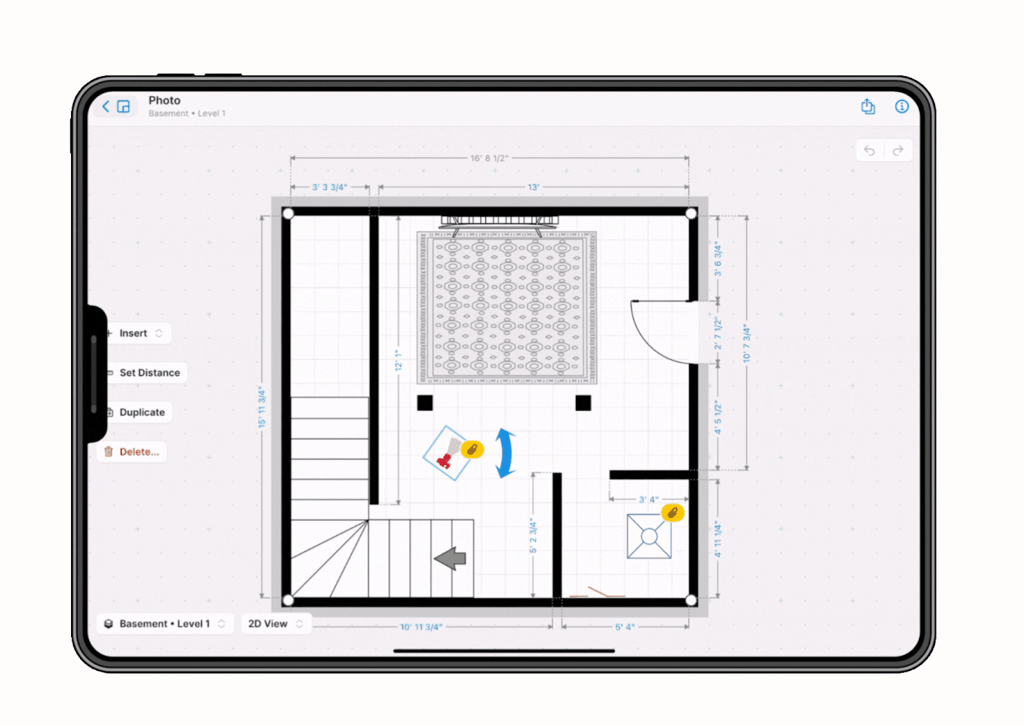
Magicplan transforms a quick scan into an accurate floor plan, making DIY measurements simple and reliable. Source: Magicplan
IKEA Kreativ: Best for furniture visualization
Before you commit to a new sofa, test how it fits in your space. IKEA Kreativ is an AI-powered planner that scans your room and lets you place, swap, or remove Ikea products inside a 3D replica.
Drag and drop furniture pieces to scale, check whether a table fits in a corner, or see if your color choices coordinate. IKEA Kreativ is an ideal tool for layout experiments such as moving a bookshelf into a built-in spot or checking whether a dining table will fit the way you imagine. With IKEA Kreativ, you can confirm that furniture fits properly, and still leaves space to move comfortably.
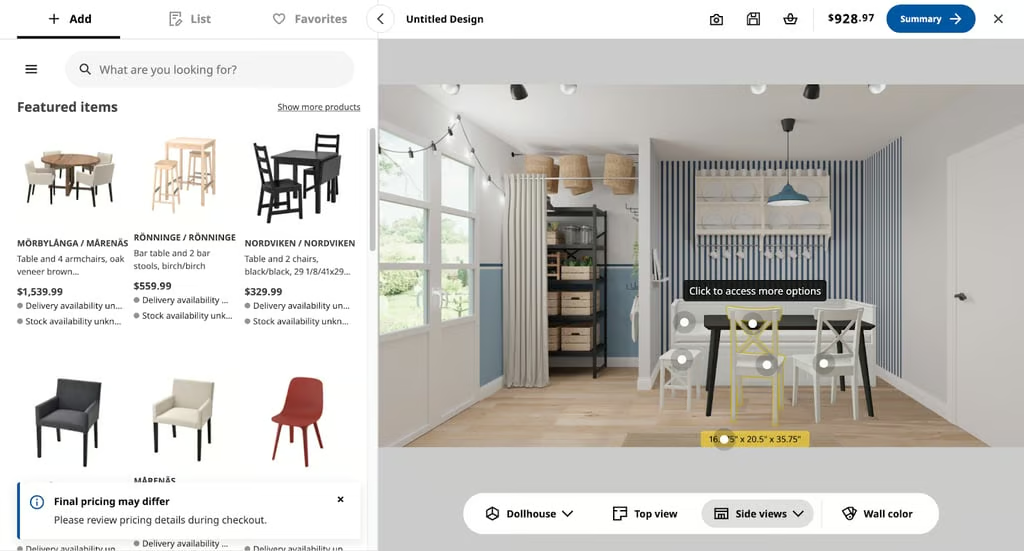
IKEA Kreativ previews furniture in a realistic room layout before you make a purchase. Source: IKEA
PictureThis: Best for plant care and yard fixes
DIY home projects aren’t just about moving furniture or painting walls — your yard and houseplants can be just as tricky.
PictureThis is an AI app that identifies plants from photos, diagnoses issues, and provides care reminders. Snap a picture to learn if a plant is poisonous to pets or harmful to children. The app also warns about plants that can cause rashes or stomach problems, helping you make safe choices for your garden and home. Beyond safety, it offers detailed care guides to keep plants thriving year-round.
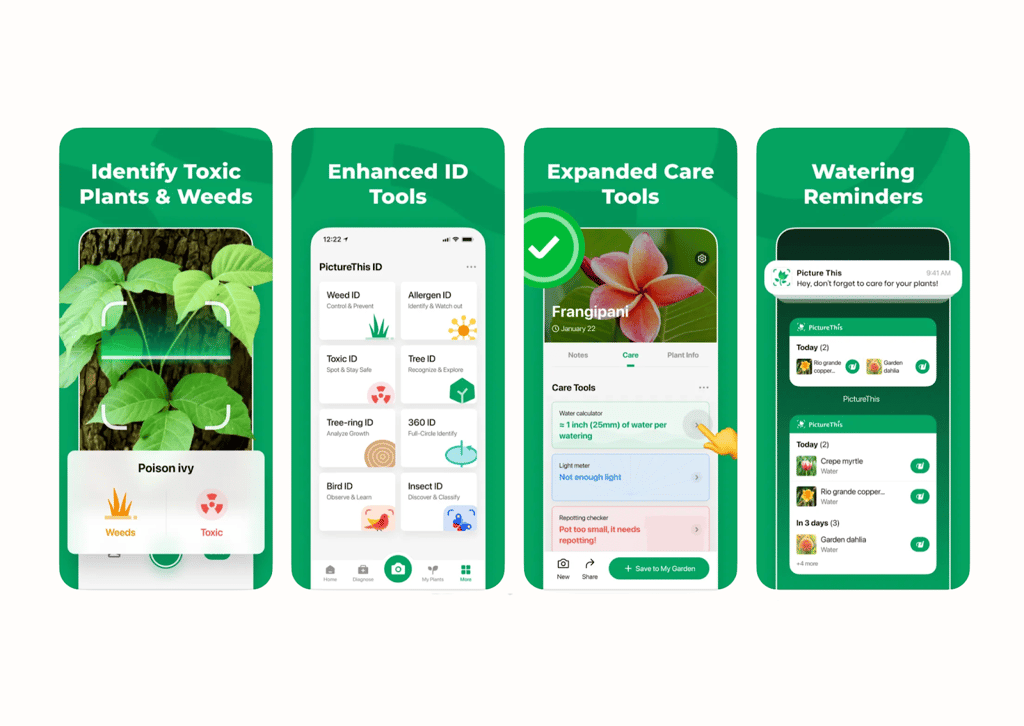
PictureThis identifies plants, detects diseases, and flags toxicity risks, helping you keep your garden and home safe. Image source: PictureThis
Bottom line: Smarter DIY made simple with AI
Smarter apps can now guide your projects from start to finish. They help measure spaces precisely, preview furniture layouts before lifting a sofa, and keep plants healthy even if you are not a natural gardener.
With these AI tools for DIY projects, you gain clarity before buying materials or rearranging furniture. That means projects finish faster, stay on budget, and require less rework. Many of these apps offer free or trial versions, so you can test which ones match your next upgrade.
Check out eWEEK’s roundup of free AI art generators to start visualizing your ideas and designing spaces.