







Designers must constantly juggle creativity and deadlines. Balancing fresh ideas with client demands can be tough, and traditional workflows can be time-consuming.
While AI tools can’t replace a designer’s creative skills, AI design platforms speed up repetitive edits and can help you stay efficient. Using AI to assist you in brainstorming, creating initial mockups, and organizing files can free up your mental space and time for the work that truly matters.
Here’s a rundown of the best AI tools designers should try.
Canva: Best for everyday design tasks
Canva is a household name in design, and its built-in AI features make it an even more valuable asset for designers.
The Magic Design tool can automatically generate custom, on-brand, and attractive designs. Simply describe what you need through a text or image prompt, and Magic Design will craft a layout for your marketing assets, social media posts, educational content, and more.
Canva also provides a rich library of free templates and creative elements you can use with your AI-generated images. Plus, you can also generate images, graphics, or videos through Canva’s Magic Media tool if you want to add content that doesn’t exist in the media library.
Another feature I appreciate about this AI designer tool is its Canva Shield, a robust tool designed for enterprise users to ensure trust, safety, and privacy, allowing designers to leverage the platform’s AI features without intellectual property concerns.
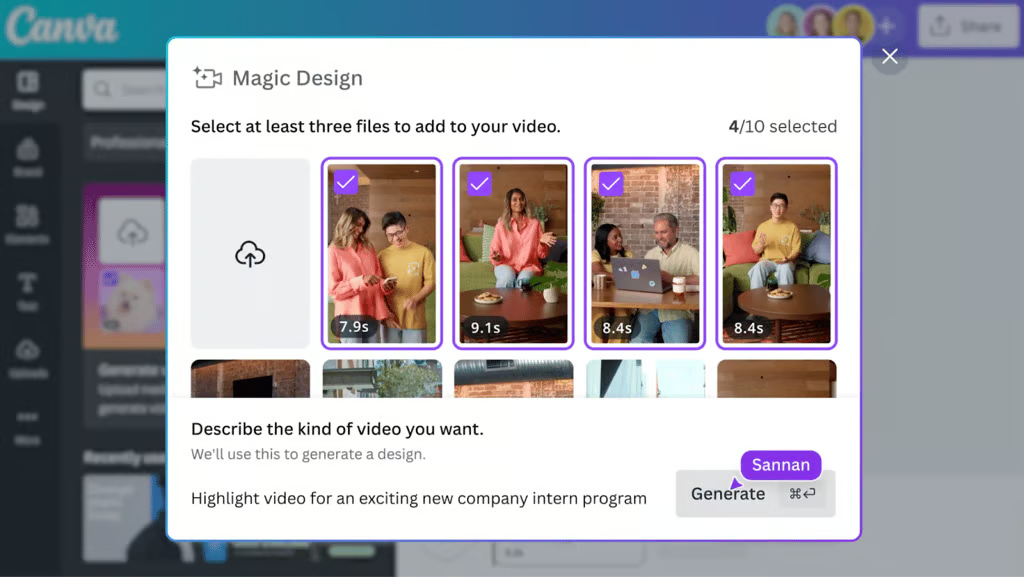
Canva’s Magic Design feature allows you to generate designs by simply describing the desired output, simplifying the creation process. Source: Canva
Adobe Firefly: Best for professional-grade design
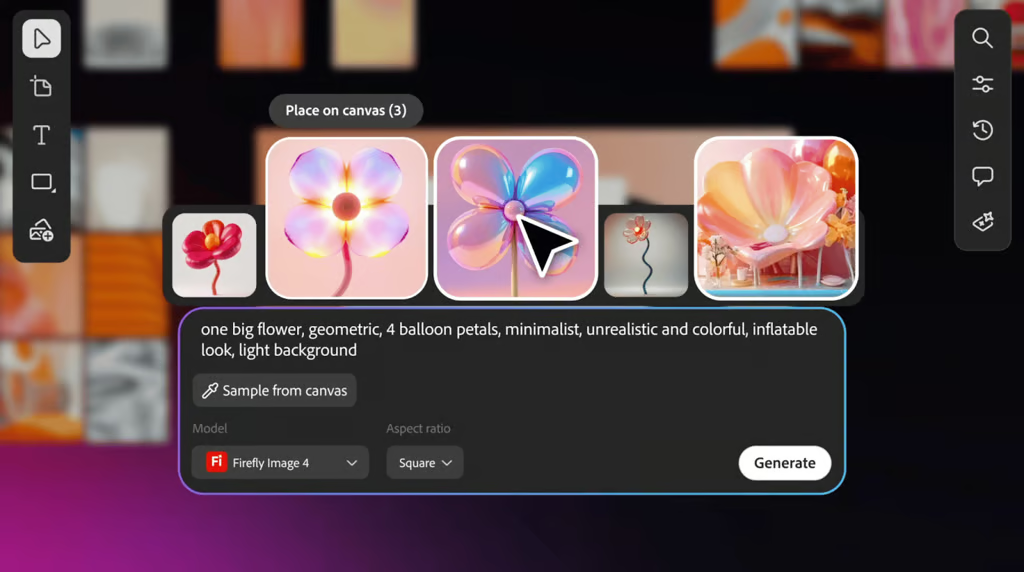
For creatives who need an AI assistant to help them craft stunning images, audio, video, and even text effects in one place, consider Adobe Firefly.
This AI design platform allows you to ideate, create, and collaborate in one location using the Firefly Boards and generate professional-looking content with the latest Firefly generative AI models.
What makes this AI tool stand out is that it provides features directly within Adobe apps, such as Photoshop, Illustrator, and Adobe Express, which makes the creation and editing process more seamless. With Firefly’s generative features, you can craft text effects, recolor vectors, create 3D objects, and more.
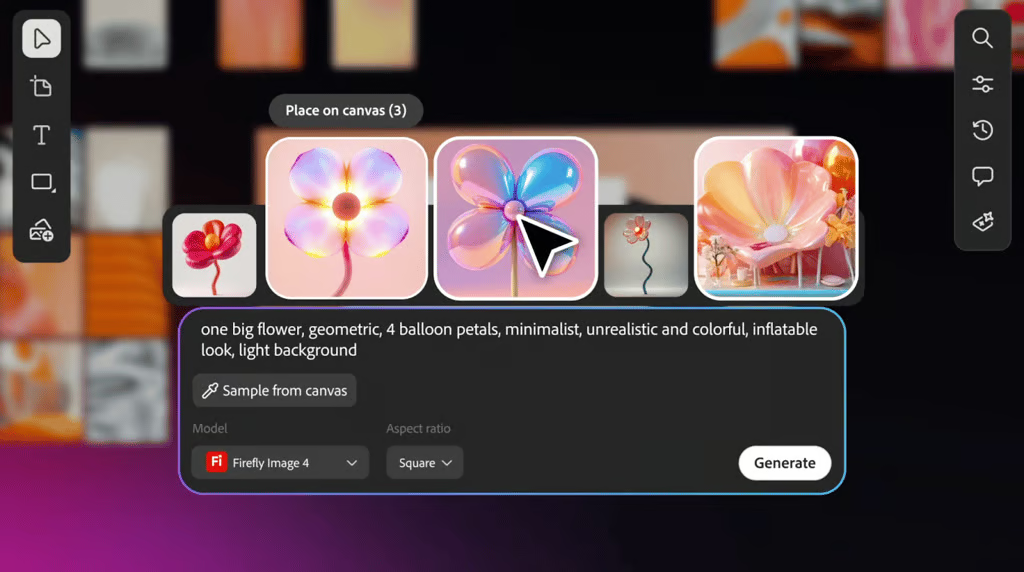
Adobe Firefly’s AI image generator creates multiple design variations from text prompts and canvas samples, allowing you to select and refine images using the latest Firefly Image model. Source: Adobe
Figma: Best for collaboration and ideation
Figma is a popular collaborative design platform that uses AI to transform static designs into working interactive prototypes using simple text prompts.
The company introduced Figma Make this year, which simplifies and speeds up the design process. Consider creating a playground for new ideas, where you can experiment with prompts and then use the results to develop high-fidelity prototypes that accurately capture your vision.
From generating wireframes to suggesting auto-layouts, Figma’s AI features support faster brainstorming and prototyping. Its whiteboard tool, FigJam, also helps design teams organize ideas with the help of AI. FigJam is a visual collaborative whiteboard that allows you to brainstorm with your teammates in real time.
Use sticky notes to record what each team member is working on, organize work on a Kanban board, and gather feedback quickly.
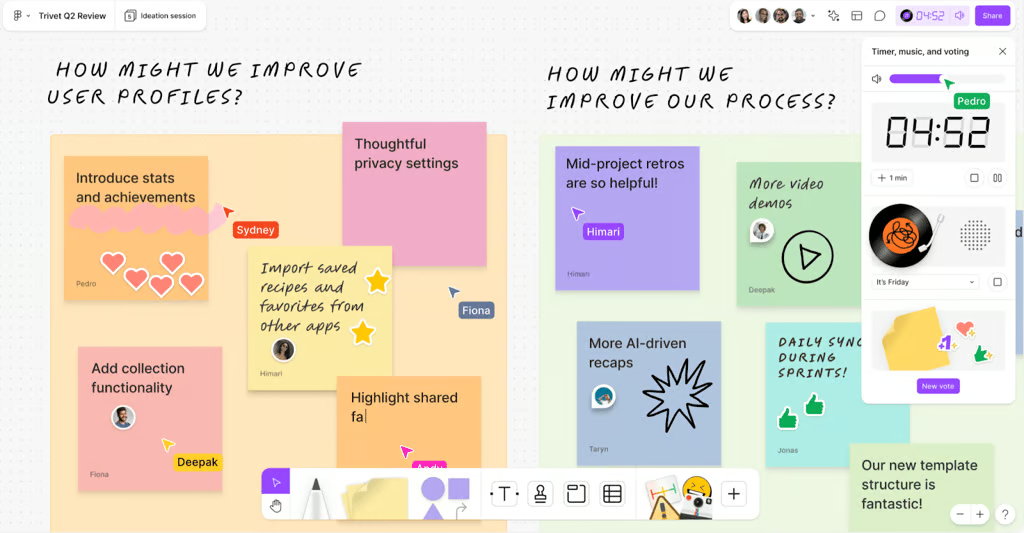
Figma’s FigJam features a collaborative whiteboard where you can brainstorm with your team in real-time, vote on ideas, track time with built-in timers, and organize feedback. Source: Figma
Bonus: Extra AI tools for creative inspiration
If you’re looking for more ways to push your design projects further, here are three additional AI tools worth exploring.
Khroma: Best for palette inspiration
If you’re struggling to build the perfect palette, Khroma can help you discover the best color combinations and palettes. Khroma is an AI-powered tool that generates personalized color palettes by learning what colors designers like to work with and allows you to search, discover, edit, and save them in an online database.
Midjourney: Best for concept art and visual exploration
Midjourney is an advanced AI tool popular for its ability to generate vibrant, detailed, and high-resolution images from text prompts. You can access this AI tool through its web platform and Discord, and it stands out for its extensive artistic style and customizability. Midjourney is also known for its active user community, which comprises more than 20 million users who access the platform through Discord or its website.
Read our in-depth Midjourney review to learn more about the platform’s pros, cons, and features.
Runway: Best for video and motion design
Runway is a versatile art generator that lets you create high-quality videos, images, and audio. In addition to its text-to-video feature, Runway provides a comprehensive range of video editing tools and special effects, making it a valuable resource for designers who want to focus more on video production and editing.
To learn more about the platform, read eWeek’s comprehensive Runway AI review or explore our Runway versus Midjourney comparison.
Bottom line: Smarter, faster design with AI
The best AI tools for designers don’t provide shortcuts to the creative process; instead, they work as partners.
From generating quick layouts to collaborating with your team in real-time, AI design tools bring more ways to bring ideas to life while saving time. AI won’t replace creativity, but it does make the design process smoother, faster, and often more inspiring.
If you’re new to integrating AI into your workflow, start with the most accessible tools designed for beginners, then gradually explore advanced options that offer the most benefit to your specific design process, whether that’s brainstorming, prototyping, or production work.
Want to keep exploring? Check out eWeek’s guides on the best free AI art generators and top generative AI apps and tools to expand your creative toolkit.