








Artificial intelligence (AI) has transformed coding by automating tasks beyond manual typing and reducing syntax errors. Today’s AI tools automate repetitive tasks, generate coding snippets, and assist with debugging and troubleshooting.
These AI assistants have become reliable partners in the modern development workflow and also help you upskill by learning new languages and frameworks.
Whether you’re a solo programmer, part of a dev team, or managing multiple projects, AI tools for coding will help you become more efficient and spend more time on strategic thinking and collaboration.
Here’s a rundown of the best AI tools for coding.
GitHub Copilot: Best for context-aware code generation
GitHub Copilot is a leading AI programming tool built into integrated development environments (IDEs) like VS Code, JetBrains, and Neovim. Powered by OpenAI’s Codex (now GPT-5-Codex), it delivers real-time suggestions to help you write, refactor, and document code.
Beyond automatically completing code, it can plan, write, test, and iterate on assigned issues, using GitHub Actions to run programs and open ready-to-review pull requests.
GitHub Copilot excels at context-aware code generation because it continuously analyzes various elements within a developer’s workspace and uses this information to provide relevant recommendations.
Here’s how it works: GitHub Copilot draws context directly from your editor session, and the code it sends to the model or prompt is crafted on the fly, and those prompts have gotten smarter over time. For example, if you have a class file and its test file open, Copilot reads both to understand what you’re building and then suggests code that fits.
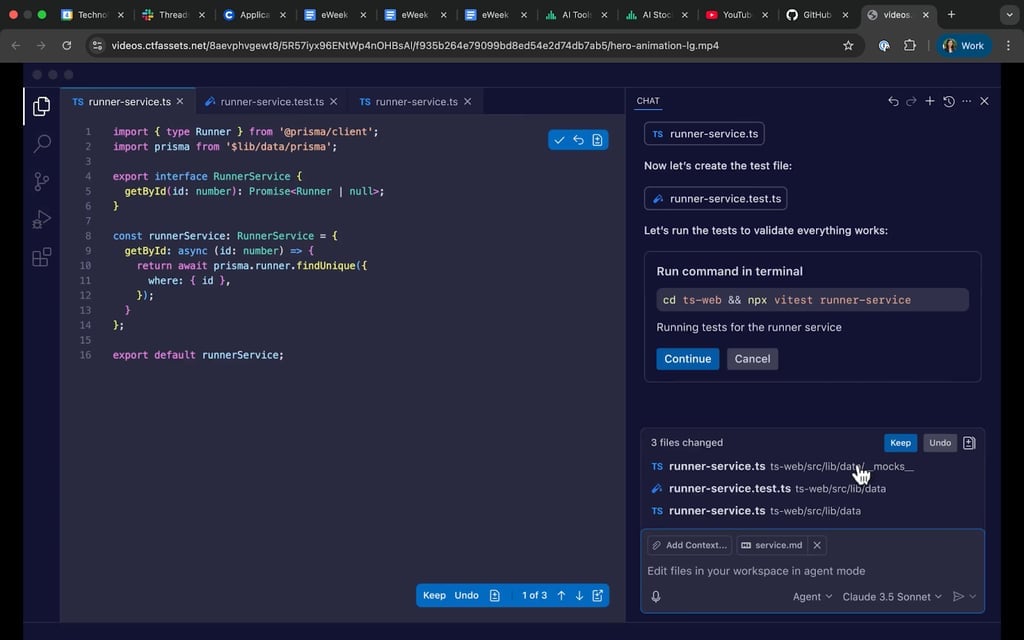
GitHub Copilot provides AI-powered code suggestions, test generation, and contextual guidance to help developers write and validate code more efficiently. Source: GitHub Copilot
Cursor: Best for AI-native coding experience
Cursor is an AI-first code editor that integrates with external large language models (LLMs) like OpenAI’s GPT-4o and Anthropic’s Claude.
Rather than relying on a single proprietary LLM, you can pick models per task and even wire in local providers. Cursor excels in AI-native coding, offering project-wide context awareness, multi-file operations, and smooth integration into a familiar IDE environment.
Unlike other AI programming tools that only examine the active file, Cursor scans your entire project. It creates a map of how files relate, allowing it to recommend changes that fit across the codebase. Plus, Cursor is built on a familiar Visual Studio Code (VS Code) platform with built-in AI, so you can chat with it, refactor multiple files at once, and switch models without leaving your flow.
Picture this: you’re updating a module, and Cursor will suggest matching edits to the related test, keeping everything in sync.
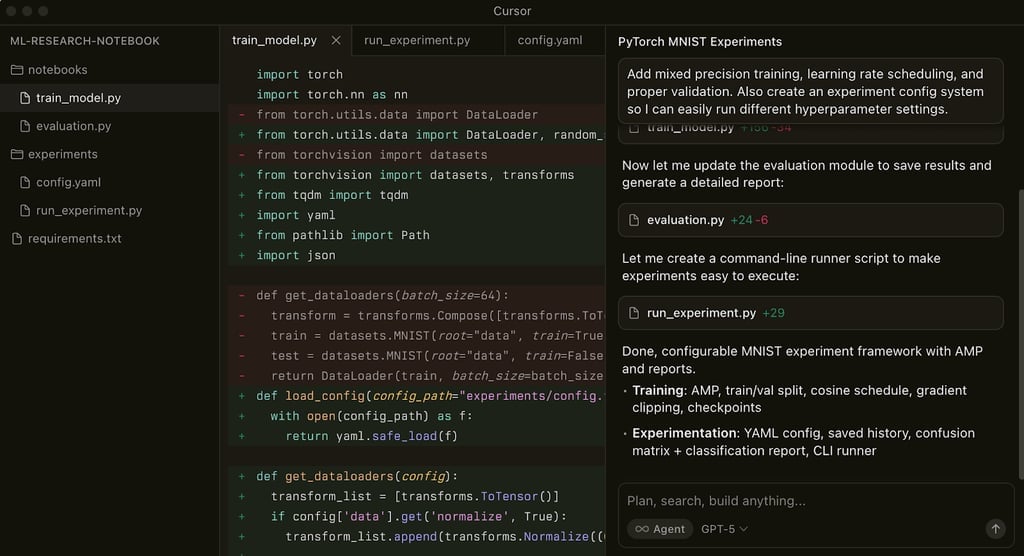
Cursor uses AI to write code, update multiple files, and build complete project structures through natural language instructions within the development environment. Source: Cursor
Microsoft Copilot: Best for enterprise and workflow integration
Microsoft Copilot extends AI assistance beyond IDEs to the entire Microsoft ecosystem. It integrates with Visual Studio, GitHub, and even Microsoft 365, helping developers bridge coding with documentation, task tracking, and productivity apps, making it ideal for enterprises and organizations with complex workflows.
Within Visual Studio or GitHub, Microsoft Copilot can generate code snippets and unit tests, as well as summarize pull requests.
For enterprises, Microsoft Copilot’s biggest advantage is its security, governance, and ability to provide answers based on your company’s data. Because it operates within your Microsoft 365 boundary, it only pulls what a user is allowed to see via Microsoft Graph, and keeps responses out of model training, ensuring privacy and compliance with the General Data Protection Regulation (GDPR) and EU Data Boundary.
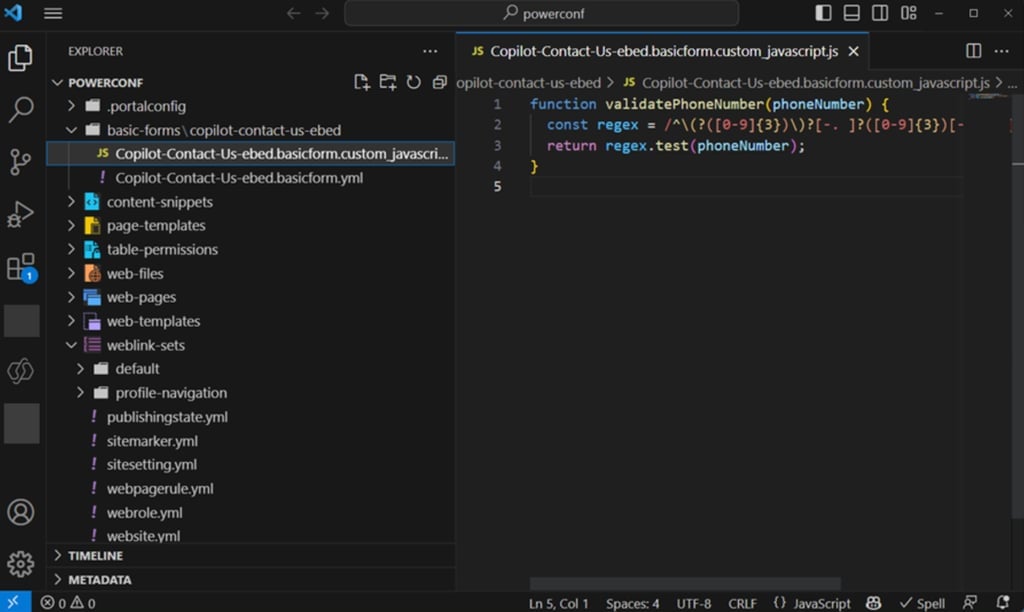
Microsoft Copilot accelerates enterprise development by generating custom JavaScript for complex workflows and business rules across multi-layered projects. Source: Microsoft
Bottom line: Build better and faster with AI coding tools
AI tools for coding turn everyday development tasks into faster and more reliable processes. These tools help with generating code snippets, refactoring, documenting, and writing tests, as well as enabling smoother collaboration with your dev team.
As AI models grow more capable and advanced, expect even smarter tools — ones that don’t just suggest code, but understand your intent, style, and organization’s best practices. Finding the right AI coding assistant can reduce busywork, keep code consistent, and give your dev team more time for higher-value engineering.
Do you like testing your wits with a good ol’ game of trivia? Check out our list of the best AI tools for trivia fans.