








- eWEEK Labs Walk-Through: GroupSystems ThinkTank 1.1
- eWEEK Labs Walk-Through: GroupSystems ThinkTank 1.1 – Brainstorm Session
- eWEEK Labs Walk-Through: GroupSystems ThinkTank 1.1 – Voting
- eWEEK Labs Walk-Through: GroupSystems ThinkTank 1.1 – Multiple Voting Scales
- eWEEK Labs Walk-Through: GroupSystems ThinkTank 1.1 – Data Portability
- eWEEK Labs Walk-Through: GroupSystems ThinkTank 1.1 – Reporting
eWEEK Labs Walk-Through: GroupSystems ThinkTank 1.1
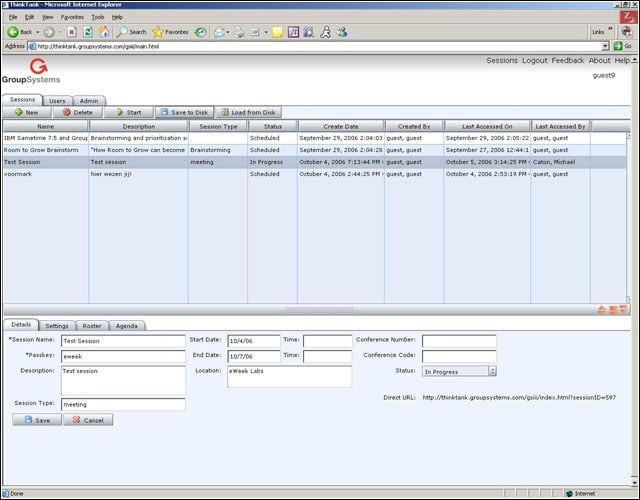
GroupSystems ThinkTank provides session leaders with a list of available sessions.
eWEEK Labs Walk-Through: GroupSystems ThinkTank 1.1 – Brainstorm Session
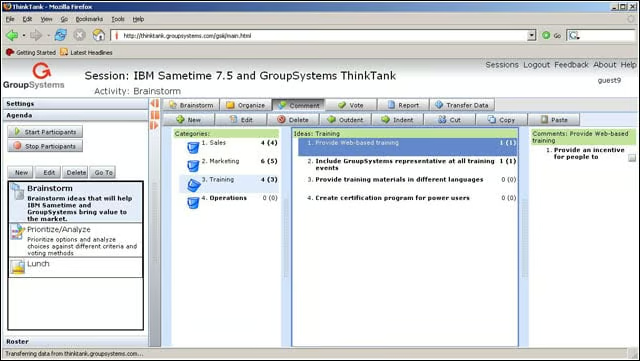
ThinkTank users have the ability to add ideas and then organize those thoughts and add comments.
eWEEK Labs Walk-Through: GroupSystems ThinkTank 1.1 – Voting
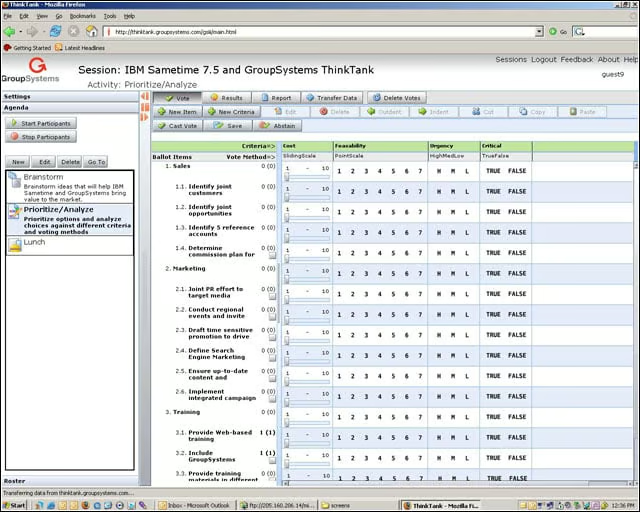
Voting tools allow ThinkTank users to establish consensus.
eWEEK Labs Walk-Through: GroupSystems ThinkTank 1.1 – Multiple Voting Scales
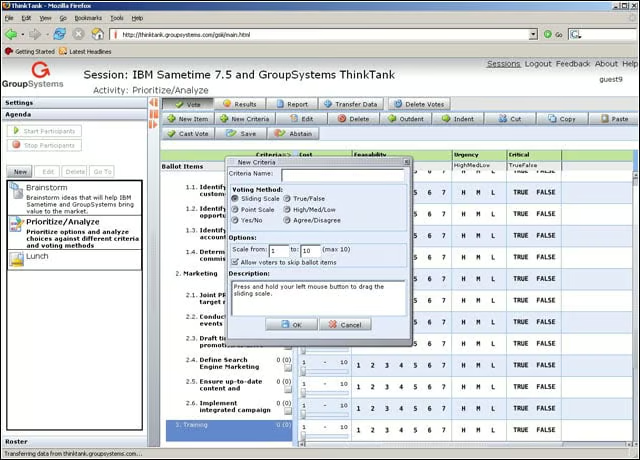
Session leaders have the option of picking different methods for rating and voting.
eWEEK Labs Walk-Through: GroupSystems ThinkTank 1.1 – Data Portability
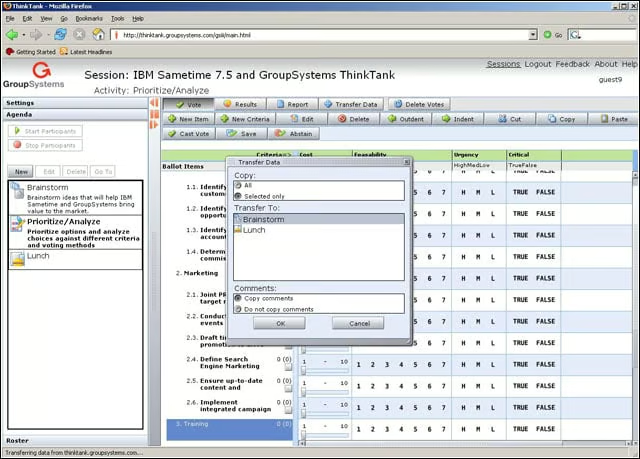
Session leaders also have the ability to copy content from one agenda topic to another.
eWEEK Labs Walk-Through: GroupSystems ThinkTank 1.1 – Reporting
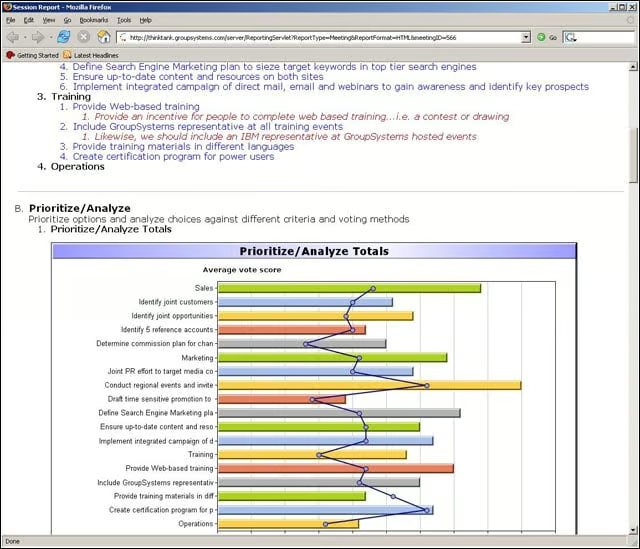
ThinkTank can create comprehensive reports in Microsoft Word or HTML formats. Microsoft Excel reports that tabulate voting results are also available.