








- Novell ZENworks Application Virtualization 6.1
- Novell ZENworks Application Virtualization 6.1 – Capture the Before Snapshot
- Novell ZENworks Application Virtualization 6.1 – Setup Is Ready to Begin
- Novell ZENworks Application Virtualization 6.1 – Capture the After Snapshot
- Novell ZENworks Application Virtualization 6.1 – Sandbox Location
- Novell ZENworks Application Virtualization 6.1 – Finished! (Almost)
- Novell ZENworks Application Virtualization 6.1 – Customizing
- Novell ZENworks Application Virtualization 6.1 – See More Slideshows Like This One
Novell ZENworks Application Virtualization 6.1
Novell ZENworks Application Virtualization 6.1 – Capture the Before Snapshot
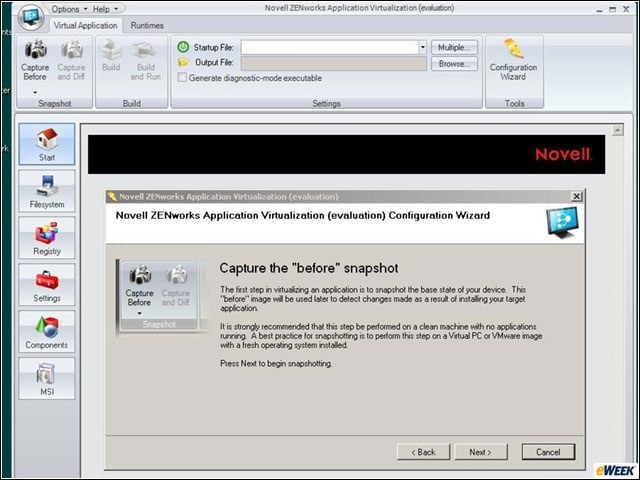
The usual first step in getting ready to capture an application for packaging and distribution. Keep in mind that Novell is going to add some secret sauce to make this app (Microsoft Office 2003 Professional) run in a virtualized state, isolated from the underlying OS and other applications.
Novell ZENworks Application Virtualization 6.1 – Setup Is Ready to Begin
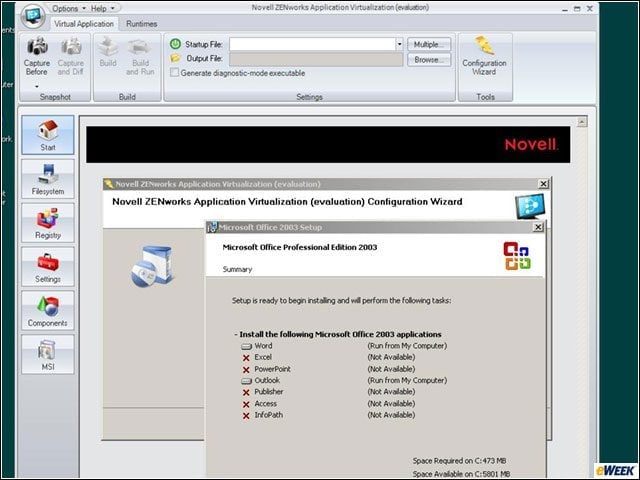
You can see that I’m installing Microsoft Word and Outlook on my clean system. Novell ZAV is running in the background and will take over the process after I’ve installed my Office components.
Novell ZENworks Application Virtualization 6.1 – Capture the After Snapshot
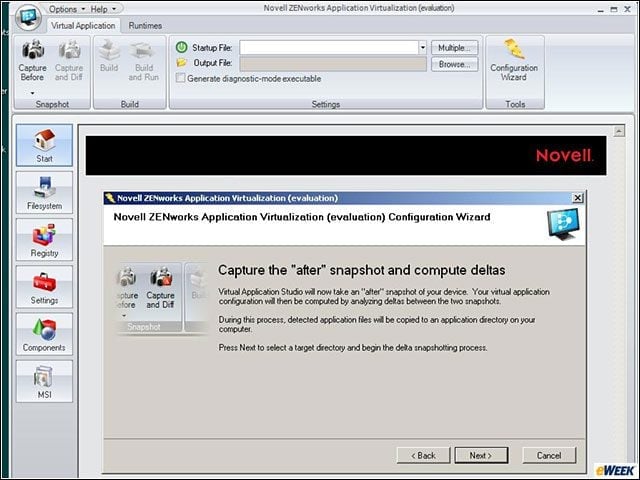
Novell ZAV–entirely based on Xenocode’s Virtual Application Studio, which is why the dialog box is referring to what might seem to be a different product–captures the deltas after Microsoft Office components are installed on my clean system.
Novell ZENworks Application Virtualization 6.1 – Sandbox Location
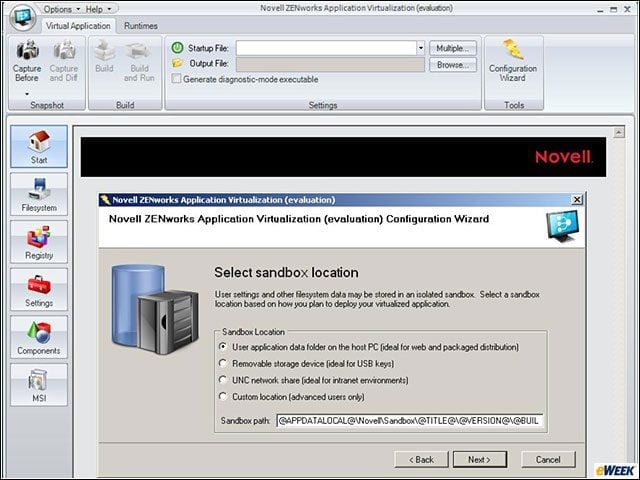
This part of the packing process tells Novell ZAV if the app is destined to run on a host PC or from a USB key, a network share or some other location. I liked this flexibility, and it’s a big part of the secret sauce that makes all app virtualization products work.
Novell ZENworks Application Virtualization 6.1 – Finished! (Almost)
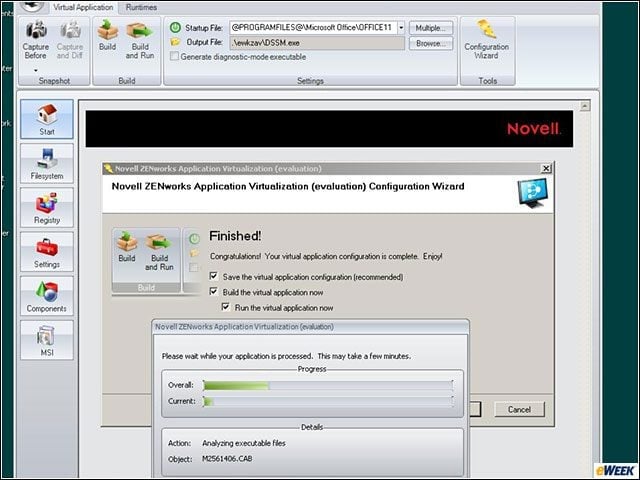
The packaging process only took a couple of minutes, but the process wasn’t fully complete.
Novell ZENworks Application Virtualization 6.1 – Customizing
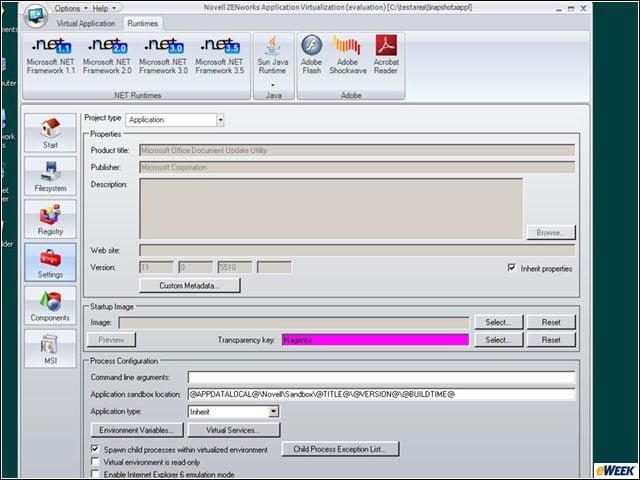
I made my Office deployment package from scratch, but I could have used Novell’s preset templates. This slide show is one reason to use the presets. It’s easy enough to choose the wrong app component to virtualize–in this case you can see I’ve inadvertently chosen the MS Office Document Update Utility. The presets load the correct Office executables from the get-go.
Novell ZENworks Application Virtualization 6.1 – See More Slideshows Like This One

Google Blasted over Gmail, Google Apps Outagesby Clint BoultonNine Cloud Storage Providers10 Predictions for the Future of SAAS and On-Demandby Chris PreimesbergerEnterprise 2.0 Technologies Worth Watchingby Clint Boulton