VMware Fusion 3.1, Workstation 7.1 Advance Desktop Virtualization on Mac, Windows

Published: Mar 23, 2010
Updated: Feb 2, 2021
1 minute read
VMware Fusion 3.1, Workstation 7.1 Advance Desktop Virtualization on Mac, Windows
eWeek content and product recommendations are editorially independent. We may make money when you click on links to our partners. Learn More


VMware Fusion 3.1, Workstation 7.1 Advance Desktop Virtualization on Mac, Windows

1

by Cameron Sturdevant


Eight Processor Cores
2

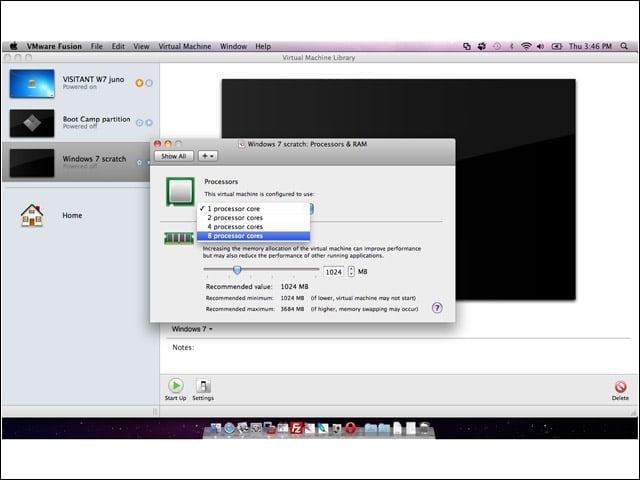
VMware Fusion 3.1 beta increases from four to eight the maximum number of processor cores that can be assigned to a virtual machine.


Connect to Mac or Windows?
3

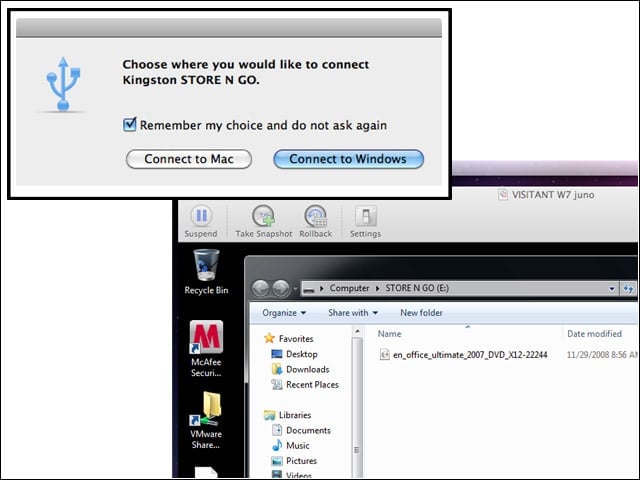
Fusion 3.1 can now remember user preferences for specific USB devices. Here I’m being asked what to do with a Kingston Store N Go USB drive. I’ll attach it to my Windows VM (see screen, lower right.)


Preference Recalled
4

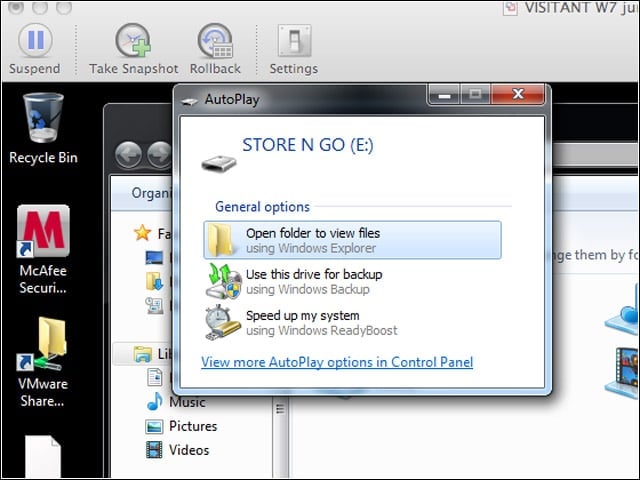
What you didn’t see here is me attaching the Kingston Store N Go to my Mac. What you do see is that Fusion 3.1 automatically connected it to my Windows VM and that Windows now presents a familiar AutoPlay choice screen.


Migration Monitor
5

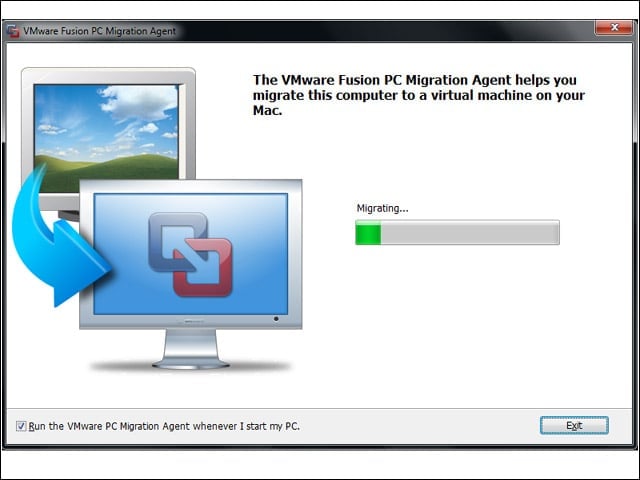
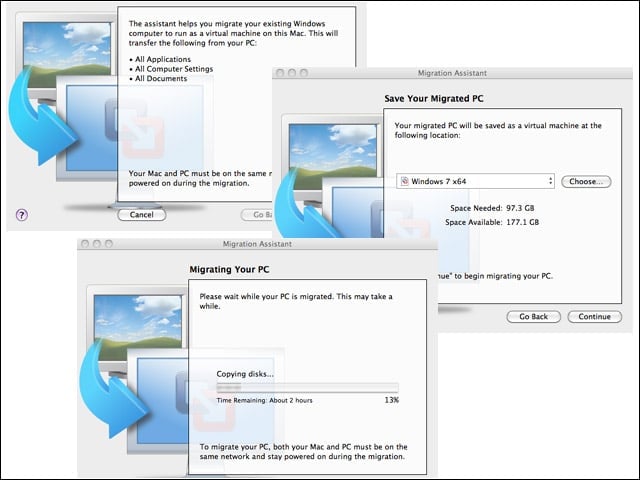
Fusion 3.1 improves physical-to-virtual migration by showing migration progress.


Advertisement

More Migration

6

Here is what migration progress looks like on the physical Windows system that is in the process of being migrated to a VM running under Fusion 3.1.


Aero
7

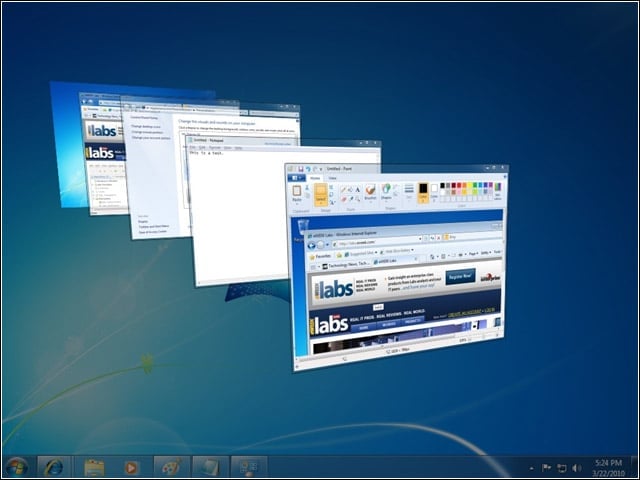
OpenGL 2.1 support for Windows 7 and Vista guest systems means better support for graphics-oriented applications.


OVF
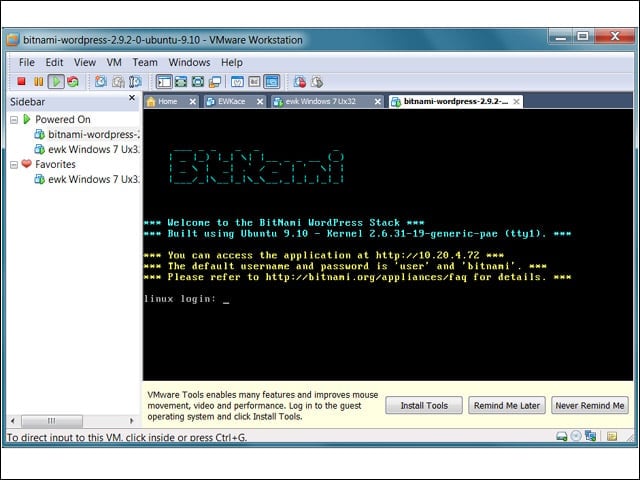
8

OVF 1.0 support makes it easier to support VM import and export.


Fedora 12, Coming Soon
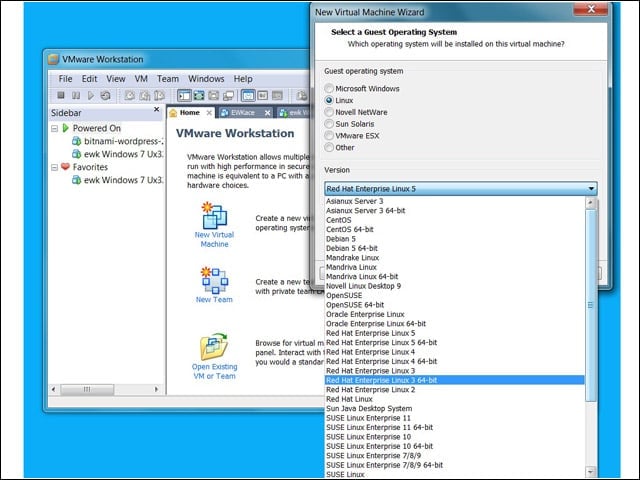
9

Although it’s listed in the release highlights, I wasn’t able to find explicit support for Fedora 12 when using the new VM wizard.

Cameron Sturdevant

Cameron Sturdevant

Content Writer

Cameron Sturdevant is the executive editor of Enterprise Networking Planet. Prior to ENP, Cameron was technical analyst at PCWeek Labs, starting in 1997. Cameron finished up as the eWEEK Labs Technical Director in 2012. Before his extensive labs tenure Cameron paid his IT dues working in technical support and sales engineering at a software publishing firm . Cameron also spent two years with a database development firm, integrating applications with mainframe legacy programs. Cameron's areas of expertise include virtual and physical IT infrastructure, cloud computing, enterprise networking and mobility. In addition to reviews, Cameron has covered monolithic enterprise management systems throughout their lifecycles, providing the eWEEK reader with all-important history and context. Cameron takes special care in cultivating his IT manager contacts, to ensure that his analysis is grounded in real-world concern. Follow Cameron on Twitter at csturdevant, or reach him by email at cameron.sturdevant@quinstreet.com.

eWeek Logo

eWeek has the latest technology news and analysis, buying guides, and product reviews for IT professionals and technology buyers. The site's focus is on innovative solutions and covering in-depth technical content. eWeek stays on the cutting edge of technology news and IT trends through interviews and expert analysis. Gain insight from top innovators and thought leaders in the fields of IT, business, enterprise software, startups, and more.

Property of TechnologyAdvice. © 2026 TechnologyAdvice. All Rights Reserved

Advertiser Disclosure: Some of the products that appear on this site are from companies from which TechnologyAdvice receives compensation. This compensation may impact how and where products appear on this site including, for example, the order in which they appear. TechnologyAdvice does not include all companies or all types of products available in the marketplace.