







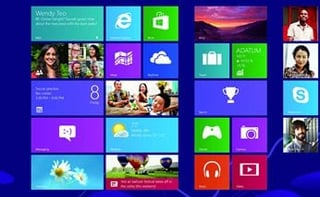
Microsoft’s touch-enabled, post-PC journey is off to a slow start, according to a report from Soluto, a provider of cloud-based PC management services.
In its analysis of 10,848 Windows 8 systems and 313,142 Metro app launches across 9,634 unique apps, the company discovered that users of Microsoft’s latest operating system launch a Metro app a scant 1.52 times a day, on average. The figure climbs somewhat for owners of hardware that support touch.
Soluto uses the term “Metro” to describe the touch-friendly apps that launch from the operating system’s tiled Start screen and work both on Windows 8 for x86 processors and the ARM-compatible Windows RT variant. Microsoft ditched the Metro moniker ahead of the Windows 8 launch.
Users who tap away at laptops with touch screens launch 47 percent more Metro apps than those with traditional models. “Tablet users launch the most Metro apps at 2.71 times per day,” stated the report.
Soluto’s research indicates that Microsoft’s efforts around touch computing aren’t resonating with consumers. Sixty percent of Windows 8 users launch a Metro app less than once a day. While that number improves to 44 percent for tablet users, it reinforces the notion that Microsoft attempted to fix something that didn’t need fixing.
“There’s a consensus in the market that Windows 7 was a good, solid operating system, and it’s unclear why the change to Windows 8 was needed for those who are happy with Windows 7. Microsoft had to do something to compete with iOS, but we can’t explain why they also changed the experience for people who just wanted their Windows as it is,” stated Soluto.
Nonetheless, Microsoft could not afford to cling to the status quo. An exploding tablet and mobile device market necessitated a change.
“On the other hand, another consensus in the market is that if you don’t innovate, you die. Microsoft had to innovate, and time will tell if their big bet was good or bad,” said the report.
Windows users with non-touch systems may want to hold off on upgrading to Windows 8 until the “Blue” update is released later this year, suggests Soluto. “If you’re pragmatic about using the Windows operating system with a keyboard and mouse—there’s no rush. Wait and see what ‘Windows Blue’ has in store for us before you upgrade,” advised the report.
Windows Blue is the code name for Windows 8.1. Debuting at Microsoft’s upcoming Build developer conference, the free update is expected to include several optimizations and usability improvements, including the ability to bypass the Start screen and boot directly to the Windows 7-style desktop.
Yahoo! Mail is the top app among Metro app users, beating Microsoft’s built-in Mail app. “It’s especially interesting to note that Microsoft’s Mail app supports Yahoo! email as well, but people who install the dedicated Yahoo! Mail app are so much more engaged with it, and especially on desktops,” noted the Soluto report.
Rounding out the top five apps are Acer’s Social Jogger and Social Networks apps along with Lync MX and Windows Communications Apps, both from Microsoft.