









- Big BlackBerry Z30 GSM Smartphone Delivers Eye-Catching Features
- This Is a Big BlackBerry
- It Really Does Run Android Apps
- 1 Mobile Market Provides Apps
- Amazon App Store Is Another Source
- Hefty Z30 Includes USB, HDMI Ports
- Z30 View From the Top
- Look for Controls on Right Side
- Z30 Delivers Plenty of Power
- An 8-Megapixel Camera Is on the Back
Big BlackBerry Z30 GSM Smartphone Delivers Eye-Catching Features
By Wayne Rash
This Is a Big BlackBerry
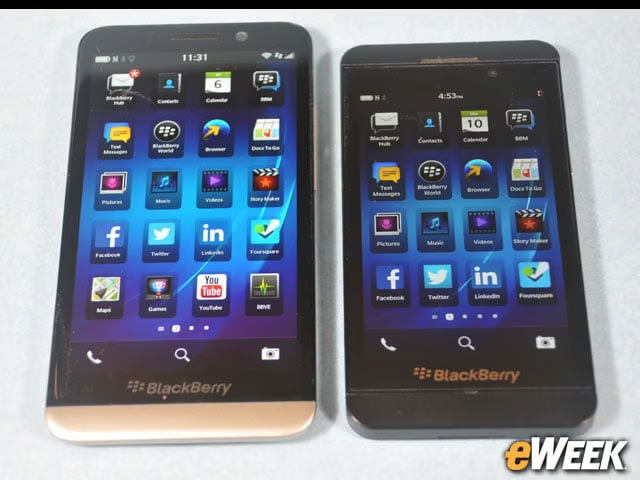
The BlackBerry Z30 shown here next to the Z10 is a very big phone. The 5-inch screen can display an additional row of icons, and because it’s larger, it’s easier to type on than smaller devices. BlackBerry’s excellent predictive typing makes this task even easier.
It Really Does Run Android Apps
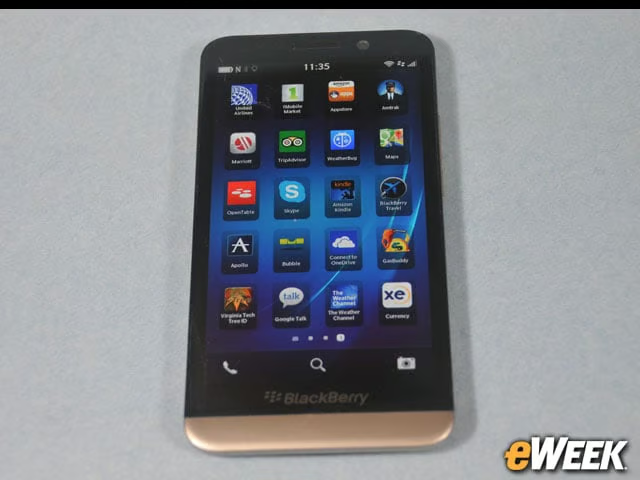
The BlackBerry Z30, coupled with the latest version of BBOS10.2.1, can load and run some Android apps, including some of those shown here on this screen. Not every Android app will run, and some won’t have every feature available, but most apps will run unless they’re only available on Google Play or require access to Google Play Services.
1 Mobile Market Provides Apps
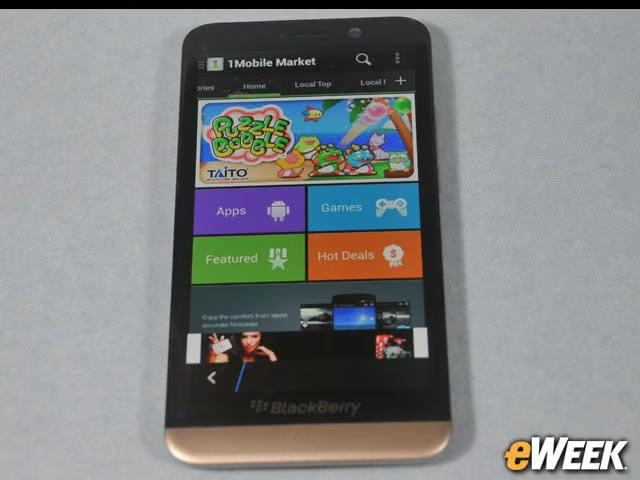
This is the 1Mobile Market app store, and yes, it’s running on a BlackBerry. The ability to load and run Android apps gives BlackBerry users many of the advantages of running Android apps with the security of running them on a BlackBerry smartphone. Installing apps is fast and easy, but you have to make a change in the settings that will allow you to get apps from a location other than BlackBerry App World.
Amazon App Store Is Another Source
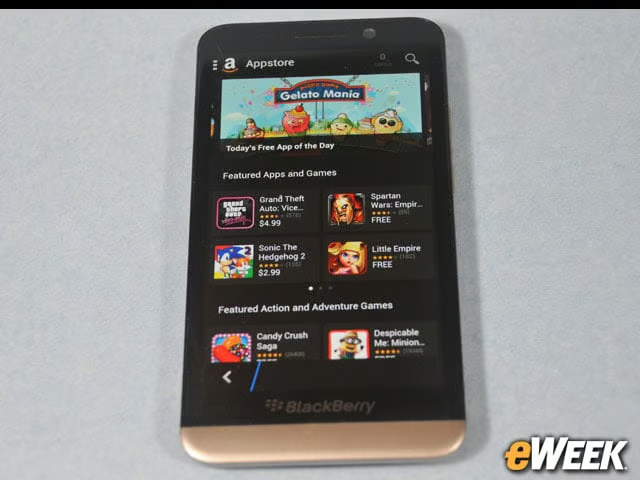
As you’d expect, Amazon.com also provides Android apps you can load and run on your BlackBerry. Loading apps from Amazon is slightly more complex than from other sources, but not enough to be a show-stopper. Amazon seems to feature mostly games and leisure apps.
Hefty Z30 Includes USB, HDMI Ports
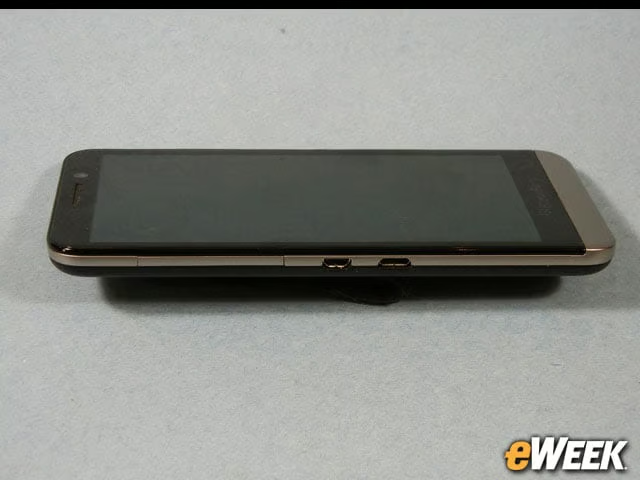
The Z30 is about a third of an inch thick (9.4mm) and about 5.5 inches tall (140.7mm). So this is not a small device, nor is it a lightweight at about 6 ounces, which is about 2 ounces heavier than an iPhone 5S. But the device seems rugged enough that you don’t need to surround it with a protective case. On the side of the device is a micro USB port and a micro HDMI port. BlackBerry uses the USB port for charging, data transfer and backup on your computer.
Z30 View From the Top
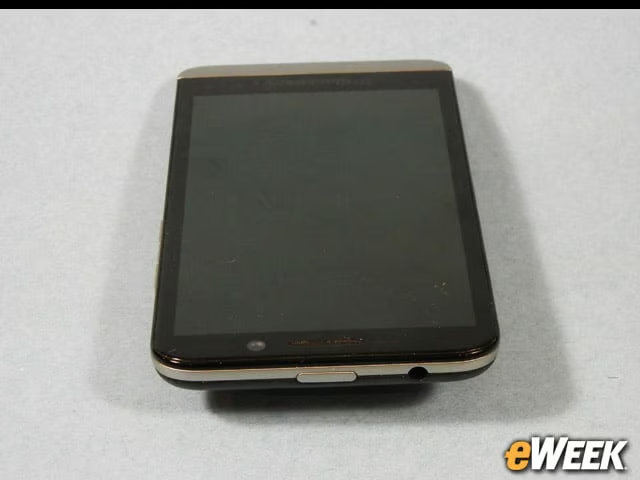
On the top of the Z30 is the power on/off and standby button. Next to that is the headphone jack. Just below that and to the left on the front of the phone you can see the camera, and in the middle you can see the speaker. There’s a sensor array next to the speaker that’s not visible.
Look for Controls on Right Side
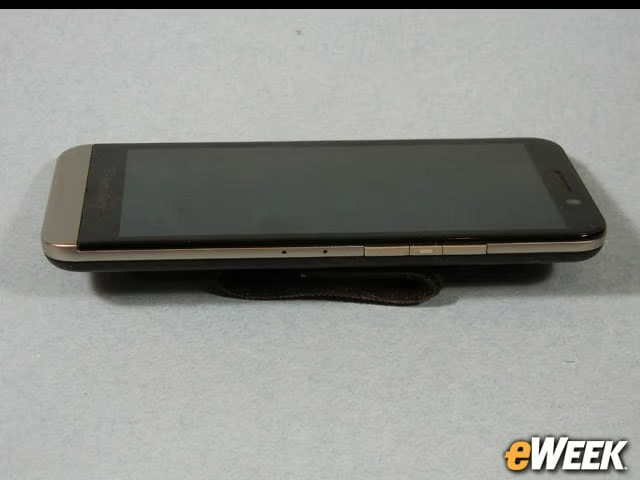
The right side of the Z30 features the volume and multifunction button, which is between the up and down buttons. The multifunction button controls the speech command and the pause functions, depending on what you’re doing. The voice command function has the useful capability of actually working. The two tiny holes are ports for more microphones used for noise canceling. If you press both volume buttons at the same time, the phone will take a screenshot.
Z30 Delivers Plenty of Power
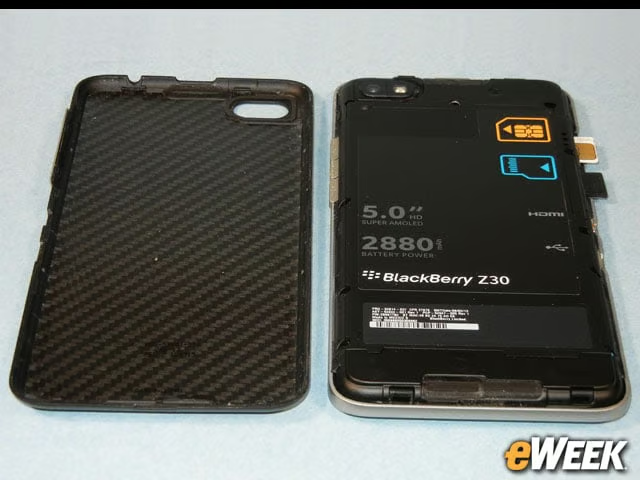
Now you can see why the Z30 is thicker than some other phones. It features a 2,880-mAh battery that allows the phone to run for more than two days in normal use without recharging. The SIM and SD cards slide into spring-loaded slots and click into place. You can see the bottom speaker at the bottom of the device. When the device is oriented horizontally, this speaker and the one on top provide stereo sound.
An 8-Megapixel Camera Is on the Back
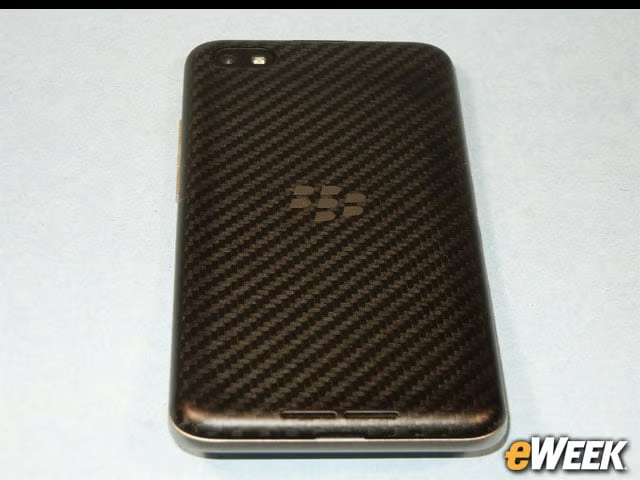
The rear cover of the phone shows the 8-megapixel camera and flash at the top, and speaker ports at the bottom. On the Z30, the BlackBerry logo is decoration, not the NFC antenna that it was on some other models. There’s a small slot below the speaker ports that allows you to pry open the back using your thumbnail, or for those with bad manicure habits, you can use a small screwdriver or a Swiss Army knife.