







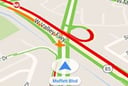
Google Maps can now give users real-time traffic advice, for example, if it is a good time to head home or to work, or if it would be wise to have a cup of coffee and read for a bit before braving the traffic on nearby roads.
The new driving shortcut feature was announced by Brian Ferris, a Google Maps software engineer, in a Jan. 13 post on the Google Maps Blog. The feature, which is being added to the Google Maps for Android app, will soon be rolled out to users.
The changes to the app mean that it will automatically keep track of frequently used destinations and with only one tap on the screen be able to check the routes for real-time traffic information so that users can try to avoid road congestion on their commuting corridors.
“Now with just one tap on Android, you can find out whether you should hit the road or put in some gym time while you wait out the gridlock,” wrote Ferris. “Get information like ETAs, traffic updates, nearby gas prices and quickest routes to familiar places–like home, work and recently searched destinations–all without entering a destination.”
Google maps for Android users can add a driving shortcut by pressing on their device’s home-screen until Android widgets appear, and then, they can select the Google Maps driving shortcut icon, wrote Ferris. The feature can also be accessed through the sidebar menu in Google Maps. Tap the sidebar menu and select the “Start Driving” option.
“If you’ve preset home and work in Google Maps, you’ll see ETAs at times when you’re likely to be heading to these destinations,” he wrote. “If you have location history enabled, we base these suggestions on location data, time of day and day of week. And if you’re logged in, we’ll suggest destinations based on recent Google Maps and Google searches when you open driving mode.”
The new feature aims to help users spend less time commuting and more time doing the things they’d rather be doing, he wrote.
In August, Google improved its Maps services for Android smartwatch users by issuing software updates to Google Android Wear and for the API for Android Wear. Both changes are helping to deliver more information to the wrists of users without having to pull out their smartphones.
The updates enabled Android smartwatch users to use voice commands to activate improved Google Maps turn-by-turn guidance and full-screen navigation views on their devices, according to an earlier eWEEK report. The improvements also are helping users get timely local information sent directly to their watches, as well as offering deeper integration with other travel apps that provide hotel and shopping information on the road.
Android Wear was launched by Google in March 2014 to help expand the world of wearable computing devices for consumers. The first step was introducing developer tools to encourage the development of smartwatches. The idea of wearables, according to Google, is that they understand the context of the world around their wearers and can interact with their users simply and efficiently with just a glance or a spoken word.