






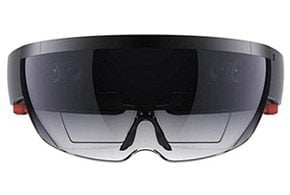

Microsoft is making it easier for HoloLens users to share their mixed reality experiences with a group.
The HoloLens headset can layer interactive 3D imagery on top of the physical world, but by its very nature, it’s somewhat of a solitary affair. While the company’s Mixed Reality Capture (MRC) technology can be used to record what the user is seeing from a first-person perspective, the resulting video may be unsteady and contain jittery head movements that make it tough to watch.
Instead of issuing a HoloLens augmented reality (VR) headset to each onlooker—a pricey proposition considering that it costs $3,000 a piece—Microsoft has devised a spectator view camera system that works in tandem with the device to show audiences what the wearer is seeing from another vantage point. Schematics and instructions on building one is available at GitHub.
“A spectator view camera will allow your audience to do more than just see what you see when wearing a HoloLens,” wrote Microsoft principal program manager Brandon Bray in a Feb. 13 blog post. “Yes, it allows others, who aren’t wearing HoloLens, to see the holograms you would see if you were wearing the device, but it also allows you to see what the people wearing HoloLens are doing and how they are interacting with their mixed reality experience.”
Microsoft uses a similar setup when it stages HoloLens demonstrations in front of audiences. Although a spectator view camera can be put together in less than a day, it requires at least two custom components. (A complete materials list is available in this GitHub project page.)
Those interested in assembling the device will need a HoloLens, a DSLR camera capable of outputting video via HDMI and a PC. Microsoft has tested the setup with a Canon 5D Mark III, Nikon D7200, GoPro Hero 4 Black and Blackmagic Design’s Production Camera 4K.
Microsoft suggests getting the aluminum bracket, used to attach HoloLens to the DSLR camera, professionally machined. The adapter used to connect the mount to the camera’s hot shoe, where a flash is typically attached, can be 3D printed. After the device is put together, it requires some software (also detailed in the GitHub page) along with a calibration process that aligns the HoloLens with the camera.
In a YouTube video posted by Microsoft, the company demonstrates the three scenarios supported by the spectator view camera. Users can shoot video, stream Windows holographic content to a live audience or capture still photos.
Sensing an opportunity in bringing virtual reality (VR) and augmented reality to the masses, Microsoft has been investing heavily in 3D technologies. Last month, the software maker acquired Simplygon 3D, a Swedish provider of 3D data-optimization software used in developing virtual reality applications. The upcoming Creators Update for Windows 10 will include a new Paint 3D app along with system software components that enable AR and VR experiences on low-lost headsets and standard Windows PCs.