






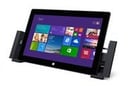

Surface Pro 2 can get down to work, but Microsoft is betting that the tablet can also provide a powerful canvas for digital artists.
“With the Wacom-enabled, pressure-sensing pen, Surface Pro 2 is the perfect device for those looking to sketch, draw and build models on the go,” stated Markus Weickenmeier, a manager for Microsoft Surface in a blog post. Wacom is a leading provider of pen-based drawing tools in Japan.
“No other tablet has the power and application ecosystem to support the creative professional on the go like Surface Pro,” added Weickenmeier.
He recounted his time at the recent CAVe event, a “preconference” leading up to Autodesk University confab. He reported meeting “with artists that use Sketchbook Pro to illustrate game characters, build 3D printer-ready models to enable rapid prototyping in discrete manufacturing businesses, utilize the Surface as a tool to teach drawing and much more.”
Unlike the ARM-based, non-Pro versions of the tablet, Surface Pro 2 runs x86 software, which constitutes the bulk of Windows’ massive software library. It’s a collection that includes scores of drawing, imaging and modeling programs, including Adobe Photoshop and Autodesk AutoCAD.
In his New York Times review of the original Surface Pro, David Pogue, marveled that the device was “a touch-screen tablet, of iPaddish proportions, that runs desktop software: Photoshop, Quicken, the full Microsoft Office, iTunes (and Apple’s online movie and music stores).”
“Desktop software on a half-inch-thick tablet. That’s a first,” wrote Pogue. Now Microsoft is touting the Surface Pro 2’s ability to run desktop-class Windows software as a boon for on-the-go creatives.
Even mobile apps can benefit from the tablet’s features, argued Weickenmeier. Referencing Autodesk’s Sketchbook app, which runs on Windows, iOS and Android, he said “having access to an application on your device of choice is only half the battle.”
Many tablets, including the iPad, offer only bare-bones pen input support. “Using sketchbook without access to pressure sensitivity via a pressure-sensitive pen or being tied to a desk by an awesome, but expensive and large CINTIQ display may just not be the right solution.”
Wacom’s high-end Cintiq is a PC drawing tablet/display combo that starts at $999 for the 13-inch model and can reach $2,999 for the 24-inch model. While powerful, they aren’t exactly portable. “Today’s artists are mobile, inspiration can strike them anytime, anywhere,” said Weickenmeier.
“They need a device that supports a full-powered application, has the processing power to complete complex computations, is light, thin and works with the pen/brush/or tool of choice,” added Weickenmeier. “Surface Pro is the tablet that enables all of this.”
The message is already resonating with some artists.
Mike Krahulik (a.k.a. Gabe), illustrator of the popular Penny Arcade webcomic, wrote in his review of the Surface Pro 2 that the device “is a full [Windows] 8 computer, which means I can put Manga Studio and Photoshop on it. I have a Creative Cloud account, so getting my Adobe apps on there was a snap.”
As with the original Surface Pro, “I can draw entire strips on here and create print-ready art with ease. I can do my job on the Surface Pro, and I can do it anywhere,” said Krahulik.
It should be noted that Wacom has since rolled out tablets of its own, although they still command a hefty premium over the Surface Pro 2. They include the Cintiq Companion, a Windows 8 tablet that starts at $1,999, and the Android-based Cintiq Companion Hybrid, which starts at $1,499.