







- Anturis Monitoring Software Detects Problems in your Websites
- Anturis GUI Makes It Easy to Get Started
- Anturis Monitors Multiple Components
- Setting Up a Website Monitor
- Control Panel Provides Quick Access
- Site Monitoring Helped Solve Problems
- MySQL Monitor Easy to Set Up
- Monitoring a MySQL Database
- Anturis Monitors Multiple MySQL Metrics
- Monitor Quickly Discovers Tuning Issues
- Log Shows MySQL Problems
Anturis Monitoring Software Detects Problems in your Websites
by Jeff Cogswell
Anturis GUI Makes It Easy to Get Started
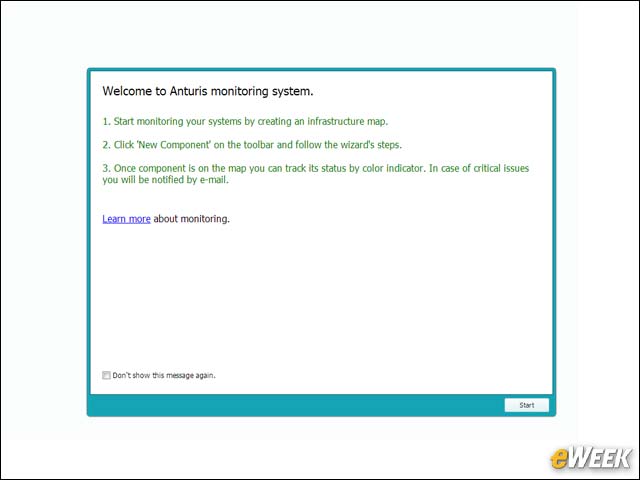
When you first create an account and log in, you see a nice GUI that lets you immediately start configuring your components.
Anturis Monitors Multiple Components
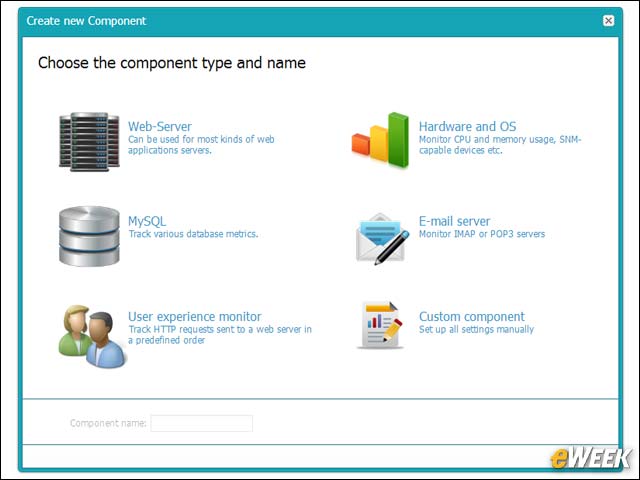
Anturis includes monitoring for several types of components, including web servers, MySQL servers, and various hardware and operating systems.
Setting Up a Website Monitor
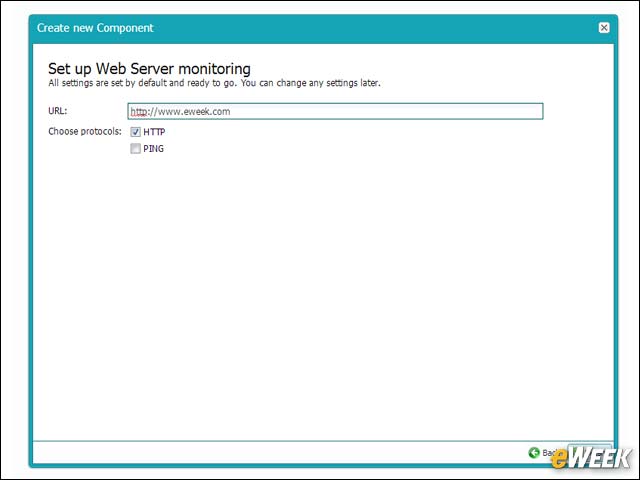
Setting up a web server to monitor a site is a simple matter of entering the Website address and choosing which protocols to use such as HTTP and PING.
Control Panel Provides Quick Access
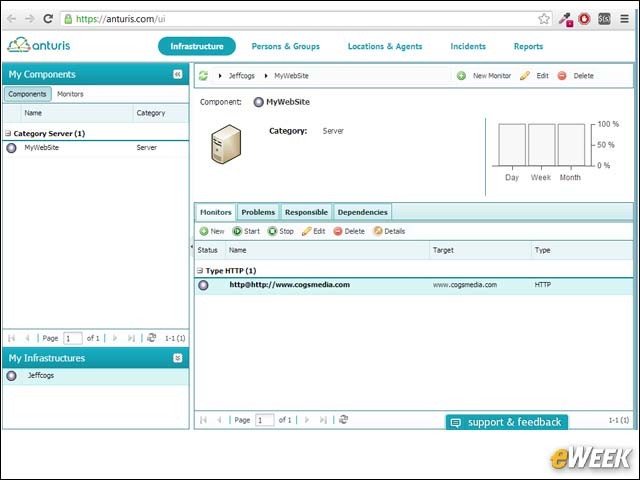
After you’ve created a monitor, the control panel gives you quick access to various components, as well as providing nice graphical information about site status and problems.
Site Monitoring Helped Solve Problems
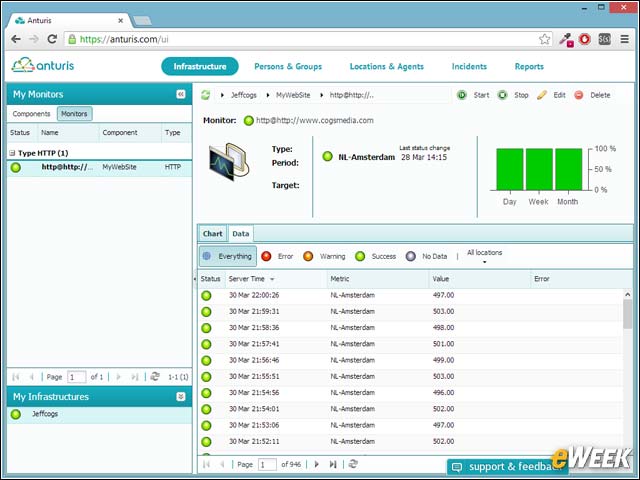
After a month of monitoring, the same control panel showed a whole list of status updates, including errors and warnings that helped us track down a few problems we were unaware of.
MySQL Monitor Easy to Set Up
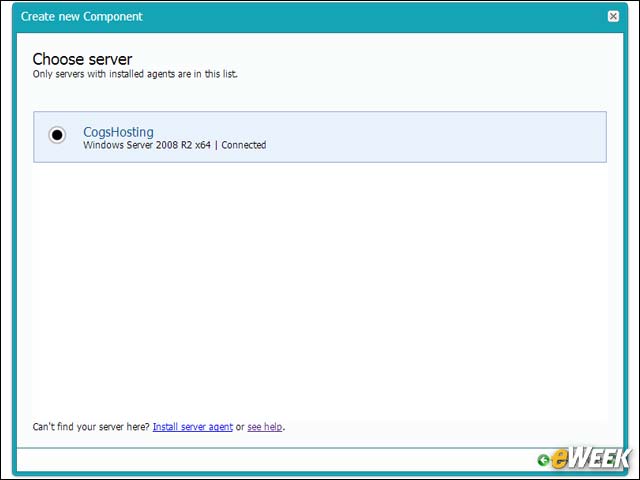
Monitoring a MySQL instance was equally easy to set up, after we installed the agent software on the server. Here we chose the server; this information was gleaned from the running agents.
Monitoring a MySQL Database
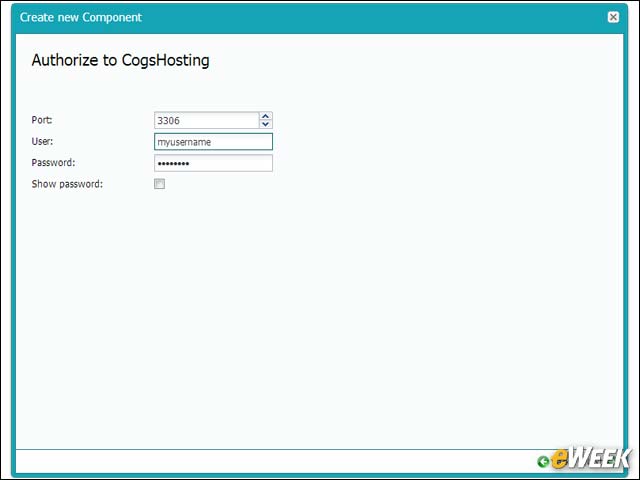
Next we provided the username and password for the MySQL instance that the agent was monitoring. This information was entered while logged into our control panel on the Anturis site.
Anturis Monitors Multiple MySQL Metrics
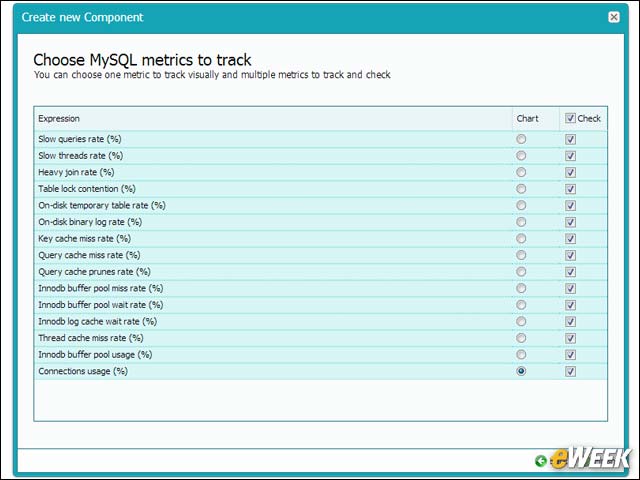
Anturis provides a large list of MySQL metrics to monitor. You can monitor as many metrics as you want, but can see a chart for only one.
Monitor Quickly Discovers Tuning Issues
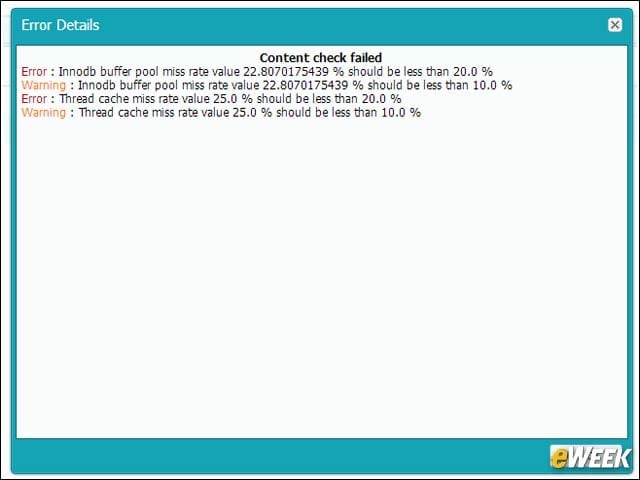
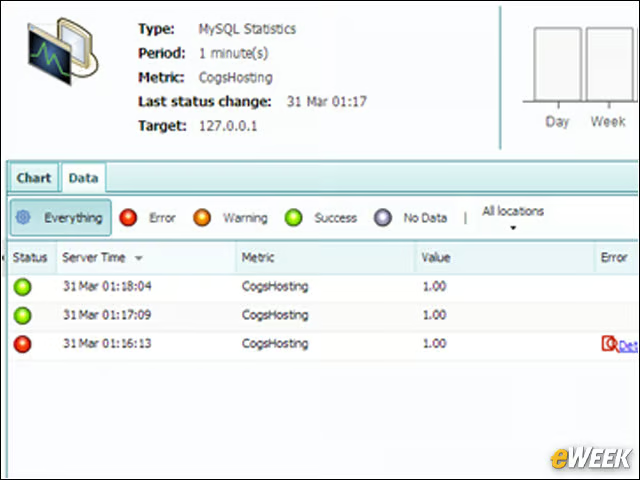
Immediately after starting the monitor, we were informed of some tuning issues with our MySQL installation.
Log Shows MySQL Problems
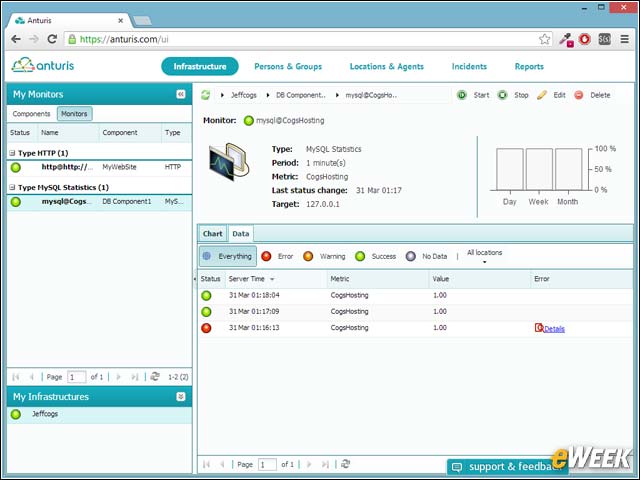
Once running, we could also see the MySQL problems listed in the GUI’s data log.