






If you’re a freelancer or launching your first business, free accounting software can be an appealing way to organize your finances without adding another monthly expense. But before choosing a plan, you need to know whether it can handle how you actually work: how often you invoice clients, which accounts you use, and how many expenses you need to record.
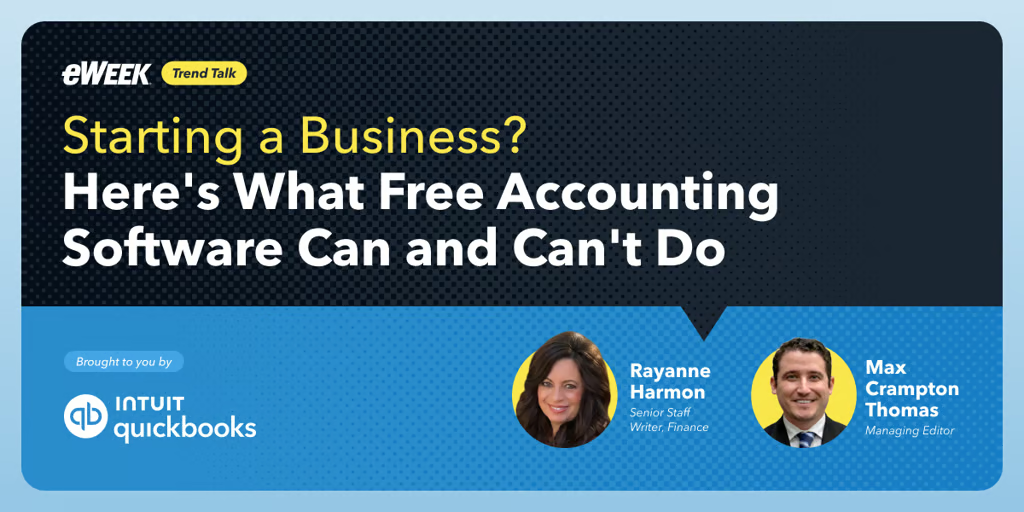
That was the focus of eWeek’s discussion, “Starting a Business? Here’s What Free Accounting Software Can and Can’t Do,” presented in partnership with QuickBooks. Rayanne Harmon, senior staff writer covering finance, and Max Crampton-Thomas, managing editor, explored QuickBooks Free’s capabilities, limits, and the bookkeeping habits owners need to make it useful.
These five takeaways from that discussion can help you evaluate whether the free plan fits your current workload, understand what still requires your attention, and recognize when you may need more functionality.
1. Match the plan to your monthly workload
QuickBooks Free is a permanent $0-per-month accounting plan, rather than a limited-time trial, and requires no credit card to start. That removes a subscription expense, but owners still need to compare its allowances with their actual activity.
The plan includes one bank connection, up to two invoices and one estimate per month, two receipt captures, and five tracked trips per month. A freelancer handling occasional projects may find those limits workable. Someone sending invoices after every customer visit may need more capacity, even while working alone.
As Harmon explained, “Being the only person in the business doesn't automatically mean simple bookkeeping.”
Before choosing a plan, count the invoices, estimates, receipts, trips, and bank accounts involved in a typical month. Evaluate the work you need to record rather than assuming a solo business will fit the smallest plan.
2. Give connected transactions a regular review
Connecting a bank account can bring income and expenses together, but it doesn't explain every transaction. Owners still need to review records, investigate unfamiliar charges, and distinguish business spending from personal purchases.
That distinction matters when calculating what the business costs to operate. A personal purchase and a business subscription may appear in the same account, but treating them alike would obscure the financial picture.
Harmon recommended weekly reviews while transactions are still familiar. Crampton-Thomas added a monthly review to examine broader patterns, such as whether expenses are growing faster than income.
For a new owner, those reviews serve different purposes. The weekly session keeps records organized; the monthly session helps interpret them. Start with a manageable appointment on the calendar and use it to check incoming payments, review spending, and resolve questions before they accumulate.
3. Separate invoices from money available to spend
Invoicing helps organize customer billing, but sending an invoice does not mean the payment has arrived. For freelancers covering project expenses before getting paid, that timing difference can affect the ability to meet the next bill.
Crampton-Thomas, managing editor, put the issue directly: “A customer might owe you money for a project you've finished, but that doesn't mean the cash is available to pay your next bill.”
Keep completed work, issued invoices, and deposit records distinct when reviewing finances. A strong month of project delivery may still leave a gap between expenses becoming due and customers paying.
The discussion also identified optional payment acceptance as a separate consideration. A free accounting subscription does not establish that payment processing is free. Review the terms and applicable fees before enabling it, and include those costs when assessing how you will collect customer payments.
4. Use reports to ask better business questions
QuickBooks Free includes a profit and loss report, a balance sheet, and an account quick report. Each provides a different view: income and expenses over a period, financial position at a particular moment, and activity within a specific account.
For a freelancer, the value lies in the questions those views support. Are recurring software costs increasing? Did a single equipment purchase explain an expensive month? Does the bank balance overlook an outstanding obligation?
The speakers emphasized that revenue and profit differ, and profit does not necessarily mean cash is immediately available. Review reports alongside incoming payments and upcoming expenses rather than relying on a single number.
When something looks unusual, examine the underlying transactions. An unexpected increase could reflect a real cost change, an additional purchase, or an incorrect category. Accurate records are the foundation for deciding whether to adjust spending or reconsider pricing.
5. Treat plan limits as signals to reassess
Receipt capture and mileage tracking can support everyday recordkeeping, but their usefulness depends on frequency. Occasional customer travel is different from driving between appointments throughout the week. The same principle applies to invoicing and bank connections.
After the first month, assess whether the plan fits the routine. Are records current? Do feature limits interrupt normal work? Does the business now need someone else helping with its finances?
The discussion noted that owners can upgrade to another QuickBooks plan while retaining their financial data and history. That provides an option when needs change, without making an upgrade the immediate goal.
Start with a routine you can sustain
Choosing free accounting software starts with understanding what your business needs each month. Compare your invoicing, bank connections, receipt capture, and mileage tracking needs with the plan’s allowances, then set up weekly record reviews and a monthly performance check.
If those capabilities fit your workload, explore QuickBooks Free and start building your financial routine without a monthly subscription. Use those regular reviews to assess whether the plan continues to support your business as it grows.