







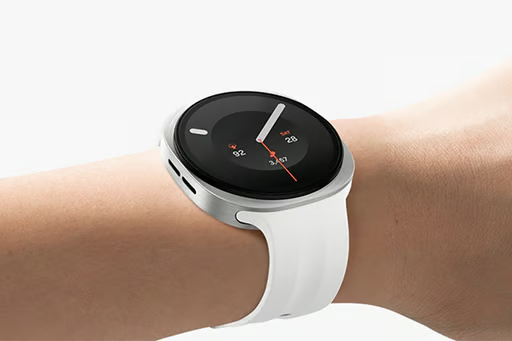
Getting glucose readings onto a Galaxy Watch can take a few different routes. Depending on the CGM and app, the watch may show a current reading and trend graph, use a dedicated watch face, or rely on data passed through an Android phone.
Several Galaxy Watch generations can handle those setups, so the newest model is not the only place to look.
This cheat sheet covers the equipment you need, the Galaxy Watch models that work with common CGM setups, and the differences that can help narrow your choice.
Glucose setup requirements
A Galaxy Watch glucose setup usually has four main parts:
- A compatible CGM: The sensor supplies the glucose readings.
- The CGM or companion Android app: This receives the sensor data, manages settings, and handles the phone side of the setup.
- A supported Galaxy Watch: The model and Wear OS version must meet the requirements of the glucose app or service.
- A watch app or display method: Depending on the setup, readings may appear through an app, watch face, tile, complication, or notification.
Check the glucose-app provider’s current compatibility requirements before buying. Running a supported version of Wear OS does not guarantee that a particular app will work on every Galaxy Watch.
CGM app compatibility by watch model
CGM app | Galaxy Watch requirements | Phone dependence | Watch experience |
| Dexcom G6 | Android Wear or Wear OS watch that supports custom watch faces, running Wear OS 3.0 or later | The watch must remain connected to the compatible Android phone and does not connect directly to the G6 transmitter | Current reading, trend direction, graph, and supported alerts |
| Gluroo | Galaxy Watch6, Watch7, or Galaxy Watch Ultra running Wear OS 4 or 5 | The phone and Gluroo watch app remain part of the setup | Reading, trend information, graph, tiles, and supported complications |
| WatchGlucose for FreeStyle Libre | Samsung Galaxy Watch or another compatible Wear OS watch using Libre 2 or Libre 3 | The watch retrieves readings through an internet connection and does not connect directly to the sensor | Current reading, trend direction, warnings, complications, and 12-hour history |
An LTE Galaxy Watch will not automatically make a phone- or internet-dependent glucose setup independent. The app or service determines how readings reach the watch and what needs to remain connected.
Older Galaxy Watch models that remain compatible
Samsung’s Wear OS Galaxy Watch support starts with Galaxy Watch4 and continues through later generations. Watches released before Galaxy Watch4 use the vendor’s older Tizen platform and do not have the same Play Store app ecosystem.
Glucose-app support does not always match Samsung’s broader software support. An older watch may still run the app you need, but another service may require a different Wear OS version or watch-face format.
If your current Galaxy Watch still runs your glucose setup reliably and lasts through your normal wear period, replacing it solely for glucose viewing may offer little benefit.
Galaxy Watch7 vs Watch9 vs Ultra2
Current model | Starting US price | Case sizes | Samsung battery claim |
| Galaxy Watch7 | $249.99 | 40 mm or 44 mm | Up to 40 hours |
| Galaxy Watch9 | $379.99 | 40 mm or 44 mm | Up to 30 hours with AOD on |
| Galaxy Watch Ultra2 | $699.99 | 47 mm | Up to 60 hours with AOD on |
Source: Samsung. US pricing, case sizes, and battery estimates were accurate at publication. Prices may change, and actual battery life varies with apps, notifications, connectivity, display settings, and other factors.
Choosing a Galaxy Watch for glucose monitoring
After the app question is out of the way, each watch has a fairly clear role.
- Galaxy Watch7 keeps the cost down while covering the core Wear OS experience for glucose viewing. Gluroo currently supports Watch7, giving it an established option for bringing compatible CGM data to the wrist.
- Galaxy Watch9 suits buyers who want Samsung’s current standard watch and a roomier option for charts and trends. Since it arrives with Wear OS 7, confirm your glucose app supports it before buying.
- Galaxy Watch Ultra2 makes more sense for people who want longer stretches between charges. Its larger body and higher price are the trade-offs; paying extra changes endurance and screen space, not the way the CGM itself connects.
Once CGM compatibility is confirmed, price, screen size, and battery life can help narrow your choice.
How glucose alerts reach Galaxy Watch
Galaxy Watch can receive CGM alerts through a watch app or through notifications allowed in Galaxy Wearable, depending on the glucose service.
If an expected alert is missing, check the CGM app’s permissions, the Galaxy Watch notification settings, and any active Do Not Disturb or Sleep mode. High, low, or urgent alerts may also have separate controls inside the CGM app.
Keep the setup easy to live with
A Galaxy Watch is most helpful when glucose readings arrive reliably without making you think too much about the connection behind them. A newer display can make information easier to read, and a larger battery can leave more time between charges.
Follow the CGM app, your treatment plan, and your healthcare provider’s guidance when making care decisions.
Learn where connected CGMs, software, and wearable research may go next in our guide to the future of smartwatch blood sugar tracking.