







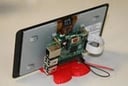
Users of the diminutive Raspberry Pi mini-PC have always been able to connect to a display fairly easily, thanks to the device’s High-Definition Multimedia Interface (HDMI) port.
However, it hasn’t always been convenient. Users would have to have a computer monitor or television around, and even if those are available, they aren’t always mobile. One of the draws of the Raspberry Pi over the past three-plus years it’s been on the market has been its portability. Now, the organization behind the do-it-yourself (DIY) boards has launched a display built specifically for the Raspberry Pi.
The display was announced Sept. 8, priced at $60, and available online and at several stores, with more getting supplies of the touch display later in the week. And while it seems like a simple piece of technology, it’s taken a while to get here. Officials with the Raspberry Pi Foundation began talking about it a year ago, but work on it has been going on even longer.
“Two years ago, I began the process of looking for a simple, embeddable display for the Raspberry Pi,” Gordon Hollingworth, director of engineering at the foundation, wrote in a post on the organization’s blog. “I honestly believed it would only take us six months from start to end, but there were a number of issues we met. … But we’ve finally got there.”
Among those issues met was work needed for new models of the PC, including the Raspberry Pi 2 Model B, which launched in February with a faster ARM system-on-a-chip (SoC) and support for Microsoft’s Windows 10 operating system. Now the display is ready for use.
The display is a 7-inch monitor with 800-by-480 pixel and 10-point touch-screen capabilities. It also comes with an array of other components, including an adapter board, screws for mounting the display, a DSI ribbon cable for connecting it to the mini-computer and jumper wires for powering it. The display’s frame also comes with a range of color options, which will cost a little extra—about $15.
The touch-screen is compatible not only with the newer Raspberry Pi 2 Model B, but also the Model B+ and Model A+. Hollingworth noted that Kivy, a Python-based GUI development system for cross-platform applications, can be used to work with devices with touch-screens, such as smartphones and tablets, as well as with Raspberry Pi systems. Users can find instructions for installing Kivy on their Raspberry Pis on the Kivy.org site.
He noted that another Raspberry Pi engineer has been using Kivy to enable the touch-screen display “to allow the touch-screen to control Raspberry Pi’s GPIO [general purpose input/output], and vice versa.” Hollingworth also said that he is “in the process of developing a touch-screen application for an installation at home to control a safety and heating and monitoring system,” giving the Raspberry Pi a larger role in the burgeoning Internet of things (IoT).
Right now the touch display can be bought at the Swag Store, RS Components/Allied Electronics, and Premier Farnell/Newark.
The Raspberry Pi Foundation released the first of its mini-computers in 2012, and officials hoped the credit-card-size system would encourage students to learn how to program. It only accomplished that goal, but officials found that the boards are being used in the corporate world. That will likely increase now that the group has added a more powerful ARM processor—a 900MHz quad-core Cortex-A7 chip that includes 1GB of memory, giving the computing board six times the performance and twice the memory of the previous system—and support for Windows 10, which Microsoft released in July. The system already ran Linux.
Overall, the Raspberry Pi Foundation reportedly has sold more than 5 million units.