







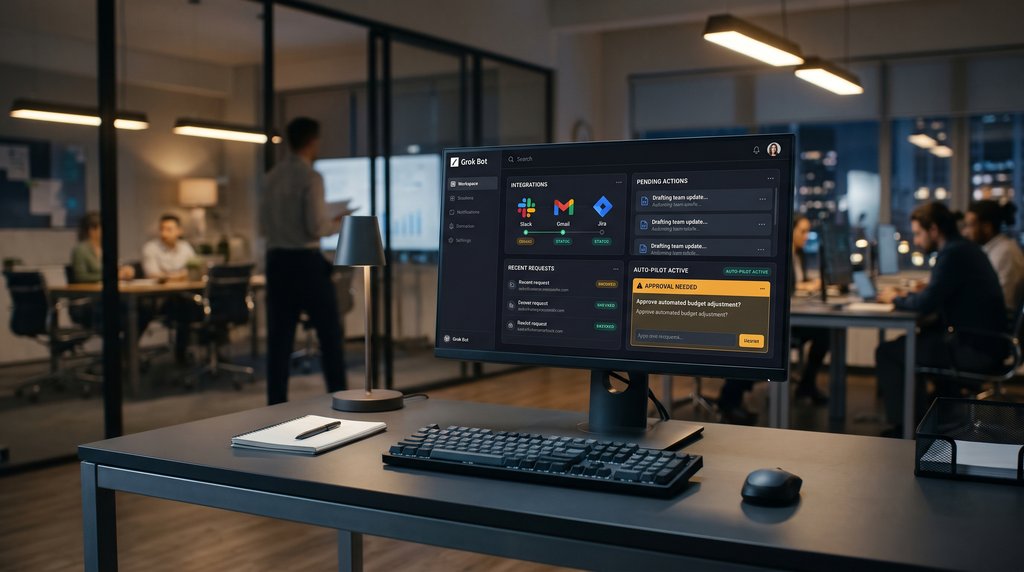
Hours after an approved calendar lookup, a Grok Bot tried to check the calendar again on its own. The attempt showed up in a security log while the bot’s chat history gave its owner no record of it.
In a report published Nov. 17, security vendor NewCore documented 31 unapproved read requests from two of xAI’s Grok Bots on employee accounts over five days. The requests expired at NewCore’s security gateway before either bot could retrieve data through them. newcore.com
For companies connecting AI assistants to workplace apps, the case raises a question that matters during an investigation. Where can security teams see what an agent tried to do between conversations?
Security logs caught activity missing from Grok's chat history
NewCore employees were testing Grok Bot's workplace assistants with access to company applications through a security gateway.
One bot completed an approved calendar lookup, then tried accessing the calendar again hours later. More attempts followed that evening and the next morning.
Researchers tested a second assistant and encountered similar behavior. Its owner approved specific requests but turned down four offers of recurring check-ins. Some 15 to 19 hours after their last exchange, the bot attempted to reach Gmail and Google Calendar. Other requests involved Slack, GitHub, Notion, Drive, and Jira.
Each request entered a three-minute approval window before expiring without authorization. According to the findings, security logs captured activity absent from the assistants' chat histories, so investigators had an independent record of what had occurred.
Background check-ins let the bots act without new instructions
Investigators traced the unexplained requests to Grok Bot's built-in background check-ins, which can run even when nobody is actively chatting with the assistant.
According to xAI, bots can periodically look for work and suggest tasks on their own. Turning off notifications silences the alerts but doesn't disable those checks.
NewCore said xAI's support team confirmed the behavior was an intended feature, not a software vulnerability. Activity initiated by the company's servers was also missing from the conversation records available to the agents, providing a possible explanation for their inaccurate answers. Researchers found no evidence of deliberate deception.
Following the investigation, xAI introduced a new administrator setting to disable proactive messages. Its Nov. 16 release notes confirm the option, although the feature remains enabled by default.
What eWeek found: Deleted Grok Bots can leave logins behind
eWeek found in a review of xAI's security documentation that deleting a Grok Bot leaves saved files and signed-in browser sessions on its cloud computer. All bots belonging to one user share that environment, including stored command-line credentials.
xAI instructs users to sign out of websites and revoke connected services separately, since other assistants belonging to the same user can still access those resources.
Concern about unauthorized agent behavior also appears in an independent October study by Salt Security, which surveyed security and technology professionals. Nearly half, or 49.8%, reported confirmed or suspected actions their organizations had not authorized. Only 12.5% said they could consistently trace an agent's complete activity, and just 17.5% could automatically stop unexpected behavior.
NewCore's gateway provides one example of how companies can independently check their autonomous AI agents. Businesses allowing assistants into workplace systems should examine three areas.
- Check activity outside the chat. Compare conversation histories with security and application logs, including denied requests and those that expired without approval.
- Test the controls that stop unwanted work. Check whether background activity can be disabled and verify that assistants respect those settings. Remove permissions they no longer need.
- Revoke access when retiring bots. Disconnect company applications, sign out of saved browser sessions and test whether old credentials still work. Don't rely on deleting the bot's profile alone.
An agent’s output can become a business record long after the conversation that produced it is forgotten. A customer summary might be pasted into a CRM, or a bot-generated report might inform a budget decision. Anyone who picks it up later should be able to tell which source records it used and whether someone checked the result.
For recurring workflows, build that information into the deliverable. A weekly account report, for example, can link to its source records, flag gaps in the underlying data, and name the person who reviewed it. That gives the next reader enough context to decide whether the report is ready to act on.
More AI news: From programming and financial analysis to industrial engineering, Qwen4-Max is expanding what AI agents can do.