Mind the blast zone, Tech Insiders. AI agents are priming rocket fuel, browser macros are shedding payload weight, and Amazon just staged a spectrum-grabbing launch.
Secure your helmet. Ignition starts below. |
|
|
Here's what you need to know today: |
|
|
Chrome Turns Prompts Into One-Click Skills |
Because hitting ⌘-V a hundred times was getting old.
Google is rolling out Skills to the Gemini sidebar in Chrome, letting you save any prompt—as simple as "summarize this tab" or as nerdy as a protein-macro calculator—and reuse it instantly across pages and synced desktop devices. A launch library of 50-plus presets covers YouTube recaps, job-listing audits, spec comparisons, and more.
To use it, click the Ask Gemini sparkle in the top-right corner of Chrome. To save a prompt you've already written, select the option to save it as a Skill directly from your chat. To run one, type a / to open the menu, then pick your Skill (or hit the tiny + inside that menu to build one from scratch).
Once you select a Skill, it runs on the current tab, but you can include other open tabs for it to analyze by clicking the larger + button in the main chat box. |
To manage your Skills or browse presets, type / and click the compass icon. You can edit Skills any time or switch them off in Settings > AI Innovations if the sidebar feels cluttered.
Early testers used Skills to bulk-compare product specs across tabs and auto-scan PDFs for key points, while Chrome keeps the usual safety guardrails. For example, it still asks before sending emails or booking calendar events. The feature is live now for Mac, Windows, and ChromeOS desktop users on English-US Chrome.
Why it matters: Saving prompts sounds trivial, but it turns Gemini from a chatbox into a macro engine, shaving minutes off repetitive tasks and nudging casual users toward deeper AI workflows. Now your best prompt ideas stick around longer than your browser cookies. |
|
|
Will you put Chrome's new Skills to work? |
|
|
Results from Yesterday's Pulse Check |
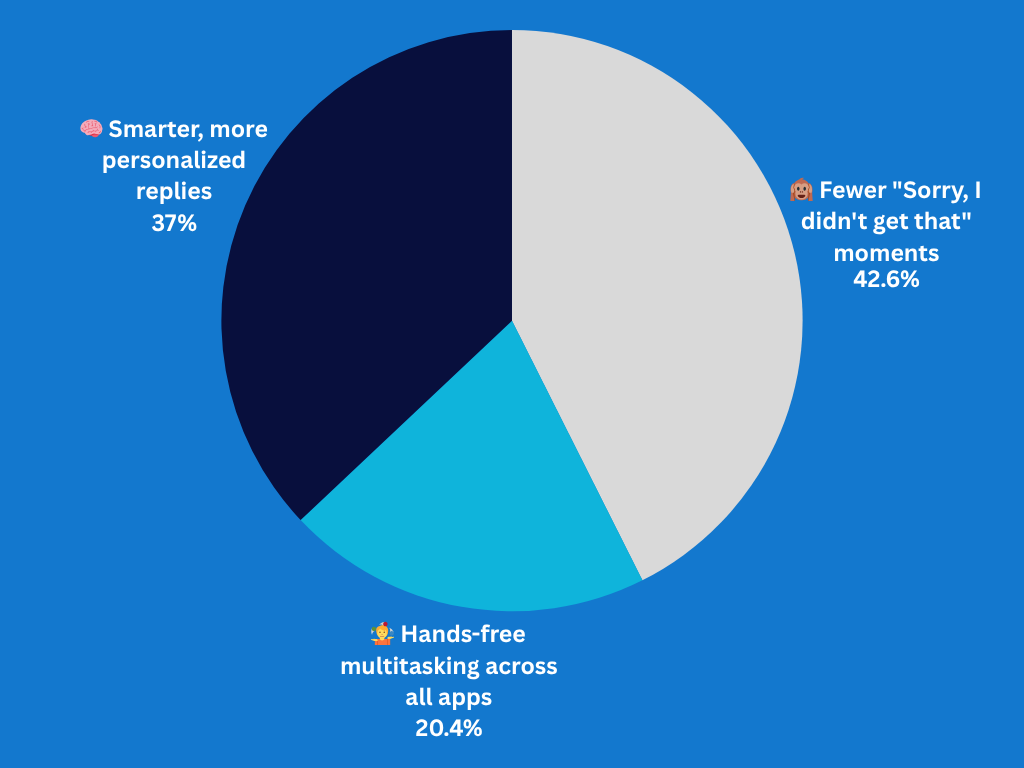
What's your biggest hope for the revamped Siri? |
|
|
Microsoft Plots Safer OpenClaw for Copilot |
Did someone order a robo-intern that never sleeps?
Microsoft is cooking up OpenClaw-style AI agents for 365 Copilot, aiming to give enterprise workers round-the-clock helpers that monitor Outlook, Calendar, OneDrive, and more—without going full Skynet.
A new team under VP Omar Shahine is exploring how to bolt the open-source project's autonomy onto Microsoft's security stack, limiting each agent's permissions so one bad prompt can't nuke your inbox.
OpenClaw's meteoric rise, which Nvidia's Jensen Huang even called "the next ChatGPT," has pushed rivals like Perplexity to expand beyond search with always-on desktop bots like Perplexity Computer.
|
Microsoft, anxious to claw back AI mindshare and enterprise customers lost to Anthropic, sees enterprise-grade agents as a differentiator. Early prototypes reportedly tailor out-of-office replies by relationship and spin up daily task lists based on your schedule.
Rather than asking permission before major moves, Microsoft is reportedly safely siloing these bots into specific roles—like marketing, sales, or finance—so they simply lack the permissions to break things outside their purview.
Expect a demo at Build (June 2–3), a move designed to drive interest in its recently confirmed Agent 365 management tools, the new M365 E7 subscription plan, and the company's broader goal to hit frontier-model parity by 2027.
If successful, Satya's crew could turn Copilot from a chat window into a cubicle of tireless digital temps. Let's just hope Clippy isn't planning a comeback tour. |
|
|
Nearly 90% of organizations are experimenting with AI. Most are still guessing at what works.
In this new IT and Security Field Guide to AI Adoption, you'll find an AI evaluation framework, human-in-the-loop best practices for successful implementation, and insights from teams at Vimeo, Canva, Jamf, and Udemy. |
|
|
108 Rogue Chrome Extensions Hijack Accounts |
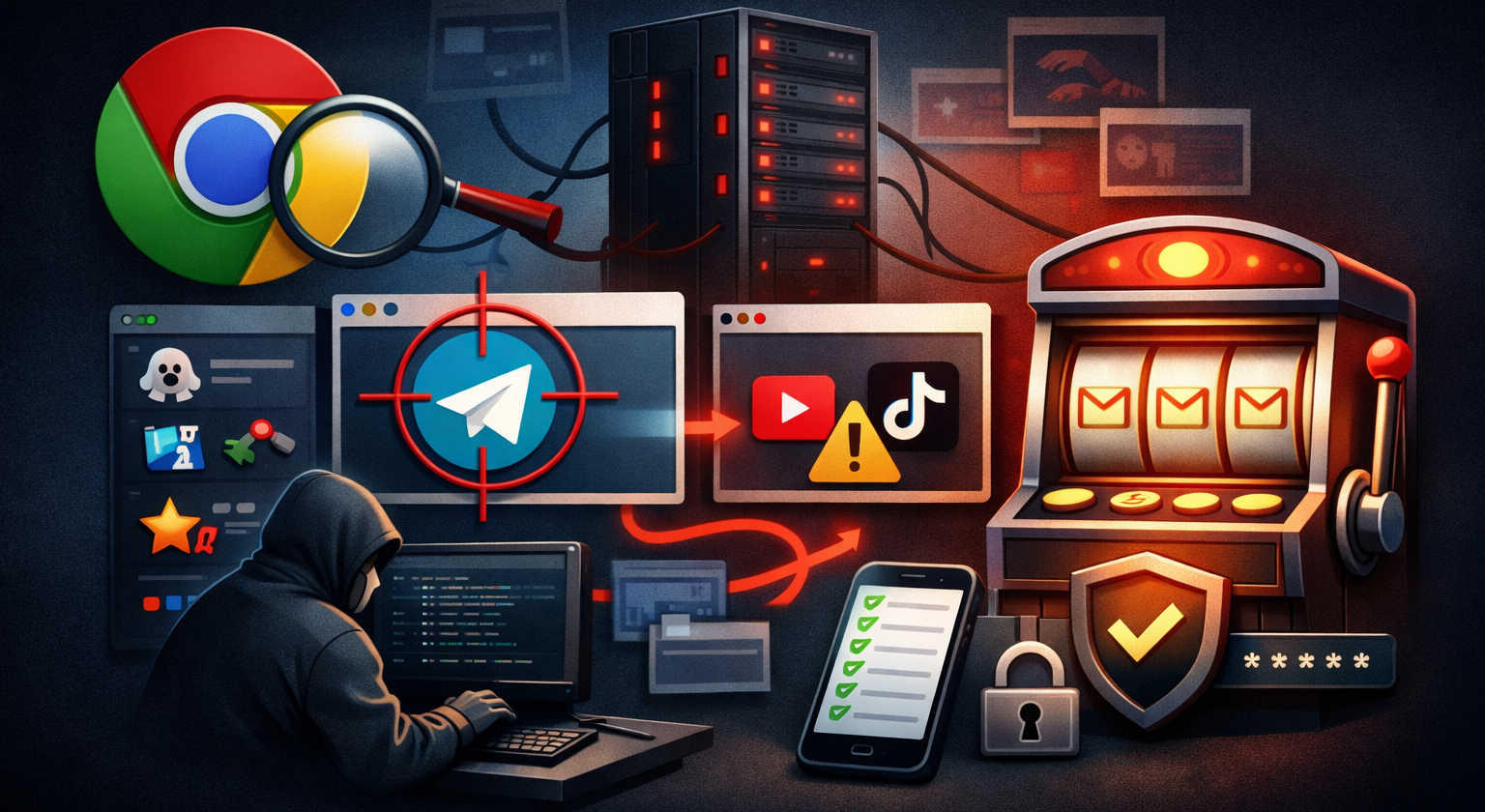
Cybersleuths flagged 108 malicious Chrome add-ons, masquerading as games, translators, and Telegram sidebars, funneling data from 20,000 installs to a single server.
Researchers at Socket found they swipe Google profiles, hijack Telegram sessions every 15 seconds, open shady sites at startup, and strip YouTube/TikTok security to inject ads. Sharing a backend, this malware-as-a-service racket was mostly still live at publishing, though Google is finally delisting them. |
Image created with ChatGPT |
What should you do? Open chrome://extensions and trash unknown titles from Yana Project, GameGen, SideGames, Rodeo Games, or InterAlt. Run Chrome's "Safety Check" in settings to catch stragglers. Log out of Telegram Web via the mobile app, and review permissions at myaccount.google.com/security.
To stay safe, install fewer extensions and question every permission. If a slot-machine extension asks for Gmail access, maybe pull that lever never. |
Gmail Mobile Finally Gets Enterprise-Grade End-to-End Encryption |
Last week, Google finally unlocked client-side, end-to-end encryption (E2EE) for enterprise Gmail apps on Android and iOS, closing the security gap that had lingered since last year's desktop launch.
Enterprise Plus customers with the Assured Controls or Assured Controls Plus add-on can now tap the lock icon, choose "additional encryption," and send messages even Google can't peek at—once admins flip the switch in the Client-Side Encryption console.
Meanwhile, recipients on other services get a secure web portal to read and reply. But fair warning: enabling this drops your attachment limit from 25 MB to a measly 5 MB per encrypted message. Admins, enable this immediately to protect your team's data.
Personal Gmail users are still out in the cold when it comes to sending E2EE emails, though they can read incoming encrypted messages just fine. But you can roll your own protection: rigging up S/MIME certificates for Gmail in Apple Mail and other clients is a convoluted headache, but it's entirely doable if you have a spare afternoon to kill.
And if you're rebranding after that ill-advised teen handle, remember Gmail finally lets US users change addresses without losing mail. |
Amazon Buys Globalstar to Boost Leo and iPhones |
Amazon just inked an $11.6 billion deal to swallow satellite operator Globalstar, giving its newly rebranded Amazon Leo constellation instant spectrum rights, 24 operational satellites (plus a dozen on-orbit spares), and a direct line into Apple's showcase SOS features.
Globalstar shareholders can take $90 per share in cash or Amazon stock, and 58% have already signed off. Regulators still need to bless the union, so closing is penciled in for 2027.
Why the splurge? Two words: direct-to-device. By melding Globalstar's L- and S-band spectrum with Leo's planned thousands of satellites, Amazon says it will beam voice, text, and data straight to ordinary smartphones starting in 2028, no bulky dish required.
That also keeps Apple happy: the iPhone-maker's roughly 20% holding in Globalstar translates into a hefty payday, while a side agreement shifts iPhone and Apple Watch emergency messaging from Globalstar's aging fleet onto Amazon's growing network, ensuring hikers can still ping rescuers from the middle of nowhere. |
The acquisition is also a shot across SpaceX's bow. Starlink boasts around 10,000 operational satellites and millions of users; Amazon has launched roughly 240 so far and just asked the FCC for more time to hit its halfway-to-orbit milestone.
Buying Globalstar doesn't fix the satellite shortfall, but it does lock down spectrum Musk reportedly had his eye on. If this space race gets any hotter, expect Prime deliveries to arrive via orbital drop pods. |
|
|
|
Writer at TechnologyAdvice |
Justin Meyers is an investigative writer and editor who draws on over a decade of meticulous hands-on research to deliver the full, trustworthy story behind consumer and enterprise tech, including cybersecurity. |
|
|
Curious about where AI is really headed? |
The Neuron cuts through the noise to bring you smart, hype-free takes on the latest AI trends, tools, and breakthroughs. Join 500,000+ professionals from top companies like Microsoft, Apple, Salesforce and more.
|
|
|
Advertise in Daily Tech Insider! Daily Tech Insider is a TechnologyAdvice business.
© 2026 TechnologyAdvice, LLC. All rights reserved. TechnologyAdvice, 3343 Perimeter Hill Dr., Suite 215, Nashville, TN 37211, USA. |
|
|
|