






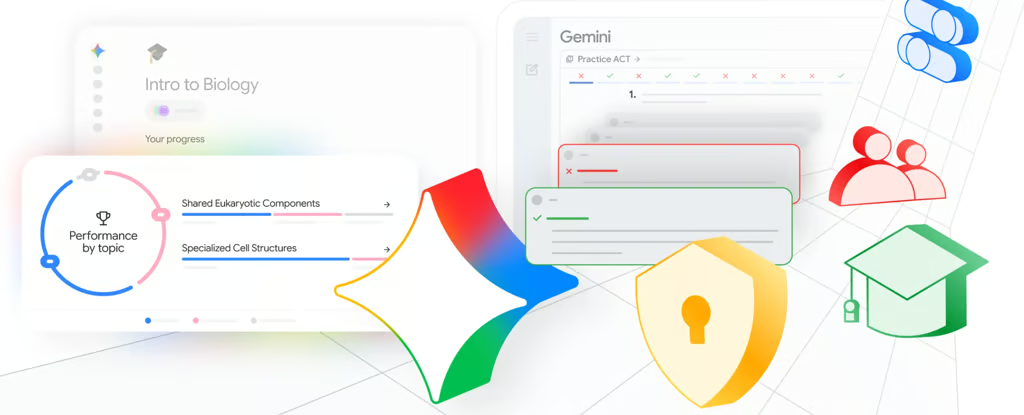


Google is moving Gemini study notebooks from individual student use into school-managed classrooms.
The company announced on June 25 that study notebooks are rolling out globally for personal accounts held by users 18 and older. School-issued accounts, including accounts for users under 18, are expected to gain access in the coming weeks. Teachers will soon be able to assign study notebooks built from class materials through Google Classroom and receive insights into where individual students or an entire class may need more support.
How Gemini builds study notebooks
The June 25 education update describes study notebooks as a Gemini feature for personalized lessons based on a student’s learning goal, class materials, or test-prep needs. Students can type a study goal or upload class materials, then take a diagnostic quiz that identifies areas to review.
Gemini uses the quiz results to build short, interactive lessons that update as students complete quizzes or add new material. The progress dashboard breaks a learning goal into more than 100 objectives, grouped as “Strengths,” “Focus areas,” or “Not started.”
Students can ask questions inside a lesson instead of leaving the notebook. Diagrams and interactive visualizations are planned for later this summer.
Study notebooks also sync with NotebookLM, so students can keep working with the same course materials and generate flashcards, infographics, and other study aids without starting over. The feature is desktop-only for now, with mobile support planned for later this summer.
Standardized test prep is part of the rollout. Study notebooks support SAT prep, while no-cost ACT and GRE practice tests built with The Princeton Review are coming in the next few weeks. Google also plans to add more standardized test support, including ENEM.
Classroom turns Gemini into a managed school tool
The school rollout moves Gemini study notebooks from an individual study tool toward a teacher-managed workflow. Teachers will be able to assign a study notebook based on specific class materials through Classroom, then use the resulting insights to see where students may need additional help.
The rollout connects several parts of Google’s education stack: Gemini, NotebookLM, Classroom, school-issued accounts, and administrator controls. That makes access policy, source control, and teacher visibility part of the product decision, not just implementation details. Google is also extending Gemini into AI agents that can interact with apps, adding another reason for schools to scrutinize controls as the platform expands.
Google’s Classroom Help documentation says teachers and students need admin-enabled access to NotebookLM or Gemini features to use assigned notebooks and Gems in Classroom. Students can interact with assigned notebooks, but they cannot add or edit the notebook’s sources. Teachers can also check whether students opened an assigned notebook or started a conversation with it.
Those controls are especially relevant because the rollout includes school-issued accounts for users under 18. Some governments are already setting strict AI limits for younger students, and district administrators will need to decide how study notebook access fits with local policies on student data, classroom assignments, and teacher-facing activity signals.
Google is also expanding Gemini’s role across Workspace, where users have already been looking for ways to turn off Gemini in Google Docs as AI features become more visible in everyday software. A separate Workspace Updates post says the Classroom app in Gemini can help users 18 and older create study guides, draft quizzes, and work with Classroom information inside Gemini.
Schools still need to decide how broadly to enable the tools, how teachers should use the insights, and what evidence they will require before treating AI-generated study recommendations as part of regular instruction.
Read more: Districts assessing classroom AI should also consider how organizations evaluate AI agent tools, risks, and oversight before deploying them at scale.